Introduction: Ecommerce Returns Are an Operations Problem, Not Just a Customer Service Task
Ecommerce returns often begin with a simple customer request: return an item, exchange a size, report a damaged product or check a refund. Behind that request, however, several operational processes must work together. The order must be identified, the return policy checked, a pickup or shipping process coordinated, the returned item tracked, inventory updated appropriately and the refund or exchange reconciled.
When these activities happen across disconnected ecommerce platforms, courier dashboards, spreadsheets, warehouse systems, ERP software and customer support tools, even routine returns can require repeated manual work. A support agent may approve a request without seeing the latest order state. A warehouse team may receive an item before the return record is updated. Finance may need to investigate why a refund record does not match the original transaction.
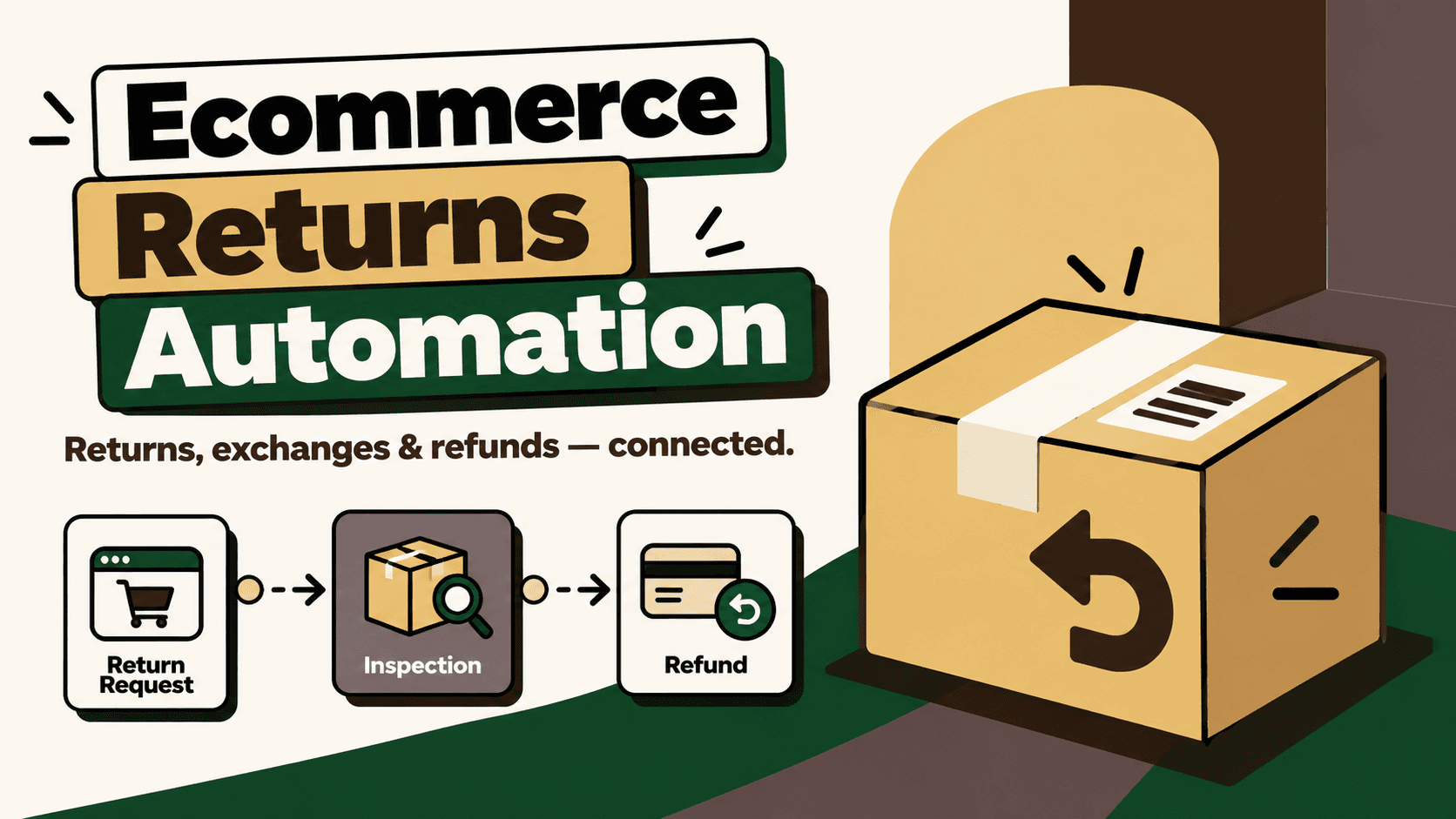
Ecommerce returns automation connects these workflows so eligible requests can be processed consistently, operational changes can be verified and exceptions can reach the right person. The objective is not to approve every return automatically. It is to reduce repetitive work while keeping policy enforcement, inventory accuracy, financial controls and customer communication reliable.
For growing direct-to-consumer (D2C) brands, returns automation becomes especially valuable when order volume increases faster than the team's ability to coordinate return requests, shipping, inspection, refunds and exchanges manually.
1. What Is Ecommerce Returns Automation?
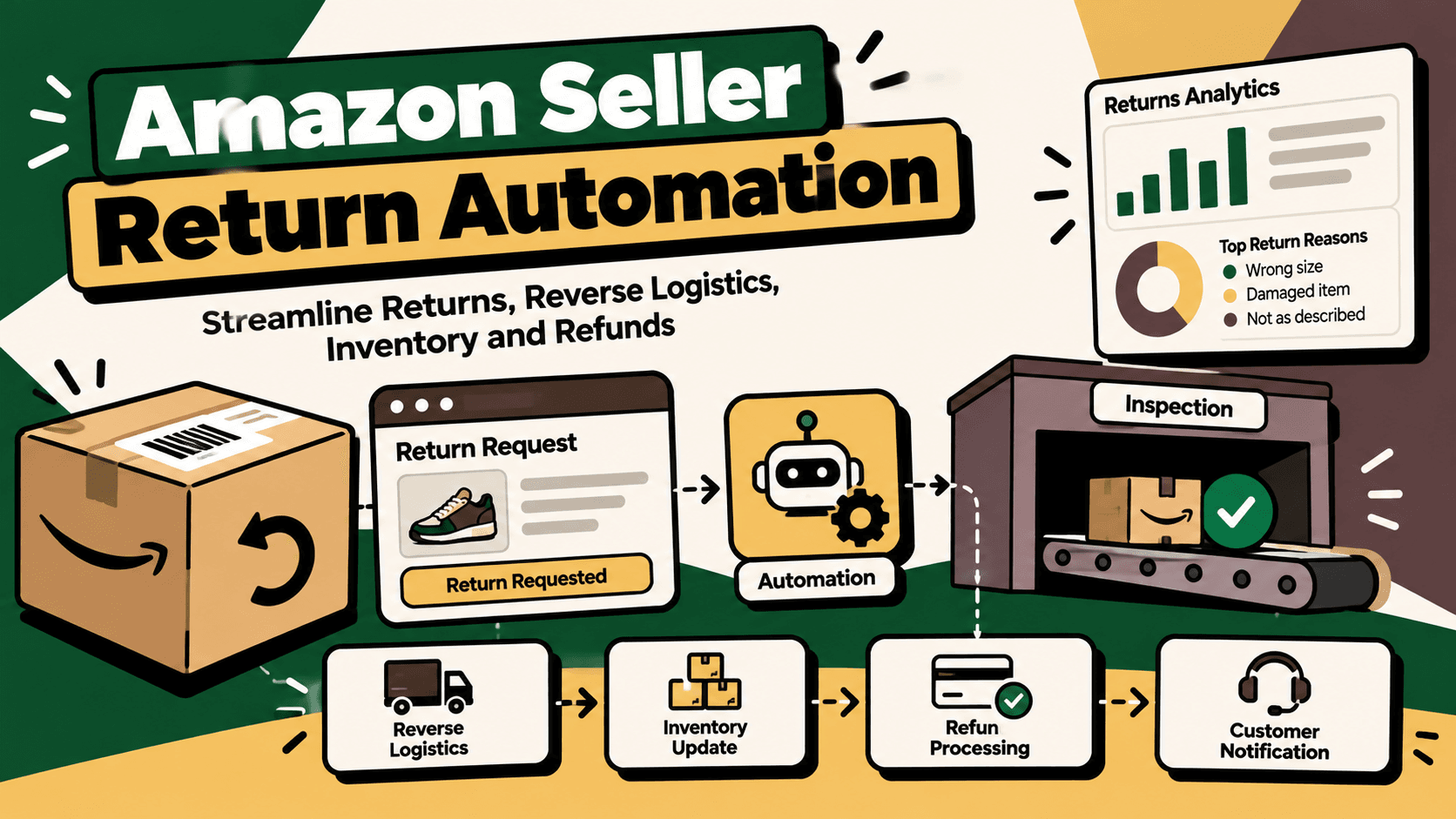
Ecommerce returns automation uses integrations, workflow rules and, where appropriate, artificial intelligence to coordinate the activities involved in returning or exchanging purchased products. It can capture return requests, validate available order information, route approvals, create shipping tasks, synchronize status updates, notify customers and reconcile return outcomes with inventory and financial systems.
A typical workflow connects the ecommerce storefront, order management system, returns portal, shipping provider, warehouse, ERP and customer support platform. The exact components depend on the business model, fulfillment arrangement, return policy and technology stack.
What a returns automation workflow can handle
- Return initiation: collect customer requests and associate them with the correct order and item.
- Policy validation: check return windows, product eligibility, purchase status and other defined conditions.
- Return authorization: route eligible requests through the required approval rules.
- Reverse logistics: coordinate return labels, pickup requests, shipment tracking and warehouse notifications where supported.
- Exchange processing: coordinate replacement orders or exchange workflows while checking inventory availability.
- Refund coordination: track the relevant refund state and reconcile available financial records.
- Inventory disposition: record inspection outcomes and route items to approved restocking, repair or damaged-stock processes.
- Customer communication: provide verified status updates and escalate cases that need human judgment.
- Returns analytics: identify recurring return reasons, product issues, operational delays and exceptions.
These capabilities should not be treated as a single automatic action. A return request, an approved return, a parcel in transit, a received item, a completed refund and a sellable inventory unit represent different states. A reliable system records and verifies each relevant transition.
2. Why Manual Returns Become Difficult to Scale
Disconnected systems create repeated work
Return information may be distributed across the ecommerce platform, courier software, support inbox, warehouse records and accounting system. When those systems do not share consistent identifiers and status updates, employees must repeatedly search for the same information and manually copy it between tools.
The problem is not simply the number of systems. It is the absence of a dependable relationship between the records those systems hold. A return may have a storefront order number, a return authorization reference, a shipment tracking number and a warehouse receipt identifier. Without a maintained mapping, teams can struggle to determine whether those records describe the same transaction.
Policy decisions are inconsistent
Return eligibility can depend on purchase date, product category, item condition, promotion terms, customer history and the brand's published policy. When employees interpret these rules manually, similar cases may receive different treatment. Automating clearly defined rules makes routine decisions more consistent, provided that the policy is current and exceptions remain reviewable.
Inventory can become inaccurate
A returned item is not automatically available for resale. It may be in transit, awaiting inspection, damaged, incomplete or unsuitable for restocking. If a system adds stock when a return is merely requested or a parcel is marked delivered, it can expose inventory that is not actually available for sale.
Refund visibility is incomplete
Return approval, receipt of goods, refund initiation and financial settlement may occur at different points in the process. When these states are confused, customer support may provide inaccurate updates and finance may struggle to reconcile the transaction.
Customers have to ask for updates
When customers cannot see the latest verified return status, they often contact support. Those contacts consume agent time even when the underlying issue is a missing synchronization event or an unclear internal handoff.
Returns automation addresses these problems by connecting the workflow, defining system ownership and making exceptions visible instead of relying on manual follow-up.
3. The Ecommerce Returns Automation Lifecycle
A practical returns workflow follows a sequence of verified states. The exact sequence depends on whether the customer receives a refund, exchange, store credit or another policy-supported outcome.
- Request submitted: capture the order, item, quantity, reason and customer-provided details.
- Eligibility checked: validate the request against the applicable policy and available order data.
- Request approved or reviewed: apply defined rules or route exceptions to an authorized employee.
- Return method arranged: generate supported instructions, shipping documentation or pickup tasks.
- Return in transit: associate shipment events with the original return record.
- Item received: record warehouse receipt or the relevant verified delivery state.
- Inspection and disposition: confirm condition and determine the approved next step.
- Refund or exchange processed: execute or track the applicable workflow through authorized systems.
- Reconciliation completed: compare the operational outcome with inventory and financial records.
- Case closed or escalated: confirm completion or retain ownership of unresolved exceptions.
Not every return needs every step. For example, a policy may allow a particular low-risk case to proceed without physical inspection, while a high-value or damaged item may require explicit review. Those differences should be represented in the rules rather than handled through undocumented workarounds.
4. What Should You Automate First?
Start with the workflow that creates the most avoidable manual work or the highest cost of error. Automating every return-related task at once increases integration complexity and makes it harder to identify the cause of failures.
| Workflow | What automation can do | Important control |
|---|---|---|
| Return request intake | Capture request details and link them to an order and item | Validate identifiers and prevent duplicate cases |
| Eligibility checks | Apply explicit return-window and product rules | Escalate exceptions and ambiguous policy cases |
| Return shipping | Create supported shipment or pickup tasks and track status | Verify carrier capability, serviceability and shipment creation |
| Exchange requests | Check replacement availability and coordinate the exchange workflow | Confirm inventory and avoid duplicate replacement orders |
| Refund tracking | Update the return case from verified refund information | Distinguish requested, processed and reconciled states |
| Inventory disposition | Route returned items to inspection and approved stock processes | Require the appropriate receipt and condition evidence |
| Customer notifications | Send approved updates when verified state changes occur | Avoid unsupported refund promises or duplicate messages |
| Returns analytics | Aggregate reasons, delays, exceptions and product patterns | Maintain consistent definitions and reliable source data |
For a business overwhelmed by customer inquiries, verified status updates and ticket context may be the best starting point. For a brand with frequent stock discrepancies, return inspection and inventory synchronization may have greater value. For a finance team spending hours matching transactions, refund reconciliation may be the most appropriate pilot.
5. How to Automate Returns on Shopify
Shopify can act as the ecommerce order source within a broader returns workflow. The implementation may involve Shopify's built-in order capabilities, a returns application, custom integrations or connections to warehouse, shipping and ERP systems.
Shopify documents app development for returns in its official returns-app documentation. The appropriate integration method depends on the store's requirements, installed applications and the actions supported by the relevant APIs.
Shopify returns automation workflow
- Identify the order: use the appropriate order and line-item identifiers to locate the purchase.
- Capture the request: collect the requested items, quantities and return reasons through the chosen customer or staff workflow.
- Validate the policy: apply documented rules for eligibility and route uncertain cases to a person.
- Coordinate shipping: connect the return to the configured shipping provider or returns application where supported.
- Update the return record: synchronize relevant status changes while retaining the source reference and timestamp.
- Inspect the item: record receipt and condition in the responsible warehouse or inventory system.
- Complete the outcome: coordinate the authorized refund or exchange process and verify the result.
- Reconcile records: compare the return outcome with the order, inventory and financial records.
Do not assume that installing a returns application automatically synchronizes every external system. Confirm which fields, events and actions are supported, whether updates are real-time or periodic, and how failed synchronization is recovered.
Shopify returns applications versus custom workflows
A dedicated returns application can be suitable when the main requirement is a customer-facing returns portal, exchange options and standardized return management. Custom integration may be more appropriate when the workflow must connect several ERP, warehouse, shipping, finance or support systems with organization-specific rules.
These approaches are not mutually exclusive. A business can use a returns application for customer interaction and integrate it with internal systems for inspection, inventory disposition, refund reconciliation and reporting.
Before selecting an application, review its supported workflows, integrations, exception handling, data export options and total operating cost. A tool's presence in an app marketplace does not by itself prove that it supports every required business process.
6. Reverse Logistics Automation: Connect Returns to Shipping and Warehousing
Reverse logistics is the movement and handling of products from the customer back to the seller, warehouse or another authorized destination. In ecommerce, the process can involve pickup scheduling, shipment tracking, delivery confirmation, warehouse receipt and item disposition.
Shipping platforms and carrier integrations can reduce manual work by connecting return requests with supported shipment creation and tracking workflows. The available capabilities depend on the shipping provider, service, region and integration.
What reverse logistics automation should cover
- Map each return to its original order and return authorization.
- Check the required address and shipment details before creating a pickup or return shipment.
- Store the return shipment reference against the correct case.
- Process supported tracking updates and identify stale or conflicting statuses.
- Notify the warehouse when a return is expected, where the integration supports it.
- Record receipt separately from inspection and final disposition.
- Escalate failed pickups, missing scans, damaged deliveries and other defined exceptions.
For businesses using shipping platforms such as Shiprocket or Delhivery, the return workflow should be designed around the specific services and integration capabilities available to the account. Relevant starting points include Shiprocket's return-process guidance and Delhivery's Shopify integration documentation.
Do not assume that every carrier supports the same return-label, pickup, tracking or reverse-shipment operations. Verify those capabilities before making them part of an automated workflow.
7. Refund and Exchange Automation Without Losing Control
Refunds and exchanges affect revenue, customer experience, inventory and financial records. Automation should coordinate the process while ensuring that actions follow the seller's policy and the capabilities of the connected platforms.
Refund automation
A refund workflow can validate that the relevant return meets defined conditions, prepare the required action, track the resulting status and reconcile the available financial records. The system should preserve the distinction between a refund request, an authorized action, a processed refund and a reconciled transaction.
For exceptions such as conflicting amounts, missing references, duplicate requests or uncertain payment status, route the case to an authorized employee. Retrying a financial action without checking whether the first attempt succeeded can create duplicate processing or confusing records.
Exchange automation
An exchange is not simply a return with a different label. It may require checking the replacement SKU, size or variant, reserving available stock, arranging the return shipment, creating or updating an order and coordinating the final financial treatment.
A robust workflow checks replacement availability at the appropriate point and defines what happens if stock changes before the exchange is completed. It should also distinguish a replacement shipment from the original outbound order and the returned item.
Store credit and alternative outcomes
Some businesses offer store credit or other policy-supported resolutions. These options should be modeled as distinct outcomes with clear rules, customer consent where required and auditable records. Do not silently substitute a different outcome for the one the customer selected or the policy permits.
8. Where AI Adds Value in Returns Management
AI can help interpret unstructured information, summarize customer conversations, classify return reasons and surface patterns across large volumes of cases. It is less appropriate as the sole authority for exact order matching, financial posting, policy enforcement or inventory adjustments.
| Task | Recommended approach | Human review |
|---|---|---|
| Order and item matching | Deterministic identifiers and validation | Required for ambiguous matches |
| Return-policy checks | Explicit business rules and approved policy data | Required for exceptions or unclear rules |
| Return-reason classification | AI classification with defined categories | Review low-confidence or high-impact cases |
| Support conversation summaries | AI-generated summaries from approved records | Agent handles disputes and sensitive cases |
| Refund reconciliation | Deterministic matching and variance checks | Finance resolves mismatches |
| Inventory disposition | Verified warehouse data and approved rules | Review damaged, incomplete or unusual items |
| Return pattern analysis | Analytics with optional AI-assisted interpretation | Operations validates proposed root causes |
Example: AI-assisted return-reason analysis
Imagine a clothing retailer receives free-text return reasons such as “fits tighter than expected,” “sleeves too long” and “not the same fit as the photos.” An AI classifier can map these descriptions to a controlled set of categories and aggregate them by product, size or variant.
The resulting analysis may help the merchandising team investigate sizing guidance, product descriptions or fit consistency. However, the classification is an analytical signal, not proof that the product listing is wrong. The business should review the underlying cases before changing product information or supplier decisions.
Example: AI-assisted customer support
A support agent may need to review the original order, return authorization, carrier status and refund record before answering a customer. An AI assistant can summarize those verified records and draft a response that follows approved communication rules.
The workflow should not invent a pickup date, claim that a parcel has arrived without evidence or promise that a refund has been completed when the financial system does not confirm it. If connected systems disagree, the assistant should identify the conflict and route the case for review.
9. A Practical Returns Automation Architecture
A reliable architecture separates customer interaction, business rules, integrations, physical operations and financial reconciliation. This separation makes it easier to identify which system owns a field and recover from partial failures.
Recommended architecture layers
- Customer interface: storefront, returns portal, support chat or service agent.
- Order and return data: ecommerce platform and returns application holding the relevant order and return references.
- Integration layer: connects supported APIs and systems, validates payloads, maps identifiers and handles retries.
- Workflow engine: applies eligibility rules, routes approvals, creates tasks and manages state transitions.
- Logistics and warehouse systems: coordinate reverse shipments, receipt, inspection and disposition.
- ERP and finance: manage the relevant inventory, accounting and reconciliation records.
- Customer support: receives verified context, communications and unresolved exceptions.
- Analytics and monitoring: measures performance, detects failures and reports return patterns.
A simplified flow is customer request → order and policy validation → return authorization → reverse logistics → warehouse receipt and inspection → refund or exchange → inventory and financial reconciliation → customer confirmation.
Not every system needs to be connected directly to every other system. A well-defined integration layer can reduce duplicated logic and provide a consistent mapping between the return, order, shipment and financial records.
Define a canonical return record
Maintain a consistent internal return record that can link the identifiers used by the different systems. Depending on the business, this may include:
- Return identifier and source system.
- Original order and order-item identifiers.
- SKU, variant and quantity.
- Return reason and policy outcome.
- Shipment reference and available tracking status.
- Warehouse receipt and inspection outcome.
- Refund or exchange reference and current state.
- Inventory disposition and adjustment reference.
- Source timestamps, last synchronization time and processing status.
- Exception reason, assigned owner and audit history.
Preserve source identifiers alongside normalized fields. This allows the operations team to trace a discrepancy to its origin and helps prevent duplicate cases when an event is retried or a status update arrives late.
10. How to Implement Ecommerce Returns Automation
Step 1: Map the current workflow
Document how a return begins, who validates it, how shipping is arranged, when the warehouse receives the item, how the refund or exchange is processed and how the case is closed. Include the systems and manual handoffs involved in every stage.
Record common exceptions as well as the ideal path. A process that works for a standard return may fail when the customer returns only part of an order, the parcel is delayed, the item is damaged or the refund record cannot be matched.
Step 2: Establish baseline metrics
Measure current manual handling time, time to resolve a return, number of unresolved cases, synchronization failures, inventory discrepancies and refund reconciliation effort. Define each metric before implementation so that the pilot can be compared with the existing process.
Step 3: Define data ownership
Decide which system is authoritative for orders, return authorization, shipping status, warehouse inspection, inventory, refunds and accounting entries. Document the identifiers used to connect these records and define what happens when two systems disagree.
Step 4: Select a bounded use case
Choose one workflow with a clear operational problem. Examples include creating internal return cases from supported platform events, routing return requests based on explicit policy rules, synchronizing shipment status or matching refund records to orders.
A narrow first implementation is easier to test, measure and recover than a large workflow that changes inventory, payments and customer communications simultaneously.
Step 5: Implement validation and recovery
Validate required fields, check for duplicate events, use bounded retries for temporary failures and maintain an audit trail for consequential actions. Define a manual recovery process for cases that cannot be processed safely.
For integrations using webhooks, account for duplicate delivery, delayed events and events that arrive out of order. Use stable identifiers and current source state where available rather than assuming every incoming event represents the latest state.
Step 6: Test realistic edge cases
- Duplicate return requests and repeated event delivery.
- Partial returns containing several order items.
- Orders with multiple shipments or fulfillment locations.
- Missing or conflicting order and SKU references.
- Pickup failures, delayed tracking and missing carrier updates.
- Damaged, incomplete or unsellable returned items.
- Replacement items becoming unavailable before exchange completion.
- Refund timeouts or uncertain payment outcomes.
- API throttling, expired credentials and temporary service outages.
- Customer requests that fall outside the standard return policy.
Step 7: Pilot and expand
Run the automation on a limited set of representative cases. Compare its outputs with the source systems and existing process, inspect exceptions and confirm that inventory and financial changes are correct. Expand only when the workflow is reliable and the team understands how to handle failures.
Step 8: Assign ongoing ownership
Automation requires maintenance. Assign responsibility for API changes, policy updates, access reviews, failed integrations, monitoring and periodic testing. Without an owner, a workflow can continue running while silently producing stale or incomplete records.
11. Security, Data Quality and Operational Guardrails
Returns workflows may contain customer contact details, purchase history, addresses, payment references and product information. Integrations should use least-privilege access, protect credentials and restrict sensitive data in logs and analytics.
Data quality is equally important. AI and automation cannot reliably correct an order that is linked to the wrong item or a refund record with a missing transaction reference. Validate the source data, maintain identifier mappings and monitor failed synchronizations.
Essential safeguards
- Access control: restrict financial, inventory and customer-data actions to authorized workflows and roles.
- Policy versioning: record which approved return rules were applied to a decision.
- Idempotency: prevent retries from creating duplicate returns, shipments, refunds or stock movements.
- Auditability: preserve source references, action outcomes and approval history.
- Human escalation: route disputed, high-value, ambiguous or policy-exception cases to an accountable person.
- Monitoring: alert on stale statuses, failed integrations, unusual exception volumes and mismatched records.
- Recovery: provide a safe process to replay failed events or correct records without duplicating completed actions.
- AI evaluation: test classification quality, monitor human corrections and prevent generated text from becoming an unverified system fact.
Keep deterministic controls around consequential actions. AI can help interpret return reasons or summarize a case, but it should not independently bypass policy, create unsupported refund promises or make a returned item sellable without the required evidence.
12. How to Prioritize Returns Automation by ROI
Returns automation should be prioritized according to the amount of operational work and risk it can address relative to implementation and maintenance effort. A practical prioritization model is:
Priority score = volume × frequency × manual effort × error cost × revenue impact ÷ implementation complexity.
This is a practical planning framework, not an industry-standard formula. Use consistent scoring scales and validate the results with operations, finance and customer support.
| Automation candidate | Why it may be valuable | Suggested KPI |
|---|---|---|
| Return intake and case creation | Reduces repeated entry and improves traceability | Manual handling time per case |
| Policy-based routing | Creates consistent handling for clearly eligible requests | Processing time and exception rate |
| Shipment status synchronization | Improves visibility and reduces manual status checks | Status synchronization success rate |
| Warehouse disposition workflow | Helps prevent returned items from being treated as sellable prematurely | Time from receipt to verified disposition |
| Refund reconciliation | Surfaces mismatched or missing financial records | Unresolved refund exceptions |
| AI reason classification | Structures free-text data for operational analysis | Classification accuracy and correction rate |
| Customer support automation | Reduces repetitive lookup and case-routing work | Handling time and repeat-contact rate |
Calculate the business case using measured labor, error costs, support effort and inventory outcomes. Include integration development, software fees, API maintenance, monitoring, exception handling and staff training. Do not assume that every saved minute becomes a direct cash saving or that automation will reduce returns themselves.
13. KPIs That Show Whether Returns Automation Works
- Return processing time: elapsed time from request receipt to the defined completed or next verified state.
- Manual handling time: staff effort spent checking, copying and reconciling return information.
- Automation success rate: share of eligible workflow instances completed without technical failure, using a documented definition.
- Exception rate: proportion of cases requiring manual intervention, categorized by cause.
- Return-to-disposition time: time from verified warehouse receipt to recorded inspection outcome.
- Inventory discrepancy rate: frequency of differences between physical disposition and recorded inventory.
- Refund reconciliation rate: proportion of eligible refund records matched to the expected order and financial references.
- Customer support effort: return-related handling time, repeat contacts and unresolved inquiries.
- AI classification quality: accuracy of reason categories and the proportion requiring correction.
- Cost per return: measured operational and logistics costs using a consistent calculation.
Set a baseline before deployment and compare pilot results over a representative period. Review the types of errors as well as averages: a faster process is not successful if it increases incorrect refunds, duplicate shipments or inaccurate inventory.
14. Common Mistakes to Avoid
Automating a broken process
If policy rules are unclear or system ownership is undefined, automation can make inconsistent decisions happen faster. Document the process and resolve basic data and policy issues before scaling it.
Treating every return as identical
Different product categories, return reasons and financial outcomes may require different workflows. Use explicit conditions and maintain an exception path instead of forcing every case through one sequence.
Updating inventory too early
A return request or tracking event does not establish that the item is physically available for resale. Separate shipment tracking, warehouse receipt, inspection and inventory disposition.
Assuming integrations are always real-time
Some systems deliver events immediately; others use polling, scheduled reports or delayed updates. Communicate the actual status and timestamp, and identify stale records rather than presenting them as current.
Using AI without reliable data
An AI assistant may summarize incomplete or conflicting records incorrectly. Connect it only to approved data sources, expose uncertainty and direct unresolved cases to a person.
Ignoring maintenance costs
APIs, policies, carrier services and applications change. Include monitoring, testing, credential management, incident response and ownership in the operating plan.
15. How Five Anchor Fits into Ecommerce Returns Automation
Returns connect several parts of an ecommerce business: marketplace and storefront orders, inventory, shipping, warehouse operations, customer support and financial reporting. Automating only the customer-facing request may leave the most expensive manual work untouched.
Five Anchor's positioning is AI Infrastructure for D2C and E-Commerce. Its Commerce Infrastructure, AI-Powered Customer Operations and E-Commerce Intelligence services are relevant when a business needs to connect returns workflows across its operational systems.
What an implementation could include
- Workflow mapping: document the return lifecycle, manual handoffs and recurring exceptions.
- Platform integration: connect supported ecommerce, returns, shipping, ERP, warehouse and support systems.
- Canonical return data: map orders, items, return references, shipments, refund states and inventory outcomes.
- Workflow automation: implement policy rules, case routing, notifications, status synchronization and exception queues.
- AI-assisted operations: classify return reasons, summarize support context and surface patterns from approved data.
- Guardrails and approvals: keep inventory, financial and policy-sensitive actions subject to appropriate validation and authorization.
- Monitoring and measurement: track processing time, synchronization failures, exception resolution and inventory or refund discrepancies.
The implementation should be tailored to the actual systems, return policies and operating constraints of the business. Five Anchor is most relevant when returns need to become part of a connected commerce workflow rather than another isolated dashboard.
For teams already investing in logistics integrations, the related guide on logistics automation for D2C ecommerce provides a useful adjacent topic for connecting shipment operations with broader commerce processes.
Conclusion: Build a Returns Workflow That Can Be Trusted
Ecommerce returns automation is most effective when it connects the customer request to the physical, operational and financial outcomes that follow. The workflow should validate eligibility, coordinate supported reverse-logistics processes, verify item condition, update inventory appropriately, track refunds or exchanges and keep customers informed using reliable status data.
Start by identifying where manual work and errors accumulate. Confirm the capabilities of the platforms you use, define which system owns each record, select one measurable workflow and implement validation, monitoring and human escalation before expanding.
The goal is not to remove human judgment from every return. It is to make routine processing consistent, complex cases visible and consequential actions accountable.
Key Takeaways
- •Ecommerce returns automation connects customer requests with shipping, warehouse, inventory, support and financial workflows.
- •Return authorization, shipment delivery, warehouse inspection, refund completion and sellable inventory are separate states.
- •Shopify returns workflows may use built-in capabilities, returns applications or custom integrations depending on the business requirements.
- •Reverse logistics automation should be designed around the actual capabilities of the shipping provider and warehouse operation.
- •Use deterministic rules for eligibility, identifiers, financial reconciliation and inventory posting; use AI selectively for classification, summarization and analysis.
- •Prioritize automation using measured manual effort, error cost, operational impact and implementation complexity.
- •Five Anchor's commerce infrastructure and customer operations services are relevant when returns need to connect with wider ecommerce systems.
Manual Returns Processing vs. Integrated Returns Automation
| Operational Area | Manual or Disconnected Process | Integrated Automation |
|---|---|---|
| Inventory Sync Frequency | 15–30 min batch polling (high oversell risk) | Sub-second atomic locking (<450ms) |
| Concurrent Drop Resilience | Fails under concurrency; causes negative stock balance | Redis atomic reservation queue guarantees exact counts |
| Error Handling & Retries | Silent failure; manual CSV audit needed | Dead-letter queues with automated exponential retry |
| Fulfillment Routing Speed | 2–4 hours delayed batch export to 3PL warehouse |