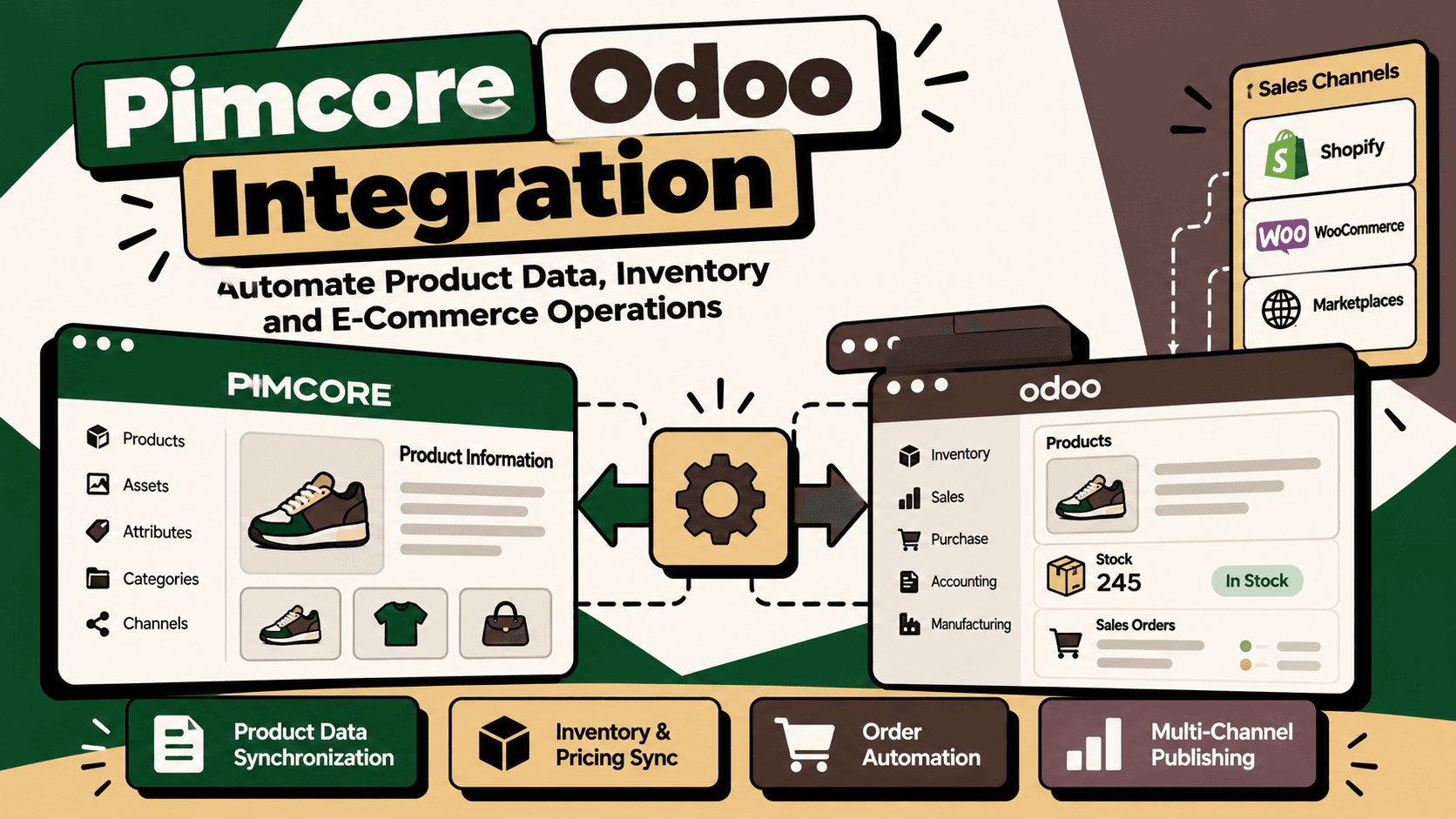
Introduction: Why Integrate Pimcore with Odoo?
Ecommerce businesses often manage product information and operational data in different systems. Product descriptions, technical specifications, translations, images and channel-specific content may be maintained in a product information management platform, while stock, purchasing, sales orders and financial transactions are managed in an ERP.
When these systems operate independently, teams must repeatedly update records, reconcile inconsistent product details and investigate mismatches between published products and operational data. A product description can be correct in one channel but outdated in another. A new product variant may be missing from a sales channel. Inventory or pricing changes may not reach connected storefronts on time.
Pimcore Odoo integration connects product information management with enterprise resource planning so that product content and operational data can move between systems according to clearly defined ownership and synchronization rules. The objective is not to make both platforms store identical information indiscriminately. It is to ensure each system provides the data it is responsible for and that connected systems receive the updates they need.
Pimcore provides product information management capabilities for structured product data and multichannel content. Odoo provides business applications for operations such as sales, purchasing, inventory and accounting, depending on the modules deployed. Their integration can help ecommerce businesses create a consistent product catalog while reducing repetitive data handling.
Official references include Pimcore Product Information Management, the Pimcore documentation and Odoo.
1. What Does Pimcore Odoo Integration Mean?
Pimcore Odoo integration is a configured connection between Pimcore and Odoo that synchronizes selected data objects and business events. The integration may cover product catalog synchronization, inventory and pricing updates, sales orders, or a broader ecommerce workflow.
The exact scope depends on the Pimcore modules, Odoo version and installed applications, available APIs, customizations, and connected sales channels. A connector should therefore be designed around the actual business workflow rather than an assumption that every object can be synchronized automatically.
Pimcore: The product information hub
Pimcore can manage enriched product information such as descriptions, attributes, categories, variants, images, technical specifications, translations and channel-specific content. This makes it relevant when product information must be organized and prepared for multiple storefronts, marketplaces or B2B portals.
For example, a manufacturer selling through several channels may need one governed product record with different descriptions, specifications and language versions for each market. Pimcore can serve as the platform for managing that product content when the implementation is configured accordingly.
Odoo: The operational ERP
Odoo can manage operational records such as products, stock quantities, purchasing, sales orders and accounting transactions according to the applications and configuration in use. It can provide the operational data that other systems need for availability, order processing and business reporting.
For example, a stock movement recorded in Odoo may need to update the availability displayed by an ecommerce channel. The integration must identify the correct product variant, retrieve the appropriate stock value and transmit it using the destination system's supported data model.
The integration layer connects both systems
An integration layer handles authentication, field mapping, data validation, synchronization direction, retries, logging and reconciliation. It may be implemented using APIs, a custom connector, an integration platform or a combination of these approaches. Pimcore documentation describes its platform and integration capabilities, while Odoo documents external API options for supported versions.
See the Pimcore Platform documentation and the Odoo 19 External JSON-2 API documentation. Confirm version and hosting requirements before selecting an implementation method.
2. What Can You Synchronize Between Pimcore and Odoo?
The integration should begin with a defined list of data objects, fields and business events. The following are common integration candidates, not a guarantee that every field is available through a standard connector.
| Data domain | Typical Pimcore responsibility | Typical Odoo responsibility |
|---|---|---|
| Product content | Descriptions, rich attributes, translations and channel-specific content | Operational product reference and fields required by ERP workflows |
| SKU and variants | Product relationships, variant attributes and catalog structure | Product and variant records used in transactions and stock management |
| Digital assets | Product images and related content assets | Relevant product media or references where required by the configuration |
| Inventory | Availability information for publishing when required | Stock quantities and inventory movements within the configured ERP workflow |
| Pricing | Channel-specific presentation or price content where assigned | Operational prices or pricelists where assigned |
| Sales orders | Product and content references needed by connected channels | Order processing and related operational records |
| Categories and attributes | Enriched catalog taxonomy and product attributes | Product classifications and attributes required by ERP processes |
Not every business should synchronize every domain in both directions. Each data object needs an authoritative source, a destination, a defined trigger and a recovery procedure when synchronization fails.
3. Recommended Pimcore Odoo Integration Architecture
A maintainable architecture separates product content, ERP operations, integration logic and sales channels. This prevents either platform from becoming an accidental owner of every field and reduces the risk of conflicting updates.
Architecture overview
- Odoo ERP: manages operational product references and the inventory, purchasing, sales or financial records assigned to it.
- Integration layer: authenticates requests, maps identifiers and fields, validates data, applies synchronization rules and records processing outcomes.
- Pimcore PIM: manages enriched product information, attributes, assets, translations and channel-ready content according to the chosen data model.
- Sales channels: receive approved product content and relevant availability or pricing information through the configured publishing workflow.
- Monitoring and reconciliation: detects failed updates, duplicate records, stale data and differences between source and destination systems.
The resulting flow may be Odoo to Pimcore for operational product references and selected inventory information, Pimcore to Odoo for approved enriched fields, or a combination of separate one-way flows. Bidirectional synchronization should be used only where the ownership rules and conflict-resolution behavior are explicit.
Choose the correct integration method
Pimcore and Odoo both provide technical integration options, but the right implementation depends on version, licensing or hosting constraints, custom modules, data volume and workflow requirements. Evaluate native capabilities and supported connectors first. Use a custom integration when required objects, validation rules or business actions are not adequately covered by the available options.
An integration platform such as an automation workflow tool may be appropriate for straightforward event orchestration. More complex product structures, high-volume synchronization, strict consistency requirements or custom business logic may need a dedicated connector and a durable processing mechanism.
Do not select a technology before documenting the data contracts, expected volume, latency requirements and failure behavior. The simplest architecture that meets those requirements is generally easier to operate than a collection of loosely connected workflows.
4. Define Data Ownership Before Building the Connector
Data ownership is the most important design decision in a Pimcore Odoo integration. If both systems can independently change the same field without an agreed rule, the integration can repeatedly overwrite correct values or produce inconsistent records.
A practical starting point is to assign ownership by field rather than assigning one platform as the universal master for every product-related attribute.
| Field or record | Possible authoritative system | Synchronization rule |
|---|---|---|
| Enriched description | Pimcore | Publish approved content to Odoo or connected channels where required |
| Technical attributes | Pimcore, subject to business ownership | Map attribute identifiers and validate required values |
| Translations | Pimcore | Publish the approved language and market version |
| Inventory quantity | Odoo, when it owns stock operations | Transmit the defined availability value to consuming systems |
| Operational pricing | Odoo or the designated pricing system | Synchronize only the approved price type, currency and applicable scope |
| SKU and variant identifiers | Agreed product master | Preserve stable identifiers and maintain explicit cross-system mappings |
This table is a recommended starting point, not a universal rule. A business may have a separate pricing engine, inventory management system or master data platform. The implementation must reflect the actual source of truth.
Prevent duplicate products and variants
Product names are not reliable unique identifiers. Use a stable SKU or agreed external identifier and maintain a mapping between Pimcore IDs, Odoo product or variant IDs, and any sales-channel identifiers. Define what happens when a SKU changes, a variant is retired or an existing record cannot be matched.
Before creating a new record, the integration should check whether the mapped entity already exists. Updates should target that existing entity. If a match is ambiguous, the workflow should flag the record for review instead of silently creating another product.
5. How Product Catalog Synchronization Works
Product catalog synchronization transfers approved product records and attributes between systems while preserving relationships and field ownership. It should validate the product structure before publishing data to downstream channels.
Step 1: Audit the existing catalog
Export or inspect representative product records from both systems. Compare SKUs, variants, categories, required attributes, translations, images and existing identifiers. Identify duplicates, missing values and inconsistent naming conventions.
Step 2: Create a field mapping
Map each source field to its destination field. Specify transformations, allowed values, required fields, default behavior and validation rules. If Pimcore stores a rich attribute model and Odoo expects a different structure, define how the attribute will be represented rather than copying the raw value without context.
Step 3: Validate before writing
Check that the SKU exists, required fields are populated, variant relationships are valid and values meet destination constraints. Reject or quarantine invalid records with a clear reason so that teams can correct the source data.
Step 4: Create or update the destination record
Use the approved identifier mapping to determine whether the destination needs a create or update operation. Record the result and the source version or update timestamp where appropriate.
Step 5: Publish and verify
Where product data is passed to a storefront or marketplace, verify that the destination accepted the update and that the expected product fields are visible. A successful API request does not necessarily prove that the entire downstream publishing workflow completed.
For relevant Pimcore product data concepts, consult the Pimcore Data Objects documentation.
6. Inventory and Pricing Synchronization
Inventory and pricing updates need more careful handling than ordinary product descriptions because stale or incorrectly mapped values can affect customer orders and business margins.
Inventory synchronization
If Odoo is the authoritative inventory system, the integration should transmit the agreed availability value to Pimcore or connected sales channels. First define whether the destination needs physical stock, available-to-promise stock, stock by warehouse, or a derived quantity after reservations and safety stock.
Do not assume that every stock field means the same thing across systems. A warehouse quantity, forecast quantity and sellable availability value can represent different business concepts. The integration must map the intended meaning and account for the company's reservation and fulfillment rules.
Test stock changes caused by receipts, deliveries, returns, adjustments and cancellations. Also test simultaneous orders and delayed updates. If the business sells through several channels, define how much stale inventory is acceptable and whether temporary buffers are needed to reduce overselling risk.
Pricing synchronization
Before synchronizing prices, define the price type, currency, tax treatment, customer group, sales channel and effective period. A base product price is not necessarily equivalent to a customer-specific pricelist or a channel-specific promotional price.
Validate currency precision, rounding, tax assumptions and missing-price behavior. A missing price should not silently become zero or overwrite a valid destination value. Depending on the business rule, the integration may block publication, retain the last approved price or route the record for review.
Use Odoo's supply chain documentation to review the inventory capabilities relevant to the deployed version and configuration.
7. Orders and Connected Ecommerce Channels
Some businesses need more than product catalog synchronization. They also want connected ecommerce channels to create orders in Odoo while product information is managed through Pimcore. In this scenario, the integration must distinguish the content publishing flow from the transactional order flow.
A possible workflow is:
- Pimcore supplies approved product content to a storefront or marketplace through the configured publishing integration.
- The customer places an order on the sales channel.
- The order integration validates the channel order ID, SKU mapping, quantities, customer information and required transaction fields.
- Odoo receives or processes the order through the configured connector or API workflow.
- The integration records the mapping between the channel order and the Odoo order.
- Operational updates are shared with relevant systems where the business requires them.
The order flow should not treat Pimcore as the operational system of record unless the specific architecture assigns it that role. Product content and transaction processing have different data requirements, and separating them helps prevent catalog changes from interfering with order operations.
Odoo documents integrations for supported sales channels, including its Shopify connector. The availability and behavior of a particular connector depend on the Odoo version and deployment. Verify the actual connector scope before deciding which responsibilities need custom integration.
8. API Integration, Error Handling and Reliability
An integration is not complete when the happy path works. It must also handle invalid data, API limits, temporary outages, duplicate events and partially completed workflows.
Authentication and permissions
Use the authentication method supported by each platform and the selected API version. Store credentials securely, restrict access to the permissions required for the workflow, rotate credentials according to policy and avoid embedding secrets in logs or source code.
Validation and mapping errors
Validate payloads before sending them to the destination. Record which entity failed, which validation rule was violated and what corrective action is needed. Error messages should help operators diagnose the problem without exposing unnecessary personal or commercial information.
Retries and duplicate prevention
Retry transient failures using bounded retry policies and appropriate delays. Do not repeatedly retry permanent validation errors without changing the payload. Where possible, use idempotency keys, stable external identifiers or processed-event records to prevent a repeated request from creating duplicate products or orders.
Reconciliation
Schedule comparisons between source and destination records for important fields. Reconciliation should identify missing records, mismatched variants, stale inventory values and updates that were accepted by one system but not completed downstream.
For technical implementation details, review the Odoo external API documentation and the Pimcore platform documentation. Confirm the exact endpoints and authentication requirements for the versions in use.
9. Common Pimcore Odoo Integration Mistakes
Synchronizing every field in both directions
Bidirectional synchronization without field ownership creates conflicts and unnecessary processing. Define the authoritative source for each field and only enable reverse updates when there is a documented business requirement.
Ignoring variants and attribute relationships
Products often have multiple sizes, colors, materials or configurations. A connector that synchronizes only parent product records may leave variants incomplete or map stock to the wrong entity. Test parent-child relationships and variant-level identifiers explicitly.
Assuming a successful API call means the workflow is complete
A request can succeed while a later publishing, validation or downstream processing step fails. Track the complete workflow state and verify the final destination when the business outcome depends on it.
Skipping baseline metrics
Without a baseline, it is difficult to determine whether the integration reduces manual effort or merely moves work into error correction. Record catalog update time, synchronization failures, duplicate records, stock discrepancies and the effort required to reconcile systems before deployment.
Building before cleaning the data
Integration does not automatically fix inconsistent source records. If SKUs, units, attributes or categories are unreliable, automation can distribute those errors more quickly. Clean and govern the highest-impact data before expanding synchronization coverage.
Neglecting monitoring and ownership
APIs, credentials, product models and business rules change. Assign clear owners for integration monitoring, failed-event recovery, schema changes, access reviews and regression testing. A connector without operational ownership will become less reliable over time.
10. A Step-by-Step Implementation Plan
Phase 1: Define the business objective
Choose a concrete outcome such as maintaining consistent product descriptions across channels, synchronizing inventory availability, reducing catalog administration or connecting ecommerce orders to ERP workflows. Avoid starting with a vague objective to integrate everything.
Phase 2: Map the data and current process
- List the Pimcore and Odoo modules, versions and customizations involved.
- Document source and destination systems for each required field.
- Identify product identifiers, variants, categories and channel mappings.
- Measure current update frequency, manual effort and error rates.
- Document expected volumes, update latency and acceptable failure windows.
Phase 3: Design the data contract
Specify field mappings, required values, transformations, validation rules, ownership, synchronization direction and deletion behavior. Decide how retired products, changed SKUs and incomplete records will be handled. Define the source and destination states that constitute successful processing.
Phase 4: Build the smallest viable integration
Start with one bounded workflow, such as synchronizing approved product attributes from Pimcore to Odoo or publishing a defined inventory value from Odoo to a consuming system. Implement authentication, validation, identifier mapping, error logging and retry behavior before adding more objects.
Phase 5: Test realistic edge cases
- New products and existing product updates.
- Multiple variants and missing identifiers.
- Duplicate records and repeated events.
- Missing attributes, invalid values and unsupported currencies.
- Inventory changes and delayed updates.
- API failures, expired credentials and rate limits.
- Partial success and reconciliation after recovery.
Phase 6: Pilot and measure
Run the integration with a representative product set or limited sales-channel scope. Compare results against the baseline, review failures and confirm that the correct data reaches the destination. Keep a rollback or manual recovery procedure available for high-impact workflows.
Phase 7: Expand with governance
Add inventory, pricing, orders or additional channels only after the initial workflow is stable. Establish monitoring, alert thresholds, maintenance ownership, access reviews and regression tests for platform upgrades or data-model changes.
11. How to Prioritize Automation Opportunities
Not every integration feature deserves equal priority. A useful practical prioritization model is:
Priority score = volume × frequency × manual effort × error cost × revenue impact ÷ implementation complexity.
This is a decision-making framework, not an industry-standard formula. Teams should define consistent scoring scales and use the result to compare candidate workflows rather than treat the score as a precise financial forecast.
| Workflow | Why prioritize it | Key control | Metric to track |
|---|---|---|---|
| Product attribute synchronization | Repeated catalog updates across systems or channels | Required-field validation and identifier mapping | Manual update effort and data mismatch rate |
| Inventory synchronization | Stale availability can affect order acceptance | Clear stock semantics and update monitoring | Inventory discrepancy rate and update latency |
| Pricing synchronization | Incorrect prices can affect customer transactions and margins | Currency, tax and price-type validation | Pricing mismatch rate and correction effort |
| Order synchronization | Manual order entry can create delays and transcription errors | Duplicate prevention and order-state verification | Order processing time and failed-order rate |
| Exception reconciliation | Failures can remain invisible across connected systems | Exception queues and accountable ownership | Unresolved exceptions and time to recovery |
Start with a high-volume workflow where the source data is reasonably reliable and the result can be verified. Do not begin with the most complex bidirectional workflow simply because it touches the largest number of systems.
12. How Five Anchor Fits into Pimcore Odoo Integration
For D2C and ecommerce businesses, Pimcore Odoo integration is part of a broader commerce infrastructure problem. Product information, inventory, order processing, marketplaces and operational reporting must work together without creating conflicting data or fragile manual processes.
Five Anchor's positioning is AI Infrastructure for D2C and E-Commerce. Its Commerce Infrastructure service is relevant when a business needs ERP integration, inventory synchronization, order processing automation, marketplace connectivity or custom workflows that connect product and operational systems.
What a practical implementation could include
- Workflow mapping: document the product lifecycle from product creation through ERP validation and channel publication.
- Data architecture: define the authoritative source for SKUs, variants, descriptions, inventory and pricing.
- Integration engineering: connect Pimcore and Odoo through the supported APIs or an appropriate integration layer.
- Automation and guardrails: validate data, prevent duplicate writes, retry transient failures and route unresolved exceptions to an accountable operator.
- Monitoring and reconciliation: detect mismatches and provide visibility into synchronization status.
- Measurement: compare manual effort, data quality, synchronization latency and processing failures against the baseline.
The objective is to create a dependable integration that supports the existing operating model rather than adding another disconnected tool. Five Anchor is relevant where Pimcore and Odoo need to become part of a coherent ecommerce infrastructure spanning product data, ERP operations and sales channels.
13. Measuring Integration Success
Evaluate the integration through operational outcomes, not the number of records transferred. The metrics should reflect the original problem and the workflow being automated.
- Catalog accuracy: percentage of sampled product records that match the approved source data.
- Synchronization latency: time between a source update and its verified availability in the destination.
- Failure rate: share of synchronization attempts that fail validation or processing.
- Duplicate rate: number of duplicate product, variant or transaction records created during the measurement period.
- Inventory discrepancy rate: frequency of material differences between the authoritative stock value and the consuming system.
- Manual correction effort: time spent investigating and fixing data synchronization issues.
- Order processing reliability: percentage of eligible orders that reach the intended operational state without manual re-entry.
Record baseline values before deployment and compare them using the same definitions after the pilot. Include implementation, licensing, maintenance, monitoring and exception-handling costs when estimating financial impact. Do not assume that reduced manual activity automatically translates into equivalent cash savings or additional revenue.
Conclusion
Pimcore Odoo integration connects product information management with ERP operations, allowing ecommerce businesses to govern rich product content while synchronizing the operational data required by connected systems. Its success depends on field ownership, stable identifiers, explicit data mappings, appropriate synchronization direction and reliable error handling.
The most effective approach is to begin with a clearly defined business problem, audit the existing product data, build a small integration workflow and verify the result before expanding to inventory, pricing, orders and additional sales channels.
For businesses seeking a dependable connection between product data and commerce operations, the priority is not maximum automation. It is accurate, traceable and recoverable synchronization that improves the workflow without creating new sources of operational risk.
Key Takeaways
- •Pimcore can manage enriched product content while Odoo manages operational records according to the configured ERP workflow.
- •Define data ownership by field before building the integration to prevent conflicting updates and duplicate records.
- •Use stable SKU and variant identifiers instead of relying on product names for matching.
- •Inventory and pricing synchronization require explicit definitions for stock availability, price type, currency and tax treatment.
- •APIs, validation, retries, duplicate prevention, monitoring and reconciliation are core parts of a reliable integration.
- •Begin with one measurable workflow, test edge cases, establish baseline metrics and expand incrementally.
- •Five Anchor's Commerce Infrastructure service is relevant when ecommerce businesses need to connect ERP, product data, inventory and sales-channel workflows.
Pimcore and Odoo Integration Responsibilities
| Area | Pimcore | Odoo |
|---|---|---|
| Inventory Sync Frequency | 15–30 min batch polling (high oversell risk) | Sub-second atomic locking (<450ms) |
| Concurrent Drop Resilience | Fails under concurrency; causes negative stock balance | Redis atomic reservation queue guarantees exact counts |
| Error Handling & Retries | Silent failure; manual CSV audit needed | Dead-letter queues with automated exponential retry |
| Fulfillment Routing Speed | 2–4 hours delayed batch export to 3PL warehouse | Instantaneous automated webhook dispatch (<90 sec) |