Shopify is rarely the reason a growing ecommerce operation becomes difficult to manage.
The problem usually appears around Shopify: inventory lives in one system, orders in another, fulfillment in a warehouse or 3PL, finance somewhere else, and customer communication across email, WhatsApp or a helpdesk.
As order volume grows, the gaps between those systems become operational bottlenecks.
Shopify itself describes ecommerce operations as spanning areas such as inventory, fulfillment, customer experience and data, with complexity increasing as businesses add channels, systems and workflows. Shopify's ecommerce operations guidance
The core issue is simple: the storefront can scale faster than the operational architecture supporting it.
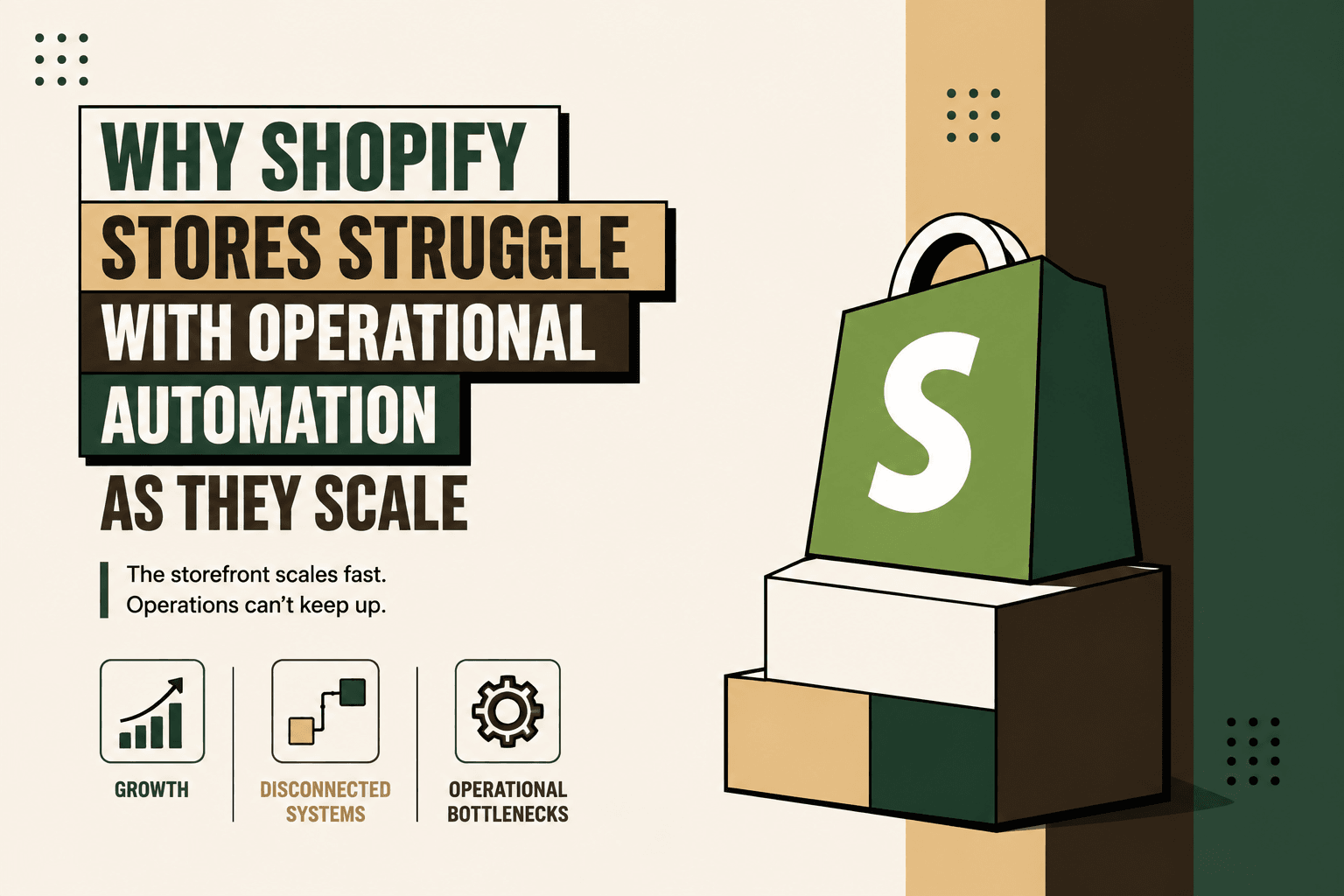
Why Shopify Stores Struggle With Operational Automation
Answer: Shopify stores struggle with operational automation when order volume, channels and systems grow faster than the processes connecting them.
Explanation: A workflow that works when a founder manually checks orders, updates a spreadsheet and messages a warehouse can become unreliable when the same process involves an ERP, multiple inventory locations, several shipping partners, customer support and finance.
Example: An order can be successfully captured in Shopify while inventory is outdated in the ERP, fulfillment information is missing from the warehouse and the customer still needs to contact support for tracking.
Implication: Adding another automation app does not necessarily solve the problem. The missing layer is often orchestration between systems.
Action: Map the complete workflow first, then automate the points where information, decisions or actions repeatedly cross system boundaries.
1. The Store Grows Faster Than the Operational Infrastructure
Early-stage ecommerce operations often depend on people filling gaps between systems.
A founder or operations manager may:
- Check new orders
- Verify payment status
- Update inventory
- Send orders to a warehouse
- Check shipping status
- Send tracking information
- Process returns
- Reconcile payments
- Update spreadsheets
- Answer customer questions
At low volume, this can feel efficient because the same person understands the entire operation.
At higher volume, that person becomes an undocumented integration layer.
The workflow may still technically work, but it depends on human memory, manual checks and repeated context switching.
Shopify recommends starting automation with repetitive, high-volume workflows because manual inefficiencies become more consequential as activity increases. Shopify Flow documentation
Five Anchor POV: Scaling operations is not simply about removing manual clicks. It is about removing the dependency on individual people to move information from one system to another.
2. Shopify Becomes One System Among Many
A growing D2C business rarely operates entirely inside its commerce platform.
A typical operating environment may look like:
Shopify → ERP → Inventory → Warehouse → 3PL → Shipping → Customer Support → Finance
Each system may perform its own job well. The difficulty is maintaining reliable movement of information between them.
For example, an order might be created in Shopify, but several additional events need to happen before the order becomes a completed business transaction:
- Payment is validated.
- Inventory is checked.
- Inventory is reserved.
- The order reaches the ERP or OMS.
- A fulfillment location is selected.
- The warehouse or 3PL receives the request.
- Shipment information returns to the commerce platform.
- The customer receives an update.
- Financial information reaches the appropriate accounting workflow.
If any connection is delayed, duplicated or broken, the downstream process inherits the problem.
Shopify's enterprise guidance also emphasizes integrations with systems such as ERP and CRM as businesses become more complex. Shopify's scalable ecommerce platform overview
3. App Sprawl Creates Automation Islands
Shopify's ecosystem makes it easy to add specialized functionality. That flexibility is useful, but it can also produce a fragmented operating stack.
A brand may eventually have separate applications for:
- Inventory
- Subscriptions
- Returns
- Shipping
- Customer support
- Marketing
- Accounting
- Analytics
- Order management
The Shopify App Store contains a large ecosystem of workflow and operations applications, including solutions related to order fulfillment. Shopify App Store workflow automation category
The issue is not that these applications exist. The issue is that every additional application can create another data source, API dependency, subscription, permission model and workflow to maintain.
Eventually, the business may have many automations but no coherent operating model.
Automation Islands vs Connected Workflows
| Approach | What happens | Operational effect |
|---|---|---|
| Automation islands | Individual tasks are automated separately | Gaps remain between systems |
| Connected workflow | Events, decisions and actions are orchestrated end to end | Fewer manual handoffs and clearer exception paths |
4. Task Automation Is Not the Same as Workflow Automation
One of the most common automation mistakes is automating the visible task instead of the underlying workflow.
For example:
Task: Send an order confirmation.
That is useful, but it does not solve the complete order-processing problem.
The actual workflow may be:
Order received → Payment validated → Inventory checked → Inventory reserved → ERP updated → Fulfillment created → Shipment processed → Tracking received → Customer notified → Finance reconciled
If only one step is automated, the rest of the workflow can still depend on people.
Shopify Flow itself uses triggers, conditions and actions to connect events into workflows, illustrating the difference between an isolated action and an event-driven process. Shopify Flow
Five Anchor POV: The unit of automation should usually be the business workflow, not the individual application. The question is not “What can we automate inside Shopify?” It is “What should happen from the moment an event occurs until the business outcome is complete?”
5. Data Synchronization Becomes the Hidden Bottleneck
Automation depends on trustworthy data.
Consider a simple inventory scenario:
Shopify shows 27 available units. The ERP shows 19. The warehouse reports 14.
There is no useful automation decision until the business determines which value is authoritative and why the other systems differ.
This is why inventory synchronization is an architecture problem rather than merely an API problem.
The implementation needs answers to questions such as:
- Which system owns inventory?
- How quickly must changes propagate?
- What happens when two systems disagree?
- How are reservations represented?
- How are cancellations reflected?
- How are returns added back into available inventory?
- What happens when an integration fails?
- How are duplicate events handled?
Without these rules, automation can make incorrect data move faster.
6. More Orders Expose More Exceptions
Operational automation is easiest when the workflow is predictable.
Real ecommerce operations are rarely completely predictable.
Exceptions can include:
- Payment captured but order not synchronized
- Inventory unavailable after an order is placed
- Duplicate orders
- Partial fulfillment
- Shipment delays
- Carrier status inconsistencies
- Address changes after fulfillment begins
- Return requests outside policy
- Refund mismatches
- ERP synchronization failures
The mistake is to design automation only for the happy path.
A production workflow needs an explicit exception path.
The Better Pattern
- Detect: Identify the exception automatically.
- Classify: Determine what type of problem occurred.
- Resolve automatically: Apply a safe, deterministic correction where possible.
- Escalate: Send higher-risk cases to the right person.
- Record: Log the event and resolution.
- Monitor: Track recurring exceptions so the underlying workflow can be improved.
This turns exceptions from invisible failures into measurable operational signals.
7. Legacy Processes Become Invisible Technical Debt
Some of the most difficult automation problems are not technical at all. They are undocumented processes that evolved around individual employees.
Illustrative scenario: Every morning, an operations employee downloads a Shopify report, checks the ERP, updates a spreadsheet and sends the warehouse team a message.
Nothing is technically broken. But the process contains several hidden dependencies:
- The employee knows which report to download.
- The employee knows which ERP fields matter.
- The spreadsheet contains business logic nobody documented.
- The warehouse depends on the message.
- There may be no automated validation.
This is effectively a human integration layer.
When the employee is unavailable or order volume changes, the process becomes fragile.
8. Shopify Is Not the Bottleneck
It is important to separate Shopify's ability to support growing commerce activity from the operational complexity around it.
Shopify positions its platform and Shopify Plus for businesses operating across growing transaction volumes, catalogs, markets and channels. Shopify's enterprise platform overview
The more useful diagnosis is:
Operational complexity often grows faster than operational design.
A store can begin as:
Customer → Shopify
Then become:
Customer → Shopify → ERP → Inventory → Warehouse → 3PL → Shipping → Returns → Support → Finance
Every connection is another place where data can become delayed, duplicated, transformed incorrectly or lost.
The Shopify Automation Maturity Curve
There is no universal order-volume threshold at which a business must change architecture. Product mix, geography, channels, fulfillment model and operational complexity all matter.
Still, a useful maturity pattern is:
| Stage | Typical operating model | Primary risk |
|---|---|---|
| Early | Manual work and spreadsheets | People become the integration layer |
| Growing | Shopify apps and basic automations | Automation islands |
| Scaling | ERP, WMS, 3PL and multiple integrations | Synchronization and exception failures |
| Complex | Orchestrated workflows and centralized operational data | Integration governance and maintenance |
| Advanced | Event-driven workflows with intelligent automation | Monitoring, permissions and model governance |
The important transition is not a particular order count. It is the point at which the business can no longer reliably coordinate operations through manual intervention.
What a Scalable Shopify Automation Architecture Looks Like
The answer is not simply to add more automation.
A scalable operating layer should be able to:
Capture → Validate → Sync → Decide → Execute → Monitor → Escalate
A simplified order workflow could look like this:
- Shopify receives the order.
- Automation validates payment and required order data.
- Inventory availability is checked.
- The order is synchronized with the ERP or OMS.
- Inventory is reserved.
- The appropriate fulfillment location is selected.
- The warehouse or 3PL receives the fulfillment request.
- Shipment information returns to the operational layer.
- Shopify receives the appropriate fulfillment update.
- The customer receives the relevant communication.
- Finance receives the required transaction information.
- Exceptions are routed to a human.
The architecture matters because it creates a defined path between systems instead of relying on employees to bridge the gaps.
Where AI Fits Into Shopify Operational Automation
AI has a role, but not every automation problem needs AI.
Deterministic rules are usually better when the decision is predictable.
For example:
- If payment is not captured, do not release the order.
- If inventory is unavailable, route the order into an exception queue.
- If a return is outside the defined policy, require approval.
- If a shipment receives a specific carrier exception, trigger the appropriate workflow.
AI becomes more useful where the system needs to interpret language, classify ambiguous information, summarize operational context or coordinate multiple approved actions.
Examples include:
- Classifying customer requests
- Interpreting unstructured supplier or customer messages
- Summarizing exceptions for operations teams
- Routing complex support cases
- Interpreting operational anomalies for human review
Five Anchor POV: AI should sit inside the workflow rather than replace the workflow. Rules should control permissions and predictable decisions; AI should handle interpretation and context; humans should retain authority over high-impact exceptions.
How to Prioritize Shopify Automation
Not every manual process deserves immediate automation.
A practical prioritization model is:
Volume × Frequency × Manual Effort × Error Cost × Revenue Impact ÷ Implementation Complexity
This is a practical decision framework, not an industry-standard formula.
Use it to compare candidate workflows such as order processing, inventory synchronization, shipment updates, returns, customer communication and financial reconciliation.
| Workflow | Good first automation? | Why |
|---|---|---|
| Order status updates | Usually | High repetition and structured data |
| Inventory synchronization | Usually | Errors can affect selling and fulfillment |
| Order-to-ERP transfer | Usually | Clear trigger and downstream action |
| Shipping notifications | Usually | Event-driven and repeatable |
| Complex refund exceptions | Later | Higher financial risk |
| Ambiguous customer complaints | AI-assisted | Interpretation is useful, but human judgment may remain necessary |
A Practical Implementation Process
Building reliable Shopify automation should begin with the workflow, not the software.
- Map the workflow. Document triggers, inputs, systems, decisions, actions, exceptions, human handoffs and outputs.
- Establish the baseline. Measure volume, frequency, manual time, error rate, response time, operational cost and revenue impact where relevant.
- Identify bottlenecks. Find where employees repeatedly copy data, reconcile systems, wait for information or manually correct errors.
- Classify each step. Decide whether it should be deterministic automation, AI-assisted, human approval or human-only.
- Define system ownership. Decide which platform is authoritative for orders, inventory, fulfillment, customer records and financial data.
- Connect systems. Use APIs, webhooks and orchestration to move events and information between Shopify, ERP, inventory, warehouse, shipping and support systems.
- Add guardrails. Define permissions, validation, retry behavior, approval thresholds, logging and exception handling.
- Build the smallest viable workflow. Start with one high-volume, low-risk process rather than attempting to automate the entire operation.
- Pilot and observe. Monitor real events, edge cases and failures before expanding the scope.
- Measure outcomes. Track processing time, hours saved, error reduction, response time, ticket deflection, revenue leakage and customer satisfaction where applicable.
- Scale gradually. Add adjacent workflows only after the original process is reliable.
What Good Guardrails Look Like
Operational automation needs controls because an incorrect automated action can propagate across multiple systems.
Useful guardrails include:
- Authentication before exposing customer-specific information
- Role-based permissions
- Validation before writing data
- Idempotency to prevent duplicate actions
- Retry rules for temporary integration failures
- Approval thresholds for financial actions
- Human escalation for ambiguous cases
- Audit logs for important system actions
- Monitoring for integration failures
- Alerts for unusual workflow behavior
The goal is controlled automation, not maximum autonomy.
What Shopify Stores Should Not Automate First
Some workflows are poor starting points because their complexity or risk is high.
- Large financial adjustments without approval
- Fraud-related decisions without appropriate controls
- Complex customer disputes
- Processes with unclear ownership
- Workflows based on unreliable source data
- Critical processes that have never been documented
Automating a poorly understood process can make the underlying problem harder to see.
Illustrative Scenario: Why Workflow Design Matters
Illustrative scenario: A D2C brand manually spends five minutes coordinating each order across Shopify, its ERP and warehouse process.
If the brand processes 500 orders per day, that represents approximately 41.7 hours of manual handling per day before accounting for exceptions.
The calculation does not mean automation will remove all 41.7 hours. Some steps require oversight, exceptions and human judgment. The purpose of the example is to show why small amounts of manual coordination can become significant at scale.
How Five Anchor Approaches the Problem
Problem: A growing D2C operation has Shopify at the center of commerce, but its order, inventory, ERP, warehouse, shipping and customer workflows remain fragmented.
Architecture: The solution is an operational automation layer that connects those systems and establishes clear ownership, event flows, rules and exception paths.
Implementation: Five Anchor's commerce infrastructure work can include Shopify and ERP integrations, order processing automation, inventory synchronization, invoice and financial automation, warehouse and shipping integrations and custom AI workflows.
Business outcome: The objective is a more reliable operating workflow in which information moves automatically, predictable decisions are handled by rules, AI assists where interpretation is useful, and humans focus on exceptions and higher-value decisions.
This is fundamentally different from adding another isolated Shopify app. It treats ecommerce automation as infrastructure connecting the operation end to end.
The Metrics That Actually Matter
Automation should be measured against operational outcomes, not the number of workflows created.
- Order processing time: How long does an order take to move through the workflow?
- Manual handling time: How much employee time is spent coordinating systems?
- Error rate: How frequently does data require correction?
- Synchronization failure rate: How often do integrations fail or produce inconsistent states?
- Exception rate: What percentage of transactions require intervention?
- Response time: How quickly can customer-facing teams access operational information?
- Revenue leakage: Are inventory, payment or fulfillment failures creating measurable losses?
- Customer experience: Are customers receiving more timely and accurate information?
A successful automation program may improve operational capacity without reducing headcount. The value can come from allowing the existing team to handle more volume, reduce errors and spend more time on exceptions and improvement.
The Real Shift: From Automating Tasks to Automating Operations
Shopify makes commerce execution accessible. Scaling the business requires something more.
Once an operation includes ERP, inventory, warehouse, 3PL, shipping, support and finance systems, the critical challenge becomes coordination.
That is why the strongest automation architecture looks beyond individual apps.
Capture → Validate → Sync → Decide → Execute → Monitor → Escalate.
When those capabilities are connected, Shopify becomes what it should be: the commerce layer inside a larger operating system.
The storefront is not necessarily the bottleneck. The disconnected workflows around it usually are.
Key Takeaways
- •Shopify is rarely the operational bottleneck; the disconnected systems around it are often the bigger problem.
- •Growing order volume exposes manual processes that previously depended on people to coordinate systems.
- •App sprawl can create automation islands instead of connected end-to-end workflows.
- •Inventory and order synchronization require clear system ownership, validation and exception handling.
- •AI should handle interpretation and contextual work while deterministic rules control predictable decisions.
- •Human approval remains important for financial, sensitive and ambiguous exceptions.
- •Start with one high-volume, low-risk workflow, establish a baseline and scale only after it is reliable.
- •Measure automation through processing time, manual effort, errors, exceptions, synchronization failures and business outcomes.
Task Automation vs Operational Automation
| Dimension | Task Automation | Operational Automation |
|---|---|---|
| Inventory Sync Frequency | 15–30 min batch polling (high oversell risk) | Sub-second atomic locking (<450ms) |
| Concurrent Drop Resilience | Fails under concurrency; causes negative stock balance | Redis atomic reservation queue guarantees exact counts |
| Error Handling & Retries | Silent failure; manual CSV audit needed | Dead-letter queues with automated exponential retry |
| Fulfillment Routing Speed | 2–4 hours delayed batch export to 3PL warehouse | Instantaneous automated webhook dispatch (<90 sec) |