More sales should create more revenue. But for many D2C brands, every successful campaign also creates another problem: a larger queue of customer support tickets.
The pattern is predictable. Orders increase, shipment questions increase, returns increase, refund questions increase, and agents spend more time checking Shopify, ERP, warehouse, carrier, returns, and payment systems to answer questions customers should never have needed to ask.
The deeper problem is usually not customer support capacity. It is post-purchase operational friction.
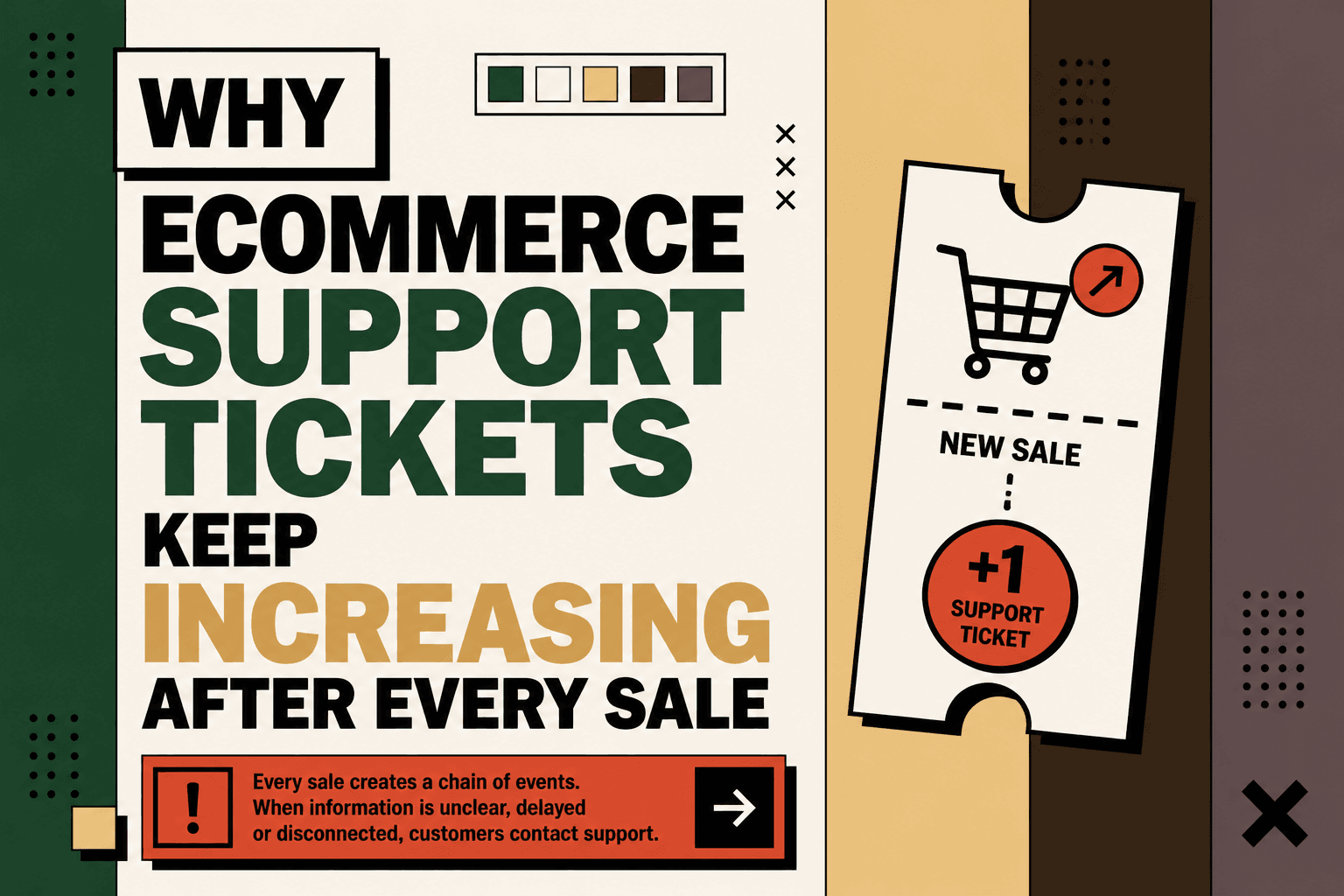
Every sale creates a chain of events: order confirmation, fulfillment, shipment, tracking, delivery, possible exception, return, refund, exchange, warranty, or product-use question. When those events are unclear, delayed, or disconnected, customers turn each missing update into a support interaction.
Shopify identifies WISMO, or “Where Is My Order?”, as one of the most common ecommerce customer inquiries and points to delayed shipments, unclear delivery expectations, insufficient communication, and inefficient fulfillment as common causes. Shopify's WISMO guide
The operational objective, therefore, is not to eliminate every support ticket. Some issues genuinely require judgment. The objective is to eliminate the tickets created by predictable information gaps, repetitive status checks, preventable exceptions, and fragmented workflows.
Why Support Tickets Rise After Every Sale
Answer: Ecommerce support volume increases after a sale because an order creates multiple downstream events, and every unclear, delayed, or failed event creates an opportunity for a customer to contact support.
A customer sees one order. The business may see a storefront record, an ERP transaction, an inventory reservation, a warehouse task, a carrier shipment, a return request, a refund transaction, and a helpdesk conversation.
If those systems do not communicate reliably, the support team becomes the human integration layer.
That creates a simple operating pattern:
- A customer places an order.
- The order moves through multiple operational systems.
- One event becomes delayed, unclear, or exceptional.
- The customer cannot find a reliable answer.
- The customer opens a ticket.
- An agent checks several systems.
- The agent translates operational data into a customer-facing answer.
The ticket may look like a customer-service problem, but the root cause can be logistics visibility, inventory synchronization, returns processing, fulfillment latency, policy complexity, or disconnected operational data.
Every Sale Creates a Post-Purchase Support Surface
The customer journey does not end at checkout. It expands.
After an order is placed, the customer may need information about:
- Order confirmation
- Shipment status
- Estimated delivery date
- Fulfillment delays
- Carrier exceptions
- Address changes
- Failed delivery attempts
- Damaged or incorrect items
- Returns
- Exchanges
- Refund status
- Warranty claims
- Product setup or usage
This is why a sale can create more operational work than the checkout transaction itself suggests.
Research evidence: Shopify describes WISMO as a common category of ecommerce inquiry and recommends clearer delivery expectations, live tracking, automated support, and better fulfillment processes to reduce these requests. Shopify
Five Anchor POV: A scalable ecommerce operation should treat the post-purchase journey as its own infrastructure layer. The sale creates the event; the infrastructure determines how much human work that event creates afterward.
WISMO Is the Visible Symptom of an Information Gap
WISMO means “Where Is My Order?” and describes customer inquiries about order status and delivery progress.
It is easy to classify WISMO as a repetitive support question. A more useful interpretation is that WISMO measures a visibility gap between what the business knows and what the customer can understand.
Consider the difference between these two experiences.
Low-visibility experience:
Order confirmed → silence → label created → unclear tracking → customer contacts support.
High-visibility experience:
Order confirmed → being packed → carrier pickup → in transit → delivery estimate → out for delivery → delivered.
Shopify recommends clear delivery expectations, multiple communication channels, live order tracking, automation, and fulfillment improvements as ways to reduce WISMO inquiries. Shopify's WISMO recommendations
The important distinction is that showing a tracking number is not always the same as explaining what is happening.
A carrier status such as “label created” may be technically accurate while still leaving the customer with an unanswered question: has the package actually moved?
That gap between operational accuracy and customer understanding is where many support tickets begin.
The Processing Gap Can Create Tickets Before the Package Moves
One overlooked source of support demand is the period between order placement and the first meaningful fulfillment event.
A customer places an order and receives confirmation. The warehouse may not process the order immediately. A shipping label may be generated before the carrier physically receives the parcel. The customer then opens the tracking page and sees little or no movement.
From the business perspective, nothing may be wrong.
From the customer's perspective, the order appears stuck.
Illustrative scenario: A customer orders on Friday evening. The warehouse does not process the order until Monday, and the carrier does not scan the package until Tuesday. If the customer sees only an order confirmation followed by a static tracking status, the customer may contact support even though the fulfillment workflow is operating within its intended schedule.
The lesson is not that every delay should trigger an AI message. The lesson is that the workflow should distinguish between normal processing time and abnormal silence.
Post-purchase platforms increasingly use shipment events, customer context, business rules, and proactive communication to address these visibility gaps. WISMOlabs' post-purchase automation playbook
Shipping Exceptions Create a Second Wave of Tickets
Normal fulfillment can often run with little customer involvement. Exceptions are different.
A delivery can be delayed, rerouted, held, returned to sender, marked with an incomplete address, or show an unsuccessful delivery attempt.
The customer may not know which event matters, what it means, or what action to take.
The traditional support workflow looks like this:
- Customer notices a problem.
- Customer contacts support.
- Agent identifies the order.
- Agent opens the carrier record.
- Agent interprets the carrier event.
- Agent determines whether another team needs to act.
- Agent explains the situation.
- Agent tells the customer what happens next.
A better workflow moves the first six steps into the operating system wherever the decision is deterministic and safe to automate.
For example:
Carrier exception → identify affected order → classify exception → determine customer action → send contextual message → escalate only when necessary.
Salesforce similarly frames WISMO as a problem of proactive communication and visibility, noting that status-check tickets force support teams to bridge operational data and customer communication manually. Salesforce's WISMO guidance
Returns Extend the Support Journey
Returns are another reason support volume can remain high long after the original sale.
A return can involve several distinct events:
Return request → eligibility check → approval → pickup → carrier movement → warehouse receipt → inspection → disposition → refund or exchange.
If the customer cannot determine which stage has been completed, the customer may ask for an update at every transition.
This means a single return can create several support opportunities even when the original order was delivered successfully.
Returns automation should therefore focus on the complete reverse-logistics workflow rather than only the initial return request.
Research evidence: The supplied research identifies slow refunds, manual approvals, policy exceptions, and return-status questions as recurring sources of post-purchase support workload. WISMOlabs return automation research
Five Anchor POV: A return workflow should expose state transitions to the customer in the same way a shipment workflow exposes delivery milestones. When the customer can see what has happened, what is waiting, and what happens next, support becomes the exception path instead of the tracking mechanism.
Refund Questions Are Usually Workflow-Visibility Problems
“Where is my refund?” is another post-purchase question that can look simple to a support agent but require several system checks.
The agent may need to determine:
- Whether the return was received
- Whether the item passed inspection
- Whether the refund was approved
- Whether the refund was initiated
- Which payment method was used
- Whether the payment provider has processed the transaction
- Whether the customer has been notified
If that information is spread across a returns system, warehouse, ERP, payment platform, and helpdesk, the customer may have to ask support to assemble the answer manually.
The better design is to expose the appropriate state automatically and reserve human involvement for exceptions such as policy disputes, damaged returns, unusual payment conditions, or cases requiring judgment.
Why More Support Agents Do Not Fix the Root Cause
Hiring more agents can increase capacity. It does not necessarily reduce the number of avoidable customer contacts.
If 1,000 customers ask where their orders are, additional agents give the business more people to answer the same question. The underlying information gap remains.
The more scalable model is:
Detect → Understand → Automate → Escalate.
Instead of waiting for a customer to report a delivery problem, the system detects the relevant operational event. Instead of asking an agent to interpret every carrier status, deterministic rules or AI can classify the event. Instead of sending every case to automation, the workflow escalates ambiguous or high-impact situations to a human.
This does not mean support teams become unnecessary. It changes what they spend time doing.
Agents should increasingly handle situations where empathy, judgment, negotiation, policy interpretation, investigation, or accountability matters.
The Real Problem Is Fragmented Commerce Data
For the customer, there is one order.
For the business, that order may exist across:
Shopify → ERP → Inventory → Warehouse or 3PL → Shipping Carrier → Returns → Payments → CRM or Helpdesk.
If these systems do not share reliable information, support agents become the integration layer.
Consider a customer asking, “Where is my refund?”
An agent may have to open the order in Shopify, check the ERP, inspect the return record, verify warehouse receipt, open the payment system, and then respond in the helpdesk.
None of those actions are inherently customer service.
They are data retrieval and workflow coordination.
Five Anchor POV: When agents repeatedly switch between commerce, ERP, inventory, logistics, returns, payments, and support systems, the business should investigate whether the support problem is actually an integration problem.
What Should Be Automated and What Should Stay Human?
Answer: Automate predictable, high-volume decisions; use AI where context or interpretation is required; keep high-impact or ambiguous decisions under appropriate human control.
| Ticket or workflow | Recommended approach | Human role |
|---|---|---|
| Order status | Self-service or automated lookup | Handle exceptions |
| Delivery ETA | Automated tracking and communication | Investigate abnormal cases |
| Delivery delay | Proactive notification based on rules | Resolve material exceptions |
| Return request | Self-service workflow | Review policy exceptions |
| Refund status | Automated status lookup | Investigate unresolved payment cases |
| Address change | Rule-based automation where permitted | Approve restricted cases |
| Damaged product | AI-assisted intake and classification | Approve resolution where needed |
| Complex complaint | Escalation | Human ownership |
This distinction matters because AI is not automatically better than deterministic automation. A rule such as “if an order has been delivered, show the delivery timestamp” does not require a language model.
AI becomes more useful when the workflow contains unstructured customer messages, ambiguous descriptions, multiple possible intents, or large volumes of exceptions that need classification before routing.
AI Support Agents Need Operational Data
An AI customer-support agent without access to reliable operational data is still limited.
If a customer asks, “My order hasn't arrived. What is happening?”, the AI needs more than a generic shipping policy.
It needs the relevant customer and order context:
- Customer identity
- Order information
- Product information
- Inventory state where relevant
- Shipment status
- Carrier events
- Delivery exceptions
- Return status
- Refund status
- Customer history
- Applicable policies
The workflow can then become:
Identify customer → retrieve order → check shipment → interpret event → determine next action → respond → escalate if required.
Without those integrations, the AI may have to ask the customer for information already held by the business, produce an incomplete response, or route the conversation to a human.
WISMOlabs explicitly emphasizes integrating post-purchase data with support and AI systems so customer-service automation has shipment context. WISMOlabs
The Goal Is Not Zero Support Tickets
Trying to eliminate every support interaction is the wrong objective.
Some customer conversations are valuable. A complex complaint may require empathy. A damaged product may require judgment. A warranty dispute may require investigation. A high-value customer may benefit from human intervention.
The better principle is:
Automate the predictable. Proactively communicate the uncertain. Escalate the exceptional.
This framework separates avoidable support demand from legitimate human service.
A Practical Framework for Reducing Ecommerce Support Tickets
The implementation should start with the workflow, not with an AI product.
1. Map the Post-Purchase Journey
Document every step from order placement through delivery, return, refund, exchange, warranty, and closure.
For each stage, identify:
- Trigger
- Input data
- System involved
- Decision
- Action
- Customer communication
- Exception
- Human handoff
- Final output
The goal is to find the exact point where customers begin asking questions.
2. Baseline Ticket Volume by Intent
Do not measure only total tickets.
Classify tickets into operational categories such as:
- WISMO
- Delivery delay
- Address change
- Cancellation
- Return request
- Return status
- Refund status
- Exchange
- Damaged order
- Incorrect order
- Warranty
- Product information
- Complex complaint
Then measure volume, frequency, handling time, escalation rate, and business impact for each category.
3. Find the Information Gap
For each high-volume category, ask:
- What information does the customer want?
- Which system already contains that information?
- Why can the customer not access or understand it?
- Why does the agent need to intervene?
- What event could trigger proactive communication?
- What would make the workflow fail?
This often reveals that the problem is not the absence of data. It is the absence of a usable data flow.
4. Prioritize the Highest-Value Workflows
A practical prioritization model is:
Volume × frequency × manual effort × error cost × revenue impact ÷ implementation complexity.
This is a practical framework, not an industry-standard formula.
A high-volume WISMO workflow with reliable shipment data may rank ahead of a complex warranty workflow because the former can often be automated with lower implementation complexity.
5. Separate Rules, AI, and Human Decisions
Classify each step as deterministic automation, AI-assisted handling, human approval, or human-only work.
For example, retrieving a tracking status is deterministic. Translating a complicated customer description of a damaged product into a structured issue category may benefit from AI. Approving a sensitive exception may require a human.
6. Connect the Operational Systems
Depending on the architecture, the workflow may need access to:
- Shopify or another commerce platform
- ERP
- Inventory system
- Warehouse or 3PL
- Shipping and carrier data
- Returns platform
- Payment or refund system
- CRM
- Helpdesk
- Email, WhatsApp, or other communication channels
- Analytics
APIs, webhooks, event queues, and orchestration can be used where appropriate. The integration pattern should be selected based on the required latency, reliability, volume, complexity, and failure tolerance.
7. Add Guardrails Before Giving Automation Authority
A production workflow should define:
- What data the automation can access
- What actions it can take
- What actions require approval
- What confidence or validation threshold applies
- What happens when data is missing
- How failures are retried
- How exceptions are logged
- How customers are escalated to humans
- How sensitive information is protected
Automation without guardrails can move errors faster. Reliability must therefore be designed into the workflow rather than added after deployment.
8. Start With One High-Volume Workflow
Do not attempt to automate the entire customer-support operation at once.
A sensible first workflow might be WISMO because the question is common, the required data is relatively structured, and the desired response can often be defined clearly.
Another suitable starting point could be automated refund-status lookup if the business has reliable return and payment data.
The right first workflow is the one with a strong combination of volume, repetitive handling, measurable business impact, and manageable implementation complexity.
9. Measure the Workflow, Not Just the AI
The useful metrics are operational.
- Tickets per order
- Tickets by intent
- Ticket deflection
- First-response time
- Resolution time
- Escalation rate
- Manual handling time
- Exception rate
- Failed automation rate
- Customer satisfaction
- Operational cost
- Revenue leakage where measurable
The question is not “How many AI conversations did we automate?” It is “Did the workflow reduce avoidable work while maintaining an acceptable customer experience and error rate?”
Where Five Anchor Fits
For a D2C business whose support tickets rise with every sales spike, the relevant problem may sit across customer operations and commerce infrastructure rather than inside the helpdesk alone.
Problem: Customers repeatedly ask for information that already exists somewhere inside the business, while agents manually connect systems to answer them.
Architecture: Connect commerce, ERP, inventory, warehouse, shipping, returns, payment, and customer-support data around the post-purchase workflows that generate the most avoidable tickets.
Implementation: Five Anchor's AI-powered customer operations work can support customer self-service, AI chat operations, returns and exchange automation, automated customer communication, warranty workflows, and ticket automation. Its commerce infrastructure capability can connect the operational systems those workflows depend on.
Business outcome: The target is fewer avoidable tickets, faster handling of genuine exceptions, better visibility into post-purchase operations, and a support team that spends more time on cases requiring human judgment.
Five Anchor can also connect the resulting operational data into ecommerce intelligence workflows so teams can monitor ticket drivers, order performance, exceptions, and operational trends instead of treating support data as an isolated helpdesk metric.
What Not to Automate First
Not every support workflow should be automated immediately.
- Do not automate unclear policies. Fix the policy before encoding it into software.
- Do not give AI authority over ambiguous high-impact decisions. Escalate when the cost of an incorrect decision is material.
- Do not automate around bad data. If shipment, order, inventory, or refund data is unreliable, the automation will inherit that problem.
- Do not replace a broken integration with a chatbot. The chatbot still needs trustworthy operational information.
- Do not optimize only for ticket deflection. A lower ticket count is not an improvement if customers become frustrated or issues simply move to another channel.
- Do not ignore maintenance. Carrier integrations, policies, product information, APIs, and workflows change over time.
The Business Case Should Start With Your Own Ticket Data
Generic ROI claims are less useful than a baseline built from your actual operation.
Illustrative scenario: Suppose a brand receives 2,000 post-purchase tickets each month and 40% are repetitive order-status questions. If the average handling time is six minutes, those tickets represent approximately 80 hours of agent handling per month. If a workflow prevents a portion of those contacts without increasing error or escalation rates, the business can measure the resulting capacity directly.
The calculation is illustrative. A real business case should use measured ticket volume, handling time, wage or service cost, implementation cost, maintenance cost, and customer-impact metrics.
The most useful business questions are:
- How many tickets are avoidable?
- Which ticket categories consume the most time?
- Which categories have reliable data available for automation?
- What is the implementation complexity?
- What is the cost of an incorrect automated action?
- How much human capacity could be redirected?
- Does customer satisfaction remain stable or improve?
A Scalable Post-Purchase Architecture
A mature post-purchase operation should connect customer-facing communication with the systems that actually know what happened.
A simplified architecture looks like this:
Commerce platform → Order orchestration → ERP / inventory → Warehouse / 3PL → Carrier → Returns / payments → Customer operations.
Across that flow, an orchestration layer can normalize data, route events, apply business rules, trigger communication, expose information to AI agents, record exceptions, and send unresolved cases to humans.
The architecture should also preserve an audit trail so teams can answer questions such as:
- What happened to this order?
- Which system provided the current status?
- When did the last event arrive?
- Why was the customer notified?
- Why was the case escalated?
- Which automation failed?
- What action did a human take?
This is where customer support becomes part of commerce infrastructure rather than a separate reactive function.
The Key Shift: From Ticket Handling to Exception Management
The traditional support model waits for customers to report problems.
The scalable model detects operational events before they become customer questions.
Reactive model:
Customer notices problem → customer opens ticket → agent investigates → agent responds.
Proactive model:
System detects event → workflow evaluates context → customer receives useful information → only unresolved exception reaches an agent.
This is a fundamental operating-model change.
Support stops being the place where customers discover the state of their orders and becomes the place where unusual situations are resolved.
Five Anchor POV: The strongest customer-support automation is often not the chatbot itself. It is the infrastructure underneath the chatbot: reliable commerce data, operational integrations, event handling, business rules, customer context, and escalation logic.
Conclusion: Your Support Queue Is an Operational Signal
If support tickets increase every time sales increase, do not assume the answer is simply more agents.
First ask what every new order creates downstream.
Does it create a shipment-status question because tracking is unclear? A return-status ticket because reverse logistics is opaque? A refund question because payment and return systems are disconnected? A delivery exception because customers are notified only after they discover the problem?
These are not isolated support issues. They are signals about the post-purchase operating system.
The most useful strategy is to map the customer journey, classify ticket intent, identify information gaps, measure the baseline, prioritize high-volume workflows, connect the required systems, separate deterministic automation from AI and human decisions, add guardrails, pilot one workflow, and measure the operational outcome.
The goal is not zero support.
The goal is to make support the exception path rather than the information system for the entire business.
Key Takeaways
- •Support volume often reflects post-purchase operational friction rather than a simple shortage of support agents.
- •WISMO is frequently an information-visibility problem caused by unclear tracking, delayed updates, or weak fulfillment communication.
- •Returns and refunds can generate multiple support interactions when customers cannot see the status of each workflow stage.
- •AI support automation is most effective when connected to real-time order, shipment, return, refund, product, and customer data.
- •Deterministic rules should handle predictable workflows, AI should assist with interpretation and selected exceptions, and humans should retain control of high-impact or ambiguous decisions.
- •The implementation should begin with workflow mapping and ticket-intent baselining before selecting automation technology.
- •The strongest objective is not zero support tickets but fewer avoidable tickets and more human attention on complex customer problems.
Reactive Support vs. Proactive Post-Purchase Operations
| Reactive Ticket Handling | Proactive Post-Purchase Automation | Human Escalation |
|---|---|---|
| Inventory Sync Frequency | 15–30 min batch polling (high oversell risk) | Sub-second atomic locking (<450ms) |
| Concurrent Drop Resilience | Fails under concurrency; causes negative stock balance | Redis atomic reservation queue guarantees exact counts |
| Error Handling & Retries | Silent failure; manual CSV audit needed | Dead-letter queues with automated exponential retry |
| Fulfillment Routing Speed | 2–4 hours delayed batch export to 3PL warehouse |