How to Stop Manual Inventory Sync in Ecommerce
Answer: The most reliable way to stop manual inventory sync in ecommerce is to establish a centralized inventory system, connect every sales channel and inventory location to it, automate stock movements in both directions, and use AI only where prediction or contextual decision-making adds value.
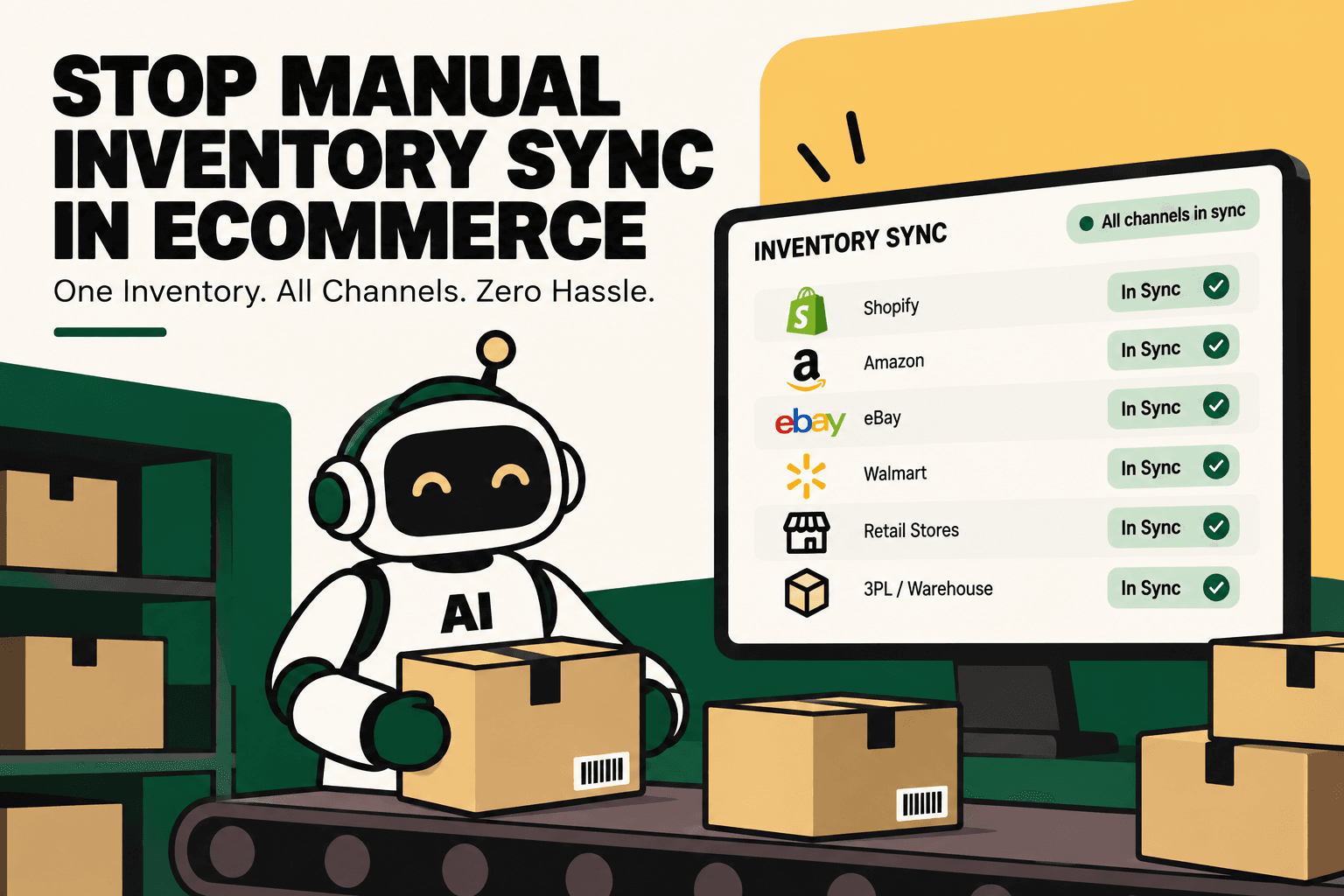
Manual inventory sync usually starts as a simple operating habit: someone checks Shopify, updates Amazon, changes a spreadsheet, messages the warehouse, and reconciles the numbers later. It becomes fragile when the business adds marketplaces, warehouses, retail locations, 3PLs, bundles, returns, transfers, or multiple storefronts.
Shopify's current inventory architecture supports multiple locations, inventory transfers, fulfillment apps, and centralized inventory management, while Shopify Flow can automate inventory-triggered workflows such as low-stock actions. Shopify's centralized inventory management guide and Shopify Flow document these capabilities.
The important shift is not simply from slow manual sync to faster sync. It is from manually reconciling inventory to operating a controlled inventory system where stock changes, reservations, transfers, replenishment signals, and channel availability follow defined rules.
Why Manual Inventory Sync Breaks as Ecommerce Grows
Manual synchronization creates a timing problem as much as a labor problem. The physical stock may be correct while the ecommerce systems are temporarily showing different quantities.
Imagine a brand selling the same SKU through Shopify, Amazon, a retail store, and a 3PL. A customer buys two units on one channel while another customer buys three units on another channel. If those transactions are not reflected consistently, every downstream decision is based on an increasingly unreliable number.
Shopify's current guidance identifies manual spreadsheet entry as a source of inaccurate inventory counts in multi-location operations and recommends centralized inventory processes for businesses managing multiple locations and channels. Shopify's multi-location inventory guide
The operational failure usually looks like this:
- Order arrives on a sales channel.
- Inventory changes in one system.
- A person exports or checks the updated quantity.
- Another system is updated manually.
- The warehouse receives a separate instruction.
- A discrepancy is discovered later.
- The team reconciles the records and investigates what happened.
The automated alternative is:
- Order or stock event occurs.
- Central inventory state changes.
- Connected channels receive the appropriate available quantity.
- Warehouse or 3PL inventory is updated through the integration.
- Rules trigger low-stock, replenishment, exception, or reporting workflows.
- AI analyzes demand or anomalies where prediction is useful.
The Core Principle: Build One Inventory Source of Truth
Answer: A single source of truth means one operational system owns the authoritative inventory state while other systems consume the inventory information they need.
This does not necessarily mean every product must physically sit in one warehouse. It means the business needs one controlled view of inventory across warehouses, stores, 3PLs, fulfillment locations, and selling channels.
Shopify describes centralized inventory data as managing inventory across multiple physical locations from a single system. Its current documentation also supports inventory tracked separately by location and order routing based on configured rules. Shopify centralized inventory management and Shopify multi-location inventory documentation
A more mature architecture can use an ERP, inventory management system, OMS, or WMS as the operational source of truth, depending on which system owns inventory for the business.
What the source of truth should control
- SKU and variant identity
- Physical stock by location
- Reserved inventory
- Available inventory
- Damaged or unavailable stock
- Inventory in transit
- Purchase orders and expected receipts
- Inventory transfers
- Channel availability
- Inventory adjustments
The key is ownership. Shopify may own the customer-facing storefront, a WMS may own warehouse execution, and an ERP may own purchasing and financial inventory. The integration architecture must define which system is authoritative for each data object rather than allowing every application to overwrite everything.
Automate Two-Way Inventory Synchronization
Answer: Effective ecommerce inventory automation is not just about pushing stock from an ERP into Shopify. It needs to capture relevant inventory events and propagate the resulting state to connected systems.
A simplified workflow looks like:
Sale → inventory deduction → central inventory update → channel availability update → fulfillment → shipment → return or adjustment → inventory update
For example, if a central inventory system determines that 100 units are available and three units are sold, the system should calculate the new available quantity and distribute the appropriate inventory state to connected channels.
Inventory synchronization becomes more complicated when returns, purchase receipts, transfers, cancellations, damaged stock, or warehouse adjustments occur. These events need to be included in the integration model instead of treating inventory as a number that is periodically copied between spreadsheets.
Cin7's Shopify integration documentation describes synchronization of Shopify orders and inventory, while its documentation covers updating Shopify stock levels from the inventory system. Cin7 Shopify integration and Cin7 Core stock levels documentation
Use Inventory Buffers to Control What Customers Can Buy
Answer: A stock buffer separates physical inventory from the quantity exposed for sale. This can reduce the risk of selling the final units simultaneously across several channels.
Illustrative scenario: A business has 100 physical units but decides to expose only 90 as sellable inventory, keeping 10 units as a safety buffer.
- Physical inventory: 100
- Inventory buffer: 10
- Sellable inventory: 90
The exact buffer should be based on operational volatility, channel mix, inventory accuracy, replenishment speed, and the consequences of overselling. There is no universal buffer percentage that works for every ecommerce business.
Cin7 Core documents buffer inventory settings for quantities pushed to Shopify. Cin7 Core Shopify settings
Connect Every Inventory Location
Manual sync becomes particularly difficult when inventory is distributed across multiple locations. A brand may have a central warehouse, regional warehouses, retail stores, a 3PL, dropship inventory, or other fulfillment locations.
Each location should have an explicit role in the inventory architecture.
| Location | Operational role | Automation requirement |
|---|---|---|
| Central warehouse | Primary stock holding | Stock movement and fulfillment sync |
| Regional warehouse | Localized fulfillment | Location-level availability and routing |
| Retail store | In-store sales | Sales and transfer synchronization |
| 3PL | External fulfillment | Inventory, fulfillment and shipment integration |
| In-transit stock | Stock moving between locations | Transfer status and expected availability |
Shopify currently supports inventory quantities by location and inventory transfers between locations. Its documentation also explains that inventory at separate locations is tracked independently and can be used with fulfillment apps and different fulfillment configurations. Shopify multi-location inventory documentation
The implementation question is not simply “How many units do we have?” It is “Where are those units, which are reserved, which are sellable, and which locations are allowed to fulfill which demand?”
Automate Low-Stock and Replenishment Workflows
Answer: Inventory automation should not stop when quantities are synchronized. It should use inventory events to trigger operational actions.
A simple low-stock workflow can be:
- Inventory quantity changes.
- System checks the SKU's threshold.
- If available stock falls below the threshold, a workflow starts.
- Purchasing receives an alert or task.
- The product can be restricted, hidden, or otherwise controlled if appropriate.
- Replenishment is reviewed or initiated.
Shopify Flow uses trigger, condition, and action blocks and supports inventory-related workflows, including low-stock and out-of-stock actions. Shopify Flow
Shopify also added inventory-transfer triggers to Flow in 2026, allowing workflows to start when transfers are ready to ship or completed. Shopify Flow inventory transfer changelog
Where AI Actually Adds Value
Answer: AI is most useful after deterministic inventory synchronization is working. It should help forecast, classify, detect anomalies, recommend actions, and prioritize exceptions rather than replace basic stock-control logic.
There is an important distinction between automation and AI.
| Workflow type | Best approach | Example |
|---|---|---|
| Predictable state change | Deterministic automation | Deduct inventory after a confirmed sale |
| Threshold workflow | Rules-based automation | Alert when stock falls below minimum |
| Demand prediction | AI or statistical forecasting | Estimate future SKU demand |
| Anomaly detection | AI-assisted analysis | Identify unusual inventory movement |
| Complex replenishment recommendation | AI plus business rules | Recommend purchase quantities using demand and lead time |
| High-impact exception | AI recommendation plus human approval | Approve a large emergency replenishment |
This distinction prevents a common mistake: using AI to perform a task that a reliable rule can execute more safely and cheaply.
AI Inventory Forecasting and Replenishment
Once inventory data is reliable, AI can move the workflow from describing the present to planning for the future.
A forecasting workflow can combine signals such as:
- Historical sales
- Recent sales velocity
- Seasonality
- Promotional activity
- Current inventory
- Open purchase orders
- Supplier lead time
- Channel-level demand
- Location-level demand
The output should not simply be “buy more stock.” A useful system should explain the recommendation and expose the assumptions behind it.
Illustrative scenario: If a SKU has rising sales velocity, a long supplier lead time, limited available stock, and an upcoming promotion, an AI forecasting system could flag replenishment risk earlier than a simple minimum-stock rule. The recommendation should still respect purchasing constraints, cash availability, supplier minimums, and business approval policies.
Current ecommerce software increasingly combines inventory management with forecasting and replenishment features. Shopify's inventory ecosystem includes applications positioned around AI forecasting and automated replenishment, while Shopify's own inventory tooling supports demand forecasting and low-stock workflows. Shopify App Store inventory optimization category
Do Not Confuse Physical Inventory With Sellable Inventory
One of the most important design decisions in inventory automation is defining what “available” actually means.
A warehouse may physically hold 1,000 units while only a smaller number should be exposed to customers.
Physical stock can include:
- Available stock
- Reserved stock
- Damaged stock
- Quarantined stock
- Stock allocated to open orders
- Stock in transit
The ecommerce channel should receive the appropriate sellable quantity, not necessarily the raw physical count.
Shopify's current location-based inventory model distinguishes inventory by location and uses availability settings to determine what can be sold or fulfilled. Shopify inventory location documentation
Choose the Right Automation Architecture
There are three common approaches to eliminating manual inventory sync.
Option 1: Commerce-native automation
This works when most of the operation lives inside one ecommerce platform and the inventory complexity is relatively low.
For a Shopify-centric business, native inventory management, multiple locations, inventory transfers, and Shopify Flow may cover a meaningful portion of the workflow. Shopify Flow
Option 2: Central inventory or ERP architecture
This is more appropriate when the business has multiple sales channels, warehouses, 3PLs, purchasing workflows, or finance requirements.
The architecture becomes:
Sales channels → central inventory or ERP → WMS and 3PL → fulfillment → inventory events → sales channels
Systems such as Cin7 position their ecommerce integrations around synchronized products, orders, inventory, and fulfillment workflows. Cin7 Shopify integration
Option 3: Integration and AI orchestration layer
This is useful when a business already has an ERP, WMS, commerce platforms, marketplace accounts, shipping systems, and analytics tools but the workflows between them are fragmented.
The architecture becomes:
Shopify + marketplaces + ERP + WMS + 3PL + shipping APIs → integration layer → inventory state and workflow automation → AI forecasting and operational intelligence
This approach can avoid replacing working systems simply because the integrations between them are weak.
Rules vs AI vs Human Decisions
A reliable inventory system should explicitly classify decisions before automating them.
| Decision | Recommended owner | Why |
|---|---|---|
| Deduct stock after confirmed sale | Rules | Deterministic and transactional |
| Update connected channel quantity | Rules | Predictable synchronization |
| Trigger low-stock alert | Rules | Threshold-based |
| Forecast next-period demand | AI | Predictive problem |
| Identify unusual stock movement | AI plus rules | Pattern recognition with controls |
| Recommend replenishment quantity | AI plus rules | Requires prediction and constraints |
| Approve high-value purchase | Human approval | Financial consequence |
The goal is not maximum AI usage. The goal is reliable decision-making with the lowest unnecessary complexity.
How to Implement Ecommerce Inventory Automation
A practical implementation should begin with the workflow rather than the software.
- Map the workflow. Document every inventory trigger, input, system, decision, action, exception, human handoff, and output.
- Establish a baseline. Measure manual sync time, discrepancy frequency, inventory errors, stockout events, oversells, replenishment delays, and reconciliation effort.
- Identify the bottleneck. Find the workflow creating the largest combination of manual effort, error risk, revenue leakage, or operational delay.
- Define system ownership. Decide which platform owns product data, inventory, purchasing, warehouse execution, fulfillment, and reporting.
- Normalize SKUs. Create consistent SKU and variant mappings across Shopify, marketplaces, ERP, WMS, and 3PL systems.
- Connect systems. Use APIs, webhooks, native integrations, or an orchestration layer to move relevant inventory events.
- Define sellable inventory. Separate physical, reserved, damaged, in-transit, and available quantities.
- Add deterministic workflows. Automate deductions, synchronization, low-stock alerts, transfers, and standard inventory events.
- Add AI selectively. Introduce forecasting, anomaly detection, replenishment recommendations, or exception analysis only where the underlying data is reliable.
- Add guardrails. Define permissions, validation, retry behavior, logging, monitoring, approval thresholds, and fallback workflows.
- Pilot one workflow. Start with one high-volume, relatively low-risk process instead of attempting to automate the entire inventory operation at once.
- Measure and scale. Expand only after the workflow demonstrates reliable execution and the operational metrics improve.
The prioritization model can be expressed as volume × frequency × manual effort × error cost × revenue impact ÷ implementation complexity. This is a practical prioritization framework, not an industry-standard formula.
What to Measure After Automation
Do not measure success by whether an AI model was deployed. Measure whether the inventory operation became more reliable and easier to manage.
- Manual inventory hours
- Inventory discrepancy rate
- Oversell incidents
- Stockout frequency
- Inventory accuracy
- Time between inventory events and channel updates
- Replenishment lead time
- Emergency purchase frequency
- Inventory turns
- Revenue leakage associated with unavailable stock
- Exception volume
- Human interventions per inventory cycle
Illustrative scenario: If a business spends several hours every day reconciling inventory across channels, the initial business case can be measured by comparing that manual workload and error exposure before and after automation. The actual financial outcome depends on the business's order volume, labor cost, error cost, software cost, and implementation effort.
Common Inventory Automation Mistakes
Replacing spreadsheets without fixing system ownership
A new synchronization tool will not solve conflicting definitions of inventory. First decide which system owns the authoritative quantity and which systems consume it.
Syncing raw stock instead of sellable stock
Physical stock, reserved stock, damaged stock, and sellable stock are not interchangeable. A synchronization system needs explicit inventory-state rules.
Ignoring returns and transfers
Sales are only one source of inventory movement. Returns, exchanges, purchase receipts, warehouse transfers, cancellations, adjustments, and damaged stock can also change availability.
Adding AI before fixing data quality
AI forecasting built on inconsistent SKU mappings or delayed inventory data can produce confident but unreliable recommendations.
Giving automation unlimited write access
Inventory automation should use permissions appropriate to the action. High-impact purchase, adjustment, or allocation decisions may require approval thresholds.
Failing to monitor synchronization failures
An integration can fail silently if errors, retries, authentication problems, webhook delays, or mapping issues are not monitored. Every production workflow should have logging and exception handling.
Where Five Anchor Fits
Five Anchor's positioning is AI Infrastructure for D2C & E-Commerce. For brands struggling with manual inventory synchronization, the relevant problem is usually not “we need another inventory screen.” It is that commerce, ERP, WMS, marketplace, 3PL, and analytics systems do not share a reliable operational workflow.
A practical Five Anchor implementation can start by mapping the current inventory workflow and identifying which system should own each data object. The next step can be connecting Shopify and marketplace channels to ERP or inventory systems, synchronizing warehouse and 3PL events, and adding controlled automation for inventory updates, transfers, low-stock conditions, and operational alerts.
Once the foundation is reliable, an AI layer can be introduced for inventory intelligence, demand forecasting, anomaly detection, and reorder recommendations. Human approval can remain in place for high-value or financially sensitive decisions.
Five Anchor POV: The highest-value inventory automation is rarely “AI instead of people.” It is a controlled operating architecture in which deterministic integrations keep inventory state accurate, AI improves planning and exception handling, and people retain authority over decisions that require commercial judgment.
The Target State: Real-Time Inventory Orchestration
The end state should look less like a collection of spreadsheets and more like a connected operating system:
Sales channels → centralized inventory → location allocation → warehouse and 3PL execution → inventory events → channel synchronization → replenishment workflows → AI inventory intelligence → operational reporting
That architecture changes the role of the operations team. Instead of spending time copying numbers between systems, people can focus on exceptions, purchasing decisions, inventory strategy, supplier issues, and operational improvements.
For a D2C business, Five Anchor can implement the integration, workflow automation, guardrails, AI layer, and operational dashboards needed to move from manual reconciliation toward that controlled architecture.
Conclusion
To stop manual inventory sync in ecommerce, start with centralized inventory ownership and reliable two-way integrations. Then automate predictable stock events, location workflows, low-stock actions, transfers, and replenishment signals. Add AI after the underlying data is trustworthy.
The practical sequence is simple: map the workflow → establish system ownership → connect channels and locations → automate deterministic inventory events → add guardrails → introduce AI where prediction helps → measure operational outcomes.
The objective is not to make inventory synchronization more complicated. It is to make the business's inventory state dependable enough that sales channels, warehouses, purchasing teams, and decision-makers are working from the same operational reality.
Key Takeaways
- •Manual inventory synchronization becomes fragile as ecommerce brands add channels, warehouses, retail locations, and 3PLs.
- •A centralized inventory source of truth should distinguish physical, reserved, unavailable, in-transit, and sellable inventory.
- •Two-way synchronization should cover sales, returns, transfers, receipts, cancellations, and inventory adjustments.
- •Rules-based automation is usually better for predictable inventory transactions, while AI is more useful for forecasting, anomaly detection, and replenishment recommendations.
- •Inventory buffers can help control channel availability when multiple channels compete for the same physical stock.
- •Successful implementation requires system ownership, SKU mapping, integrations, guardrails, monitoring, and human approval for high-impact decisions.
- •Five Anchor can support this architecture through commerce integrations, inventory synchronization, custom AI workflows, and ecommerce intelligence.
Manual Inventory Sync vs Automated Inventory Orchestration
| Manual Inventory Sync | Automated Inventory Orchestration | AI-Assisted Planning |
|---|---|---|
| Inventory Sync Frequency | 15–30 min batch polling (high oversell risk) | Sub-second atomic locking (<450ms) |
| Concurrent Drop Resilience | Fails under concurrency; causes negative stock balance | Redis atomic reservation queue guarantees exact counts |
| Error Handling & Retries | Silent failure; manual CSV audit needed | Dead-letter queues with automated exponential retry |
| Fulfillment Routing Speed | 2–4 hours delayed batch export to 3PL warehouse |