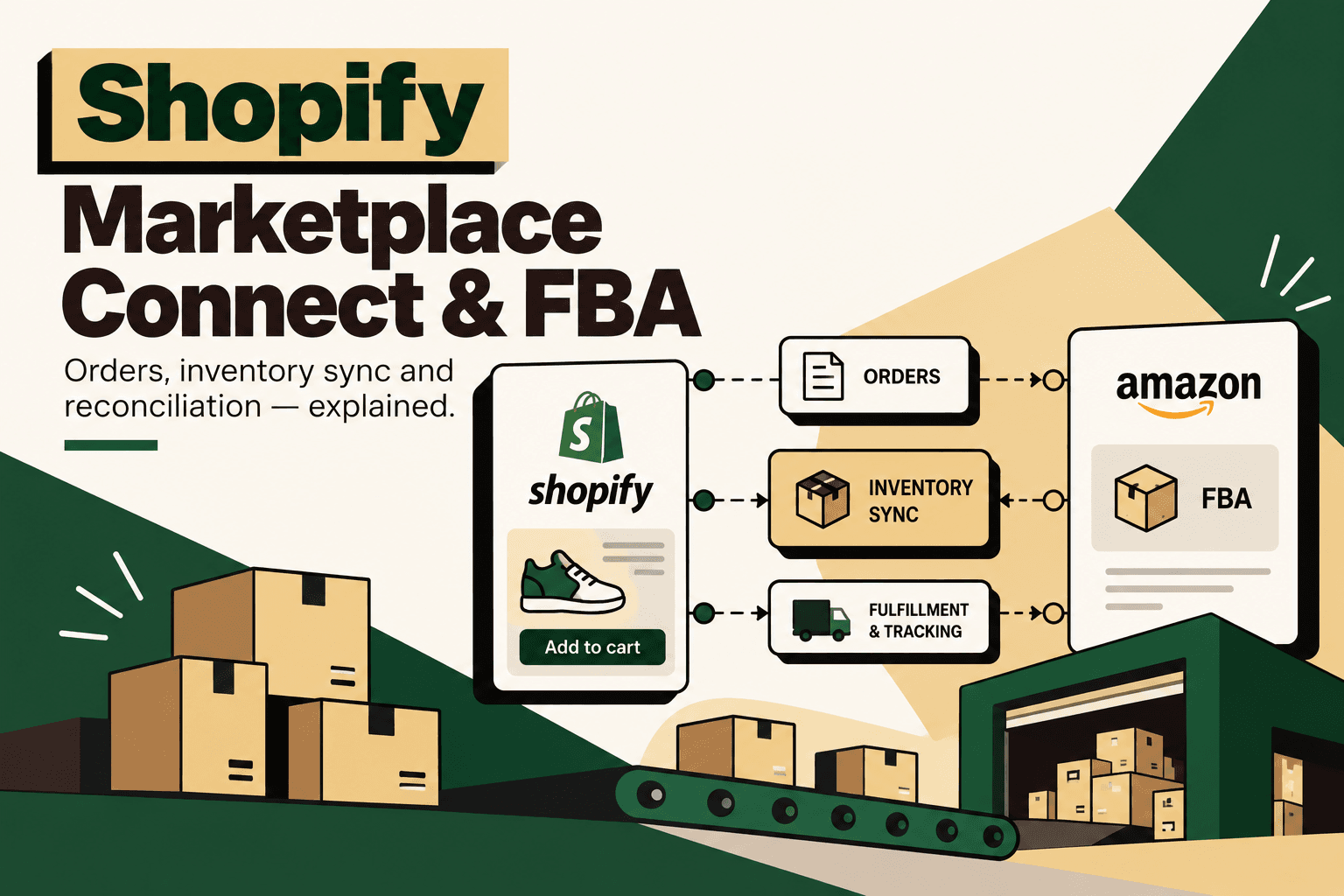
Shopify Marketplace Connect can connect Amazon marketplace activity with Shopify, including marketplace orders, linked products, inventory and fulfillment workflows. But there is an important distinction between synchronizing marketplace data and maintaining a single, authoritative inventory position across FBA, Shopify, warehouses and other channels.
For a brand selling through Shopify and Amazon, the question is rarely just whether orders can move between systems. The harder question is whether the business can maintain accurate sellable inventory when the same SKU exists across Amazon FBA, Shopify, another warehouse, a 3PL and potentially additional marketplaces.
Shopify documents Marketplace Connect as a way to connect Shopify with marketplaces and manage marketplace listings, orders and inventory. It also provides specific configuration for marketplace inventory locations and fulfillment. Shopify Marketplace Connect documentation
This leads to a useful architectural distinction:
Marketplace Connect handles channel synchronization.
A dedicated ERP, OMS, WMS or inventory orchestration layer may be required for broader inventory reconciliation.
Can Shopify Marketplace Connect Handle Amazon FBA Orders?
Yes. Shopify Marketplace Connect supports marketplace order workflows and can import marketplace orders into Shopify. Shopify's documentation also describes fulfillment workflows for Marketplace Connect orders and supports marketplace fulfillment methods, including fulfillment handled by the marketplace. Shopify marketplace order import documentation and Shopify Marketplace Connect fulfillment documentation
That means an Amazon order fulfilled through FBA can participate in a Shopify-centered marketplace workflow without requiring the operations team to manually recreate every marketplace order.
The important qualification is that order synchronization and inventory reconciliation are different problems. Importing an Amazon order into Shopify does not, by itself, establish Shopify as the authoritative inventory ledger for every location and every stock state involved in the business.
How Shopify Marketplace Connect Fits Into an FBA Workflow
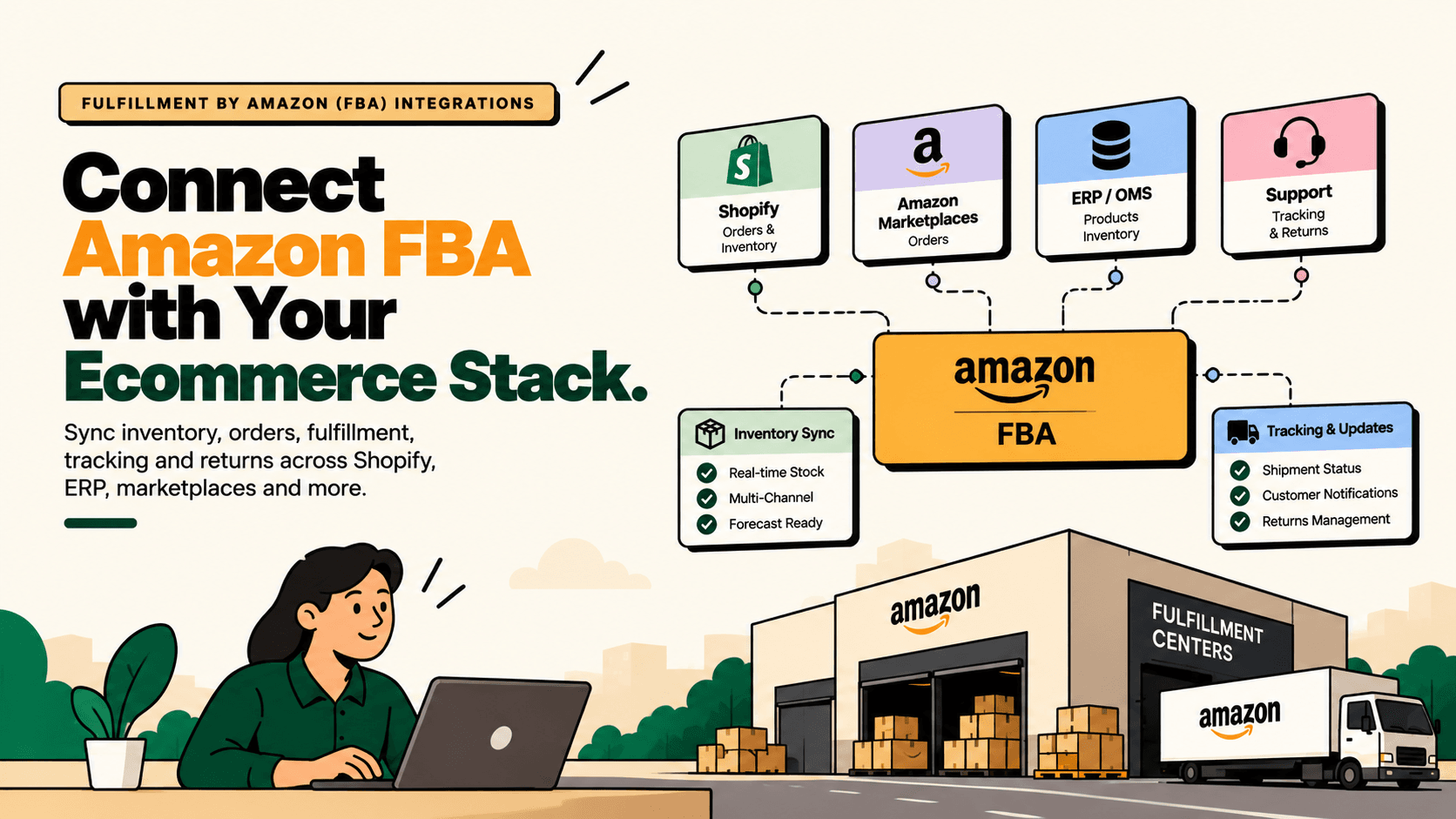
A typical Amazon FBA and Shopify architecture can look like this:
Amazon Marketplace → Marketplace Connect → Shopify → Shopify Inventory
At the same time, Amazon remains involved in the physical fulfillment of FBA orders:
Amazon Order → Amazon FBA → Customer → Fulfillment and Tracking Information
Marketplace Connect sits between the commerce channels and Shopify's product, order and inventory environment. The exact behavior depends on how products are linked, how marketplace inventory locations are configured and which fulfillment method is being used.
Shopify provides configuration for the inventory location associated with Marketplace Connect products. Shopify inventory-location configuration for Marketplace Connect
What Marketplace Connect Can Synchronize
When marketplace listings are connected correctly to Shopify products, Marketplace Connect can participate in the synchronization of marketplace orders and inventory. Shopify also provides a workflow for linking existing marketplace listings to Shopify products, which is important because the marketplace listing needs to correspond to the correct Shopify product before synchronization can operate against the intended SKU. Shopify documentation for linking existing marketplace listings
| Data or workflow | Marketplace Connect role | Why it matters |
|---|---|---|
| Amazon marketplace orders | Can import marketplace orders into Shopify | Creates a Shopify-side view of marketplace sales |
| Linked products | Maps marketplace listings to Shopify products | Provides the product relationship required for synchronization |
| Marketplace inventory | Synchronizes marketplace inventory according to configuration | Helps coordinate channel availability |
| Inventory location | Allows an inventory location to be configured for marketplace products | Determines which Shopify inventory position is used for the marketplace workflow |
| Fulfillment | Supports marketplace order fulfillment workflows | Reduces manual order handling between channels |
| Tracking and fulfillment status | Can participate in fulfillment information synchronization | Keeps channel and Shopify order records aligned |
The Difference Between Inventory Sync and Inventory Reconciliation
This distinction is the most important concept in an FBA and Shopify integration.
Inventory synchronization means moving an inventory quantity from one system or channel to another according to configured rules.
Inventory reconciliation means determining whether the inventory records across systems agree, identifying differences and establishing what the business considers the authoritative sellable quantity.
Consider a brand with one SKU and four operational positions:
- 500 units physically available through Amazon FBA.
- 200 units in a Shopify-connected warehouse.
- 100 units held by a 3PL.
- 50 units in another marketplace-related stock position.
The business cannot necessarily publish 850 units everywhere. Some inventory may be reserved, unavailable, damaged, inbound, committed to existing orders or subject to channel-specific allocation rules.
A simple inventory model might therefore look like:
Sellable inventory = available stock − reserved stock − unavailable stock ± approved adjustments
The actual formula depends on the business and its systems. The important point is that a channel connector should not automatically be treated as the complete inventory accounting layer.
What Happens When an Amazon FBA Order Is Placed?
Suppose a customer purchases three units through Amazon and Amazon fulfills the order using FBA.
The operational sequence can be represented as:
- Amazon records the marketplace order.
- Amazon fulfills the order through FBA.
- The marketplace order participates in the Marketplace Connect workflow.
- The corresponding Shopify product and order records are updated according to the configured synchronization.
- Fulfillment information can be reflected in the connected commerce workflow.
- Inventory synchronization continues according to the configured marketplace and Shopify inventory setup.
Shopify's Marketplace Connect documentation provides specific workflows for importing and fulfilling marketplace orders. Shopify Marketplace Connect order management
The important operational question is what happens next. If the same SKU is also available from a Shopify warehouse, how much inventory should Shopify expose? If the business also sells on Walmart or eBay, which system decides how much stock each channel receives?
That is where the architecture moves beyond simple channel synchronization.
Can Marketplace Connect Reconcile FBA Inventory With Shopify Inventory?
Marketplace Connect can synchronize marketplace inventory with Shopify according to its configured product and inventory-location setup, but it should not automatically be treated as a full multi-system inventory reconciliation engine.
Shopify provides an inventory-location configuration specifically for Marketplace Connect products. This is useful when determining which Shopify inventory location participates in the marketplace workflow. Shopify Marketplace Connect inventory location documentation
However, a more complex inventory model may include:
- FBA available inventory.
- FBA inventory that is unavailable or otherwise not immediately sellable.
- Inventory in transit or inbound to fulfillment centers.
- Shopify warehouse inventory.
- 3PL inventory.
- Reserved inventory.
- Pending orders.
- Returns.
- Damaged inventory.
- Manual adjustments.
- Channel-specific inventory allocations.
When these states matter, the business needs a defined inventory model and a source-of-truth strategy.
Why FBA Inventory Is Different From a Simple Warehouse Quantity
One reason FBA integrations can become complicated is that the number visible in an operational system is not necessarily equivalent to the quantity the business should expose as sellable inventory across every channel.
Amazon manages the physical FBA fulfillment process. Shopify manages its own inventory locations and commerce workflows. A separate ERP, WMS or inventory platform may hold another view of stock.
The integration therefore needs to distinguish between physical inventory, available inventory and sellable inventory where the business requires those distinctions.
For example, a business might have 1,000 units associated with an FBA operation but choose to make only a portion of that quantity available to another selling channel. That is an inventory-allocation decision, not simply an API synchronization decision.
Shopify Marketplace Connect vs a Dedicated Reconciliation Layer
| Capability | Shopify Marketplace Connect | Dedicated Inventory Reconciliation Layer |
|---|---|---|
| Marketplace order synchronization | Designed for marketplace order workflows | Can consume and reconcile orders from multiple systems |
| Marketplace product linking | Supports linking marketplace listings to Shopify products | Can maintain broader SKU and product mappings |
| Inventory-location configuration | Supported for Marketplace Connect products | Can aggregate multiple inventory sources and locations |
| Basic inventory synchronization | Supported according to configured marketplace setup | Can synchronize inventory across multiple systems |
| Multi-channel inventory allocation | More dependent on channel configuration | Can implement explicit allocation rules |
| Cross-system discrepancy detection | Not the primary purpose | Can compare source systems and flag differences |
| FBA plus warehouse plus 3PL inventory model | May require additional architecture | Can provide a centralized inventory model |
| Complex reconciliation rules | Limited by the channel workflow | Can be designed around business-specific rules |
When Marketplace Connect May Be Enough
Marketplace Connect can be a practical component of the architecture when the operating model is relatively straightforward.
For example, a business may have:
- One Shopify store.
- One Amazon marketplace.
- A small number of linked SKUs.
- A clearly defined inventory location.
- Amazon FBA as the marketplace fulfillment method.
- No requirement to aggregate inventory from several warehouses or 3PLs.
- No complex channel allocation rules.
In that environment, a direct Shopify and marketplace synchronization workflow may be sufficient for the operational requirement.
The correct test is not whether the business can connect the systems. The test is whether the resulting inventory number is accurate enough for the decisions the business needs to make.
When You Need More Than Marketplace Connect
A separate inventory or integration layer becomes more relevant when the business has several sources of inventory or several channels competing for the same stock.
Typical warning signs include:
- The same SKU is sold on Shopify, Amazon and other marketplaces.
- FBA and non-FBA inventory are both used.
- Inventory is distributed across several warehouses.
- A 3PL maintains another inventory position.
- ERP inventory does not always match marketplace inventory.
- Teams reconcile stock manually in spreadsheets.
- Returns and adjustments create frequent discrepancies.
- Inventory needs to be allocated differently by channel.
- Operations cannot easily explain why Shopify and Amazon show different available quantities.
At that point, the problem is no longer just marketplace connectivity. It is inventory orchestration.
The Architecture for Shopify + Amazon FBA + Multiple Inventory Sources
A more robust architecture can separate channel synchronization from inventory truth:
Amazon FBA
↓
FBA inventory and fulfillment data
↓
Inventory Reconciliation / Orchestration Layer
↙ ↓ ↘
Shopify Amazon Marketplace Other Channels
Alongside that, the orchestration layer can consume information from:
ERP + WMS + 3PL + Returns + Orders
This creates a separation of responsibilities.
- Marketplace Connect: connects Shopify with marketplace listings and marketplace workflows.
- ERP/WMS/3PL: provides operational inventory and fulfillment information.
- Reconciliation layer: compares inventory states, applies business rules and determines what should be published.
- Shopify: provides the commerce storefront and connected inventory positions.
How to Design the Inventory Source of Truth
Before building more automation, define the source of truth for every important data object.
| Data object | Possible source of truth | Decision to document |
|---|---|---|
| Product master | ERP, PIM or Shopify | Which system owns product attributes and identifiers? |
| SKU mapping | ERP or integration layer | How are marketplace and internal identifiers linked? |
| Physical warehouse stock | WMS or warehouse system | Which quantity represents physically counted stock? |
| FBA stock | Amazon-related inventory data | Which FBA stock states count as sellable? |
| Sellable channel inventory | Inventory orchestration layer | What quantity should each channel receive? |
| Order status | Commerce or OMS | Which system owns the commercial order lifecycle? |
| Fulfillment status | WMS, 3PL or fulfillment system | Which event marks fulfillment? |
| Shipment tracking | Carrier or fulfillment provider | Which system provides authoritative tracking? |
Without these definitions, synchronization can simply move conflicting data faster.
SKU Mapping Is Critical
FBA inventory synchronization depends on correct product relationships. The same physical product can have identifiers across Shopify, Amazon, an ERP, a WMS and a 3PL.
A robust integration therefore needs an explicit mapping layer or clearly defined product relationships.
At minimum, review:
- Shopify product and variant identifiers.
- SKU values.
- Amazon listing relationships.
- FBA-related identifiers used by the operational system.
- ERP item codes.
- WMS item codes.
- 3PL product identifiers.
Shopify's Marketplace Connect documentation specifically supports linking existing marketplace listings to Shopify products. Shopify marketplace listing-linking documentation
A wrong product mapping can be more damaging than a delayed synchronization because the integration may appear to work while updating the wrong inventory position.
What About Shopify Orders Fulfilled by Amazon?
This is a separate but related use case.
If a customer places an order directly on Shopify and you want Amazon to store and fulfill the inventory, the relevant architecture can involve Amazon Multi-Channel Fulfillment rather than treating the Shopify order as an Amazon marketplace FBA order.
Shopify provides documentation for Multi-Channel Fulfillment by Amazon as a way to use Amazon fulfillment for orders originating from Shopify and other channels. Shopify Multi-Channel Fulfillment by Amazon documentation
This distinction matters because:
- Amazon marketplace FBA order: the customer purchased through Amazon and Amazon fulfills the order.
- Shopify order fulfilled by Amazon: the customer purchased through Shopify and Amazon fulfills it through a multi-channel fulfillment workflow.
These workflows can use related Amazon inventory but are not identical operational events.
How to Reconcile FBA, Shopify and Warehouse Inventory
A reconciliation workflow should compare inventory states rather than simply overwrite one system with another.
- Collect source quantities. Retrieve the relevant inventory positions from Amazon, Shopify, ERP, WMS and 3PL systems.
- Normalize SKUs. Map each source identifier to a canonical product or SKU.
- Classify stock states. Separate available, reserved, unavailable, damaged, returned and other relevant states.
- Apply business rules. Determine which stock can be sold through each channel.
- Calculate sellable inventory. Produce the quantity that should be published to each channel.
- Compare published versus source quantities. Detect unexpected differences.
- Flag exceptions. Route discrepancies that cannot be safely resolved automatically.
- Publish approved quantities. Update connected channels using controlled synchronization.
- Log the decision. Record the source quantities, rule applied and resulting published quantity.
The last step is important. A reconciliation system should make it possible for an operator to answer not only what quantity was published? but also why was that quantity published?
Where AI Can Help
AI can add value to the reconciliation workflow, but it should not replace the inventory source of truth.
Useful AI applications include:
- Classifying inventory discrepancies.
- Summarizing why FBA and Shopify quantities differ.
- Identifying recurring synchronization failures.
- Detecting unusual inventory movements.
- Prioritizing exceptions for operations teams.
- Explaining reconciliation results in natural language.
- Recommending an operational action based on established rules.
For example, an AI agent could review a discrepancy and identify that the Shopify quantity differs because a warehouse shipment has been dispatched but the WMS event has not yet reached the integration layer.
That is different from allowing an AI model to invent a replacement inventory number.
Keep High-Impact Inventory Actions Controlled
Inventory changes can affect revenue and customer commitments. Therefore, an AI-enabled workflow should use permissions and guardrails around write operations.
For example:
- Read inventory data automatically.
- Classify discrepancies automatically.
- Recommend a correction automatically.
- Require approval for unusual or high-impact adjustments.
- Log the action and underlying source data.
- Monitor synchronization failures after the change.
This creates a system in which AI assists operations without becoming an uncontrolled inventory authority.
Common Shopify and FBA Integration Problems
The same SKU exists under different identifiers
When Shopify, Amazon, ERP and warehouse systems use inconsistent identifiers, inventory can be synchronized to the wrong product or fail to synchronize altogether.
Teams confuse available inventory with total inventory
Total physical stock is not necessarily the same as stock that can immediately be promised to a customer. The inventory model should explicitly define the relevant stock states.
Marketplace inventory locations are configured incorrectly
Marketplace Connect provides inventory-location configuration. That configuration should match the intended operational model rather than being treated as a default setting that never needs review. Shopify Marketplace Connect inventory-location documentation
Returns and adjustments are ignored
A system can appear accurate until returns, cancellations, damaged units or manual warehouse adjustments create differences between source systems.
There is no discrepancy monitoring
Synchronization is not the same as reconciliation. A mature architecture should identify when expected inventory updates do not arrive or when two systems disagree.
AI is added before the inventory model is defined
AI cannot resolve an undefined source of truth. Before adding an AI reconciliation agent, establish inventory ownership, SKU mappings, stock states, allocation rules and approval thresholds.
Implementation Playbook
The safest way to build a Shopify and FBA inventory architecture is to start with the operating workflow rather than the software.
- Map the current inventory flow. Document where orders originate, where inventory is stored and which systems receive each event.
- Define the business question. Decide whether the immediate problem is order import, inventory synchronization, reconciliation, channel allocation or fulfillment.
- Establish baseline metrics. Measure inventory discrepancies, manual reconciliation time, oversell incidents, synchronization failures and exception volume.
- Define sources of truth. Assign ownership for product, SKU, inventory, order, fulfillment and shipment data.
- Map products. Establish reliable relationships between Shopify variants, marketplace listings, FBA-related records, ERP items and warehouse SKUs.
- Define sellable inventory. Decide which stock states can be published to each channel.
- Configure Marketplace Connect. Link the intended marketplace listings to Shopify products and configure the relevant inventory location.
- Connect operational systems. Integrate ERP, WMS, 3PL or inventory systems where the existing Shopify and marketplace workflow does not contain sufficient operational information.
- Build discrepancy detection. Compare expected and actual quantities and identify failures.
- Add AI selectively. Use AI for exception classification, explanation and recommendations where those capabilities create measurable value.
- Keep high-risk actions controlled. Require validation or human approval for unusual inventory adjustments.
- Pilot one SKU group or channel. Test the workflow before extending it across the entire catalog.
- Measure the result. Track discrepancy rate, manual reconciliation effort, oversell incidents, synchronization failures and exception-resolution time.
How to Decide Whether You Need an Additional Integration Layer
Ask five questions before adding another platform:
- How many inventory sources exist? One FBA position is simpler than FBA plus several warehouses and 3PLs.
- How many sales channels compete for the same stock? More channels generally increase allocation complexity.
- Do stock states matter? If available, reserved, damaged, returned and inbound inventory need different treatment, a richer inventory model may be necessary.
- Does the business need auditability? If operators need to explain every inventory adjustment, a reconciliation layer with logs can be valuable.
- How often do discrepancies occur? Frequent manual reconciliation is a signal that synchronization alone is not solving the operational problem.
If the answer to several of these questions is yes, the integration should be designed as an inventory orchestration workflow rather than simply a marketplace connector.
How Five Anchor Fits Into Shopify and FBA Inventory Infrastructure
For a D2C business using Shopify, Amazon FBA, ERP, WMS and additional channels, the relevant Five Anchor capability is Commerce Infrastructure. The work can sit around Marketplace Connect rather than attempting to replace the channel connector.
The implementation starts with workflow mapping and system ownership, then connects the required commerce and operational systems, establishes SKU and inventory mappings, defines reconciliation rules and adds controlled automation for exceptions.
Where the operation has enough complexity to justify it, Five Anchor can also implement an orchestration layer that consumes FBA, Shopify, ERP, WMS and 3PL information, calculates the appropriate operational inventory position, detects discrepancies and routes exceptions to the right team.
The role of AI in that architecture is deliberately specific: classify discrepancies, explain operational conditions, prioritize exceptions and assist with decisions while keeping authoritative inventory data and high-impact writes under controlled system rules.
Metrics for Measuring FBA and Shopify Inventory Integration
The business case should be measured against operational outcomes rather than the number of integrations completed.
| Metric | What it tells you | Why it matters |
|---|---|---|
| Inventory discrepancy rate | How often source systems disagree | Measures reconciliation reliability |
| Manual reconciliation hours | Time teams spend investigating inventory differences | Shows operational effort that automation can potentially reduce |
| Oversell incidents | Cases where available inventory was overstated | Connects inventory accuracy to customer and revenue risk |
| Synchronization failure rate | Failed or delayed inventory updates | Shows integration reliability |
| Exception-resolution time | Time required to resolve inventory discrepancies | Measures the efficiency of the exception workflow |
| Inventory adjustment volume | Frequency of manual corrections | Can reveal upstream data-quality problems |
An improvement in these measures is more meaningful than simply reporting that Shopify, Amazon and an ERP are connected.
Shopify Marketplace Connect and FBA: Practical Checklist
Before relying on Marketplace Connect for an FBA-connected inventory workflow, verify the following:
- Amazon marketplace listings are linked to the correct Shopify products.
- SKU and variant mappings have been validated.
- The correct Shopify inventory location is configured for the marketplace workflow.
- Amazon fulfillment behavior is understood for the relevant listings.
- Marketplace orders are importing as expected.
- Fulfillment and tracking behavior has been tested.
- FBA inventory is distinguished from Shopify warehouse inventory where necessary.
- Reserved, unavailable, returned and damaged stock states are accounted for where relevant.
- The business has identified its inventory source of truth.
- Channel allocation rules are documented if multiple channels compete for the same stock.
- Inventory discrepancies can be detected rather than silently overwritten.
- High-impact inventory changes have appropriate controls.
- Reconciliation metrics are monitored after deployment.
Frequently Overlooked Point: Synchronization Is Not the Same as Truth
The biggest conceptual mistake in multi-channel ecommerce is assuming that connecting two systems automatically makes one of them the source of truth.
Marketplace Connect can provide a useful bridge between Shopify and marketplace operations. It can help synchronize marketplace orders and inventory for linked products and provide fulfillment workflows.
But when a brand has FBA inventory, warehouse stock, 3PL inventory and multiple sales channels, the business needs an explicit model for how those quantities interact.
The architecture should therefore answer three separate questions:
- What happened? Which orders and fulfillment events occurred?
- What inventory exists? What do the operational systems report?
- What inventory should be sold? Which quantity should each channel receive after applying the business's allocation and availability rules?
Marketplace synchronization primarily addresses the first and parts of the second. A broader inventory orchestration layer may be needed to answer the third consistently across channels.
Conclusion
Shopify Marketplace Connect can be an important part of a Shopify and Amazon FBA architecture. It supports marketplace order workflows, product linking, inventory-location configuration and marketplace inventory synchronization. Shopify also provides dedicated documentation for marketplace order import and fulfillment. Shopify Marketplace Connect
The key limitation is conceptual rather than simply technical: channel synchronization is not the same as full inventory reconciliation.
If your business has Shopify, Amazon FBA and a straightforward inventory model, Marketplace Connect may cover a significant portion of the required workflow. If you also have warehouses, 3PLs, an ERP, multiple marketplaces, returns and channel-specific inventory allocation, a dedicated orchestration or reconciliation layer becomes more relevant.
The strongest architecture separates these responsibilities. Shopify and Marketplace Connect handle commerce and marketplace connectivity. Amazon handles FBA fulfillment. ERP, WMS and 3PL systems provide operational inventory information. A reconciliation layer can then establish inventory rules, detect discrepancies and publish controlled quantities across channels.
For growing D2C brands, that separation creates a more reliable foundation for automation. It also provides a place where AI can add value without becoming the uncontrolled source of inventory truth.
Key Takeaways
- •Shopify Marketplace Connect can participate in Amazon marketplace order, product and inventory synchronization workflows.
- •FBA marketplace orders and Shopify orders fulfilled by Amazon are related but distinct operational workflows.
- •Marketplace Connect supports inventory-location configuration for marketplace products.
- •Inventory synchronization moves quantities between systems, while reconciliation determines whether those quantities agree and what should be treated as sellable.
- •A multi-channel brand may need to account for FBA, warehouse, 3PL, reserved, returned, damaged and other inventory states.
- •A dedicated inventory or integration layer becomes more relevant when multiple channels and inventory sources compete for the same stock.
- •AI can assist with discrepancy classification, explanation and prioritization but should not become an uncontrolled inventory source of truth.
Shopify Marketplace Connect vs Dedicated Inventory Reconciliation
| Capability | Shopify Marketplace Connect | Dedicated Inventory Reconciliation Layer |
|---|---|---|
| Inventory Sync Frequency | 15–30 min batch polling (high oversell risk) | Sub-second atomic locking (<450ms) |
| Concurrent Drop Resilience | Fails under concurrency; causes negative stock balance | Redis atomic reservation queue guarantees exact counts |
| Error Handling & Retries | Silent failure; manual CSV audit needed | Dead-letter queues with automated exponential retry |
| Fulfillment Routing Speed | 2–4 hours delayed batch export to 3PL warehouse |