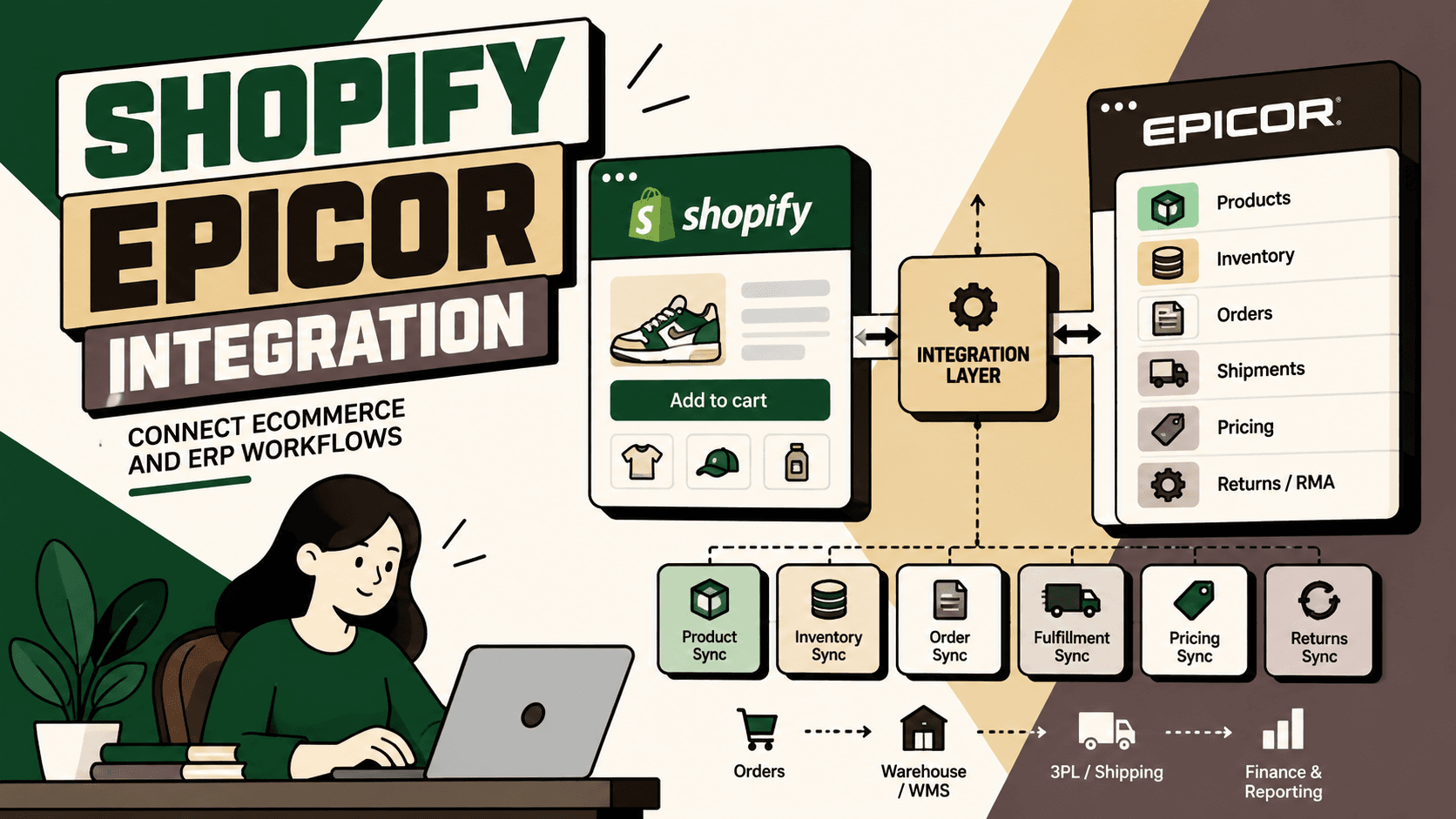
Shopify Epicor integration connects a Shopify storefront with Epicor ERP so ecommerce activity and back-office operations can share product, inventory, order, pricing, fulfillment and shipment information. The objective is not simply to move data between two applications. A well-designed integration creates a controlled flow of commerce data so the storefront, ERP, warehouse, shipping and finance processes operate from consistent information.
Epicor provides ecommerce and integration capabilities that support storefront connectivity, including its Storefront Connector, while its broader integration portfolio supports connecting business applications through integration technologies and platforms. Epicor Storefront Connector Epicor Integration
The practical challenge is deciding what Shopify should own, what Epicor should own, how information should move between them, and which workflows require deterministic rules rather than simple synchronization. That becomes increasingly important when a business adds warehouses, 3PLs, marketplaces, returns, financial systems or AI-driven automation.
What Is Shopify Epicor Integration?
Answer: Shopify Epicor integration is the connection between a Shopify ecommerce environment and Epicor ERP that allows relevant product, customer, inventory, order, pricing and fulfillment information to move between the storefront and operational systems.
Explanation: Shopify is the customer-facing commerce layer, while Epicor can hold or coordinate operational information used by manufacturing, distribution, inventory, order processing and fulfillment teams. The integration layer translates data between those environments and applies the rules that determine when and how information should move.
Example: A customer places an order in Shopify. The integration can transfer the order information into Epicor, where the order can enter the appropriate operational workflow. When fulfillment information becomes available, the relevant shipment or fulfillment information can flow back toward Shopify.
Implication: The integration becomes part of the order lifecycle rather than a separate technical connection.
Action: Before choosing an integration method, map the complete journey from product creation to order capture, fulfillment, shipment, cancellation, return and reconciliation.
Why Integrate Shopify With Epicor?
Without an integration, ecommerce and ERP teams can end up maintaining overlapping information. Product data may be managed in one system, inventory in another, orders in a third workflow and shipment information somewhere else. Manual exports and imports can temporarily bridge those systems, but they introduce additional operational work and create opportunities for mismatched records.
The underlying problem is usually not that Shopify or Epicor lacks functionality. It is that the business process crosses system boundaries.
- Customers place orders in Shopify.
- ERP teams process orders and operational data in Epicor.
- Inventory may be managed across ERP and warehouse processes.
- Shipping information can originate in fulfillment or logistics systems.
- Customer-facing status needs to return to the ecommerce experience.
- Finance and reconciliation processes may depend on consistent order and payment information.
An integration creates a defined path through those systems. The specific capabilities available depend on the Epicor product, Shopify configuration and integration architecture, so the first implementation step should always be a workflow and data audit.
What Data Can Shopify and Epicor Share?
The research for this topic identifies several common synchronization areas. The exact fields and direction of synchronization should be defined for the particular Epicor environment rather than assumed from the platform names alone.
| Shopify data or event | Epicor-side process or data | Typical integration purpose |
|---|---|---|
| Products and SKUs | Item or part records | Catalog synchronization |
| Product variants | Item or part information | Variant and SKU alignment |
| Inventory availability | ERP inventory information | Storefront availability |
| Prices | ERP pricing information | Pricing synchronization |
| Customer orders | Sales orders | Order creation or update |
| Customer information | Customer records | Customer data alignment |
| Order status | Order or shipment status | Customer-facing status |
| Fulfillment information | Shipment or fulfillment data | Order fulfillment updates |
| Tracking information | Shipment tracking | Delivery visibility |
| Cancellations | Order updates | Controlled cancellation processing |
| Returns | Return or RMA workflows | Post-purchase processing |
Epicor's Storefront Connector is specifically positioned for connecting ecommerce storefronts, including Shopify, with Epicor workflows. Epicor Storefront Connector
Shopify Epicor Integration Architecture
A practical architecture usually looks like this:
Shopify → Integration Layer → Epicor ERP
The integration layer can be a dedicated connector, integration platform, middleware service or custom API workflow. The correct choice depends on the number of systems, required business logic, transaction complexity and operational ownership.
Epicor's broader integration offering is designed to connect business applications and workflows, while Epicor Integration Cloud is positioned as an API integration platform powered by Jitterbit for connecting cloud, SaaS and on-premises applications. Epicor Integration Cloud
Layer 1: Shopify
Shopify is the storefront and ecommerce transaction layer. It captures customer orders and exposes the commerce information required by downstream processes.
The integration should avoid treating every Shopify field as automatically authoritative. For each important data object, define whether Shopify or Epicor is the source of truth.
Layer 2: Integration and Mapping
This layer handles authentication, data transformation, field mapping, event processing, validation, retries, error handling and business rules.
It is also where the architecture should distinguish between simple synchronization and actual workflow orchestration. Sending an order record from one system to another is different from deciding how that order should be routed, allocated, fulfilled or cancelled.
Layer 3: Epicor ERP
Epicor receives or provides the operational information required by the workflow. The exact capabilities depend on the Epicor product and configuration in use. Epicor's integration materials describe connectivity options for external applications and ecommerce processes. Epicor Integration
Layer 4: Warehouse, Shipping and Finance
As the operation becomes more complex, Shopify and Epicor may need to exchange information with warehouse management, shipping providers, 3PLs and financial systems. The integration architecture should therefore be designed around the business workflow rather than around only two application endpoints.
Which Shopify Epicor Workflows Should You Automate?
The highest-value integration is rarely the one with the largest number of synchronized fields. It is the one that removes the most meaningful operational bottlenecks.
1. Inventory Synchronization
Answer: Inventory synchronization keeps storefront availability aligned with the inventory information used by the operational system.
Why it matters: Customers make purchasing decisions based on what Shopify shows as available. If storefront availability does not reflect operational inventory, the business can create avoidable exceptions after an order is placed.
Implementation: Define the authoritative inventory source, determine which inventory locations should be sellable online, establish allocation rules and decide how often or under what events availability should be updated.
What stays human: Exceptional allocation decisions, inventory corrections and unusual stock situations may still require operations review.
2. Shopify Order Synchronization
Order synchronization is one of the most important Shopify Epicor integration workflows because the customer transaction needs to become an operational transaction.
The workflow should map customer information, order identifiers, products, variants, quantities, prices, discounts, taxes, shipping information and other required fields into the Epicor process.
Common failure: Treating an order as successfully synchronized simply because an API request returned successfully.
Better approach: Track the complete state transition from Shopify order creation through Epicor acceptance, processing and downstream fulfillment.
3. Product and SKU Synchronization
Product synchronization can reduce duplicate catalog maintenance when Epicor is used as an authoritative source for selected product information.
Useful synchronization areas can include SKU identifiers, descriptions, product attributes and variants. The exact ownership model should be defined before implementation.
A common design mistake is attempting to make every product field bidirectional. That can create update conflicts. Instead, identify field-level ownership and establish a clear direction for each attribute.
4. Pricing Synchronization
Pricing is more complicated than copying a number from Epicor into Shopify. Businesses may have customer-specific pricing, promotions, regional rules, contract pricing or other commercial constraints.
Before automating pricing, document which pricing system is authoritative and which rules are expected to be reflected in Shopify. If pricing logic cannot be represented safely in the synchronization layer, the integration should preserve the authoritative calculation rather than introduce a second competing rules engine.
5. Fulfillment and Shipment Synchronization
Once an order is processed, the customer needs visibility into fulfillment and shipment status. A connected workflow can move appropriate fulfillment information back toward Shopify.
The business should define how partial shipments, multiple tracking references, cancellations and exceptions are represented. A simple one-order-to-one-shipment assumption can fail when the physical fulfillment process is more complex.
6. Returns and RMA Workflows
Returns connect ecommerce, customer service and ERP operations. A Shopify return request may need to become an approved return or RMA workflow in the operational system.
Do not automatically approve every return simply because the request originated in Shopify. Eligibility, product condition, policy rules and financial implications should be handled through explicit business logic and human approval where required.
Real-Time Shopify Epicor Integration vs Scheduled Synchronization
Not every data flow needs to be real time. The appropriate synchronization pattern depends on the business consequence of stale data.
| Synchronization pattern | Best suited for | Main consideration |
|---|---|---|
| Event-driven or near real time | Orders, critical inventory and customer-facing status | Requires stronger error handling and monitoring |
| Scheduled synchronization | Selected catalog, reporting or lower-frequency data | Data may remain temporarily stale |
| On-demand API lookup | Specific operational queries | Depends on API availability and response time |
The decision should be driven by workflow requirements rather than the assumption that every field needs continuous synchronization.
Epicor Kinetic and Epicor P21 Considerations
“Epicor integration” does not describe one identical technical environment. Businesses may operate different Epicor products and configurations, including Epicor Kinetic and Epicor P21. The available integration path, APIs, data model and business processes should therefore be confirmed against the specific environment before implementation.
The research also surfaces Shopify App Store solutions specifically marketed for Epicor P21 and Epicor Kinetic, illustrating that third-party integration approaches exist alongside broader Epicor integration capabilities. These products should be evaluated against the required workflows, data ownership, support model and security requirements rather than selected solely because they provide a prebuilt connection. HumSync for Epicor P21 on the Shopify App Store ShopHive for Epicor Kinetic on the Shopify App Store
Choosing an Integration Approach
There is no single correct architecture for every Shopify Epicor implementation. The choice should reflect the complexity of the business process.
| Approach | Best suited for | Primary trade-off |
|---|---|---|
| Epicor Storefront Connector | Supported ecommerce storefront connectivity and standard synchronization needs | Business-specific workflows may require additional integration logic |
| Integration platform or iPaaS | Businesses connecting multiple applications and operational systems | Adds another platform that requires governance and ownership |
| Custom integration layer | Complex workflows, custom rules and specialized data transformations | Higher engineering and maintenance responsibility |
| Third-party Shopify integration app | Businesses whose requirements closely match an available packaged connector | Capability and support depend on the specific vendor and product |
Epicor positions its Storefront Connector for ecommerce connectivity and its broader integration portfolio for connecting business applications. Epicor Storefront Connector Epicor iPaaS
How to Choose the Right Shopify Epicor Integration
Answer: Choose the smallest architecture that reliably supports the workflows you actually need, while leaving room for additional commerce systems when the business requires them.
- List the required workflows. Separate catalog, inventory, orders, fulfillment, shipping, returns, pricing and reporting requirements.
- Identify system ownership. Decide which platform is authoritative for each important data object and field.
- Measure transaction volume. Understand order volume, SKU count, inventory update frequency and exception volume.
- Assess business rules. Identify customer-specific pricing, inventory allocation, fulfillment routing and return policies.
- Count connected systems. Include warehouses, 3PLs, marketplaces, finance and customer-service systems that may need the same data.
- Choose the integration layer. Compare a standard connector, iPaaS and custom integration based on workflow complexity.
- Define failure handling. Decide what happens when an API is unavailable, a record is rejected or two systems disagree.
- Establish monitoring. Track synchronization failures, processing latency, unmatched records and unresolved exceptions.
Shopify Epicor Integration Implementation Roadmap
1. Map the Current Workflow
Document how an order currently travels from Shopify through ERP processing, inventory allocation, fulfillment, shipment and post-purchase support. Include every manual export, spreadsheet, re-entry step and approval.
Common failure: Designing the integration around APIs before understanding the actual operational process.
Expected result: A workflow map that identifies where data changes hands and where manual effort or errors occur.
2. Establish Baseline Metrics
Measure order processing time, manual touches, synchronization failures, inventory discrepancies, exception volume and time spent resolving integration errors where those metrics are available.
Do not manufacture an expected percentage improvement. The baseline should determine the business case.
3. Define Data Ownership
Create a data ownership matrix for products, inventory, prices, customers, orders, fulfillment and shipment information.
For each field, answer three questions: Who owns it? Who can modify it? Which system consumes it?
4. Define the Minimum Viable Integration
Do not begin by synchronizing every available field. Select the smallest workflow that creates meaningful operational value.
For many ecommerce businesses, an initial scope could include product identifiers, inventory availability, order creation and shipment status. Additional workflows can follow after the core flow is stable.
5. Build Mapping and Validation Rules
Map Shopify identifiers to the corresponding Epicor records and validate required fields before creating or updating ERP transactions.
Validation should catch missing SKUs, invalid customer references, unsupported product variants, duplicate orders and other predictable exceptions before they reach downstream processes.
6. Add Authentication and Security
Use supported authentication mechanisms, secure credential storage, scoped permissions and controlled access to integration endpoints. The exact authentication design depends on the systems and integration platform selected.
7. Design Error Handling
A production integration needs explicit handling for API failures, timeouts, duplicate events, rejected records, partial updates and inconsistent data.
Every failure should have a defined next state. “Try again later” is not an operational strategy unless the system knows when and how to retry and when to escalate.
8. Test Edge Cases
- Duplicate orders
- Cancelled orders
- Partial shipments
- Multiple shipments
- Out-of-stock products
- Invalid SKUs
- Customer record mismatches
- Price discrepancies
- Return exceptions
- ERP or integration downtime
9. Pilot the Workflow
Start with a controlled workflow and compare the results against the baseline. Validate not only successful transactions but also the quality of exception handling.
10. Monitor and Scale
Once the initial workflow is stable, add additional synchronization and automation based on measurable business value. Maintain ownership of mappings, credentials, business rules and monitoring as the integration evolves.
What Should Be Automated and What Should Stay Human?
Integration does not mean every business decision should become automatic.
Deterministic data movement is generally a strong automation candidate. Ambiguous commercial decisions often need rules or human approval.
| Workflow decision | Automation approach | Human role |
|---|---|---|
| Copy a validated Shopify order into Epicor | Automate | Handle rejected or exceptional orders |
| Update a verified shipment status | Automate | Investigate conflicting shipment information |
| Synchronize approved product data | Automate | Review unusual catalog changes |
| Apply complex pricing exceptions | Rule-driven with approval where needed | Resolve commercial exceptions |
| Approve unusual returns | Rule-driven escalation | Make policy exceptions |
| Resolve conflicting inventory records | Detect and escalate | Determine the correct operational state |
The objective is reliable automation, not maximum automation.
Adding AI to Shopify Epicor Integration
AI becomes useful when the commerce workflow contains unstructured requests, exceptions or decisions that benefit from interpretation. It should not replace deterministic system rules unnecessarily.
For example, an AI layer could interpret a customer request, classify the intent and identify that the customer is asking about an order. The integration layer can then retrieve the relevant order information from the authoritative system and use verified data to construct the next workflow step.
A sensible division of responsibility is:
- AI: intent classification, entity extraction, natural-language interpretation and response drafting.
- Integration layer: authentication, mapping, validation, API calls, retries and deterministic workflow rules.
- Epicor: authoritative ERP data and approved ERP processes.
- Shopify: storefront and ecommerce transaction context.
- Human operators: ambiguous exceptions, sensitive decisions and high-impact overrides.
This architecture prevents an AI model from becoming an uncontrolled ERP transaction engine.
Extending Shopify and Epicor Into a Broader Commerce Architecture
A two-system integration can solve an immediate problem, but growing ecommerce operations often need more than Shopify and ERP synchronization.
The broader architecture may look like:
Shopify → Commerce Integration Layer → Epicor → WMS → 3PL and Shipping → Finance
With an AI automation layer around those systems, additional workflows can be orchestrated for inventory allocation, order routing, fulfillment decisions, shipment tracking, exception handling, returns and reconciliation. These are workflow design opportunities rather than automatic capabilities of an AI model.
Epicor also positions its integration and EDI capabilities for broader connected supply-chain and ecommerce scenarios, including multiple commerce channels. Epicor EDI Epicor EDI Integrations
Where Five Anchor Fits
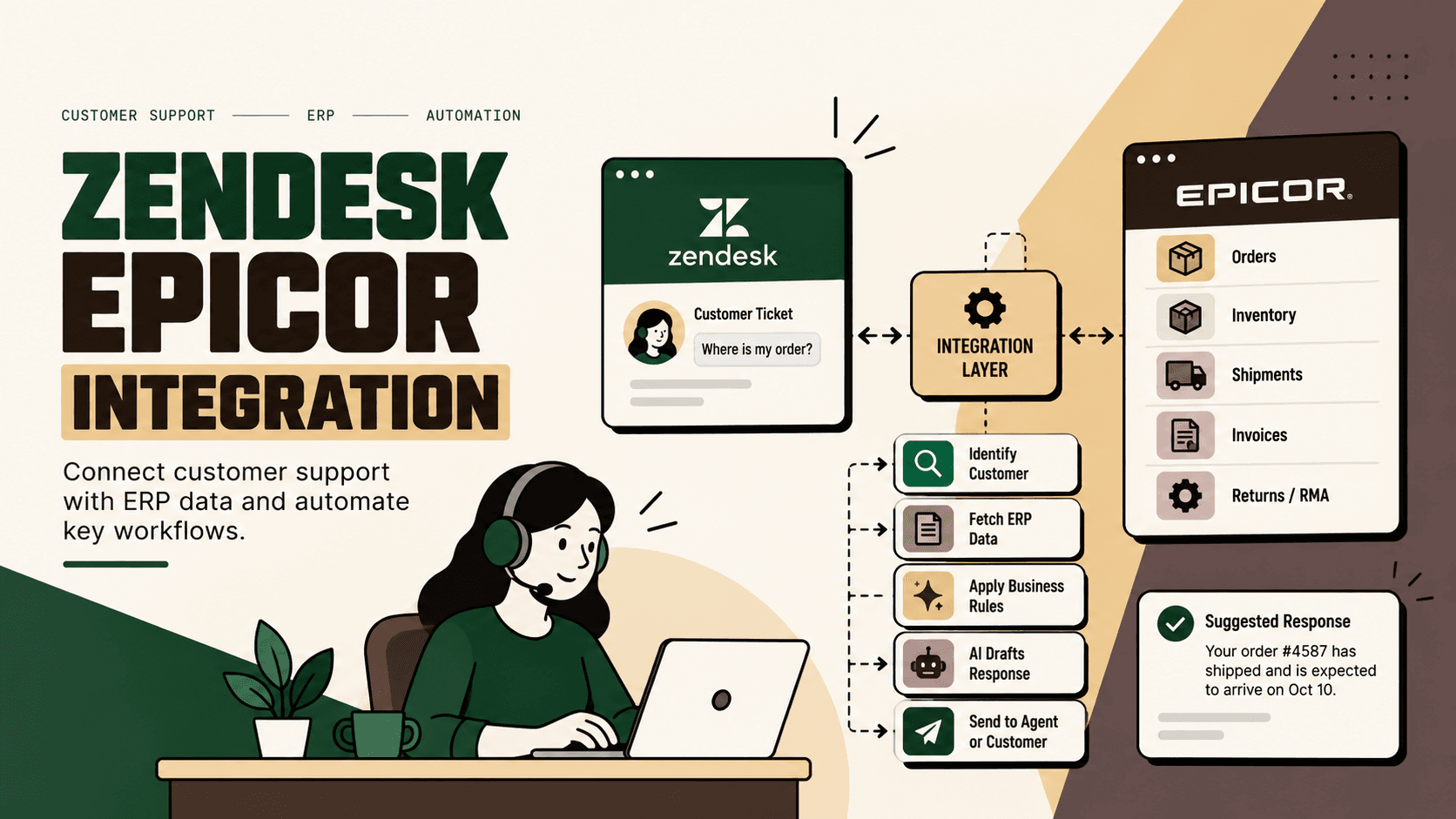
Problem: Shopify can capture ecommerce demand while Epicor and downstream systems handle operational execution. Without a deliberate integration architecture, teams can end up manually coordinating product, inventory, order, fulfillment and shipment information across system boundaries.
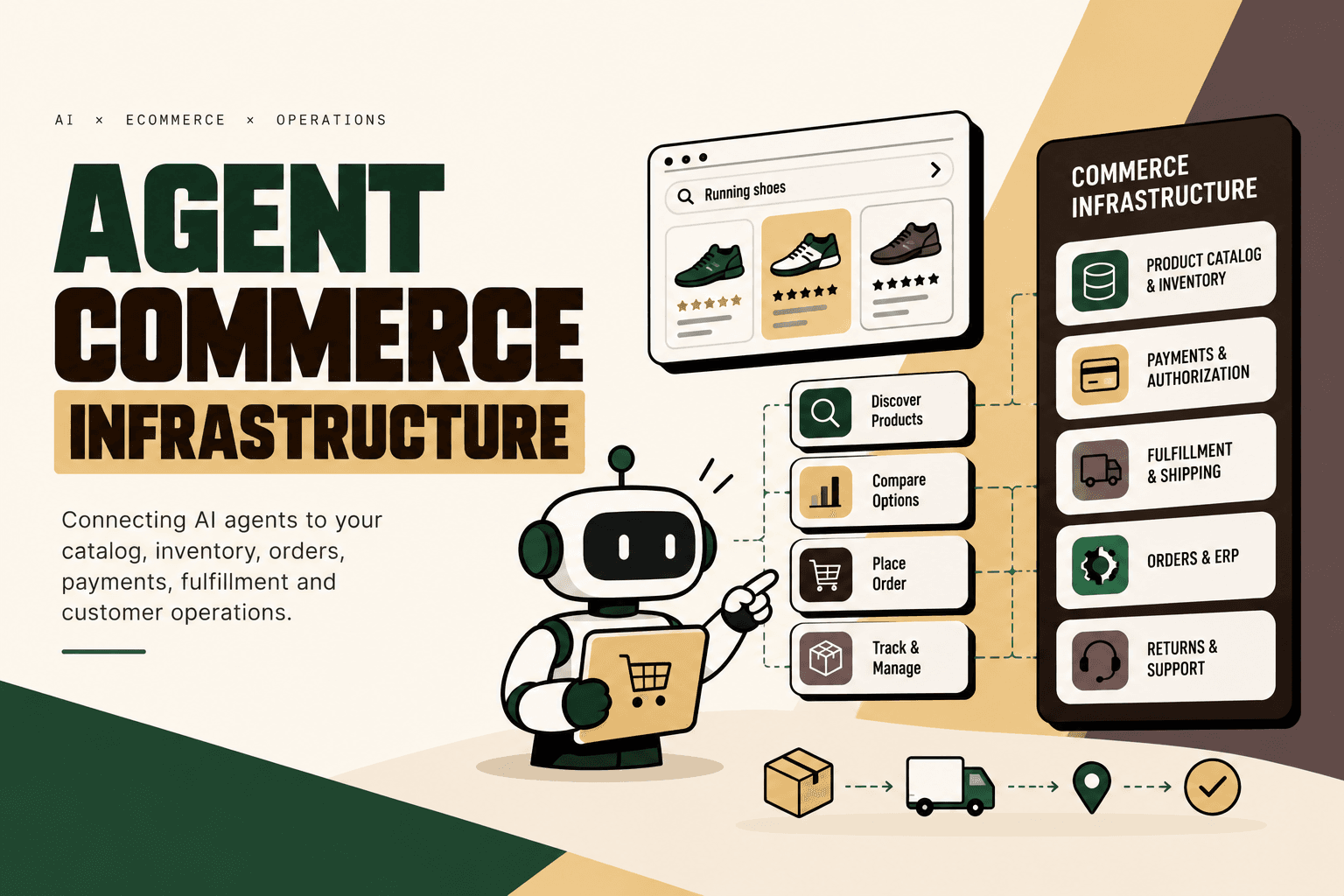
Architecture: Five Anchor approaches this as commerce infrastructure: connect Shopify and ERP systems through a controlled integration layer, establish data ownership and business rules, then extend the workflow into inventory, warehouse, shipping and customer operations where the business case supports it.
Implementation: For a Shopify Epicor project, that can mean workflow mapping, system and API integration, data transformation, inventory synchronization, order processing automation, fulfillment connectivity, exception handling, guardrails and operational monitoring.
Business outcome: The intended outcome is a more consistent commerce operation with fewer manual handoffs and clearer visibility into the order lifecycle. The actual benefit should be measured against the company's own baseline for processing effort, synchronization failures, inventory discrepancies and exception volume.
This maps directly to Five Anchor's positioning as AI Infrastructure for D2C & E-Commerce, particularly its Commerce Infrastructure service. The Shopify-to-Epicor connection can become one part of a wider architecture linking ecommerce, ERP, inventory, fulfillment and intelligent automation.
How to Measure Shopify Epicor Integration ROI
Integration ROI should be measured from the workflow rather than from the existence of the technology.
Useful metrics include:
- Manual order-entry time
- Number of manual data touches per order
- Order synchronization failure rate
- Inventory discrepancy frequency
- Time spent resolving integration exceptions
- Order-processing latency
- Shipment-status update latency
- Return-processing effort
- Number of orders requiring manual intervention
Illustrative scenario: If a business processes 500 orders per day and removes five minutes of repetitive manual handling from each order, the theoretical handling time represented by that step is approximately 41.7 hours per day. This is an illustrative calculation, not a benchmark or predicted result. The actual business case depends on the company's order volume, workflow and labor cost.
A useful practical prioritization model is:
Priority = volume × frequency × manual effort × error cost × revenue impact ÷ implementation complexity
This is a practical framework, not an industry-standard formula. Its purpose is to compare candidate workflows and avoid spending disproportionate effort on low-value automation.
Common Shopify Epicor Integration Mistakes
1. Treating Integration as a Data Pipe
Moving records between systems is only one part of the problem. The integration must define ownership, validation, business rules and exception handling.
2. Making Everything Bidirectional
Bidirectional synchronization can create conflicts when both systems can modify the same field. Field-level ownership is safer than assuming that every object should synchronize in both directions.
3. Ignoring Inventory Semantics
“Inventory” can mean different things depending on location, allocation state, availability rules and fulfillment commitments. Define exactly what quantity should be exposed to Shopify.
4. Ignoring Partial Fulfillment
Orders may not always map neatly to a single fulfillment event. The workflow should account for partial shipments and multiple tracking references where applicable.
5. Automating Returns Without Policy Rules
Return requests can involve eligibility, product condition, timing and financial implications. Automating the data transfer does not mean automating every approval decision.
6. Measuring API Success Instead of Business Success
An integration request succeeding technically does not prove that the order was processed correctly. Monitor the complete business transaction and its downstream state.
Shopify Epicor Integration Checklist
- Map the Shopify-to-Epicor order lifecycle.
- Identify the source of truth for products, inventory, pricing, customers and orders.
- Document required data fields and transformations.
- Choose between a standard connector, integration platform and custom layer.
- Define real-time versus scheduled synchronization requirements.
- Implement authentication and least-privilege access.
- Build validation and duplicate-event handling.
- Define retry, failure and escalation behavior.
- Test partial shipments, cancellations, returns and inventory exceptions.
- Establish baseline operational metrics.
- Pilot one high-value workflow.
- Monitor and expand only after the first workflow is stable.
Conclusion
Shopify Epicor integration is best understood as an operational architecture, not simply a connector. Shopify handles the ecommerce experience while Epicor and connected operational systems support the processes required to fulfill customer demand. The integration layer determines how information moves between those environments, how conflicts are handled and which workflows can be automated safely.
The strongest starting point is usually a small, measurable workflow such as inventory synchronization, order processing or shipment updates. Establish data ownership, define the business rules, build validation and error handling, test edge cases and measure the workflow against a baseline before expanding the integration.
For businesses with more complex commerce operations, the opportunity extends beyond Shopify and Epicor. Connecting warehouse, shipping, finance, marketplaces and customer operations creates a broader commerce infrastructure in which automation can be applied to the workflows that have the highest operational value.
Five Anchor can approach that broader problem through commerce infrastructure and intelligent automation: mapping the workflow, integrating Shopify with Epicor and connected systems, implementing controlled automation and measuring the operational outcome rather than treating system connectivity as the end goal.
Key Takeaways
- •Shopify Epicor integration connects storefront activity with ERP and operational workflows.
- •Common integration areas include products, SKUs, inventory, pricing, orders, fulfillment, shipments and returns.
- •The integration layer should handle mapping, validation, authentication, retries and business rules rather than simply moving records.
- •A standard connector, iPaaS or custom integration should be selected according to workflow complexity and the number of connected systems.
- •AI can assist with interpretation and exception handling, but deterministic ERP transactions should remain governed by explicit rules and human approval where appropriate.
- •Five Anchor can extend Shopify and Epicor connectivity into broader commerce infrastructure across inventory, fulfillment, shipping and intelligent automation.
Shopify Epicor Integration Approaches
| Approach | Best suited for | Primary trade-off |
|---|---|---|
| Inventory Sync Frequency | 15–30 min batch polling (high oversell risk) | Sub-second atomic locking (<450ms) |
| Concurrent Drop Resilience | Fails under concurrency; causes negative stock balance | Redis atomic reservation queue guarantees exact counts |
| Error Handling & Retries | Silent failure; manual CSV audit needed | Dead-letter queues with automated exponential retry |
| Fulfillment Routing Speed | 2–4 hours delayed batch export to 3PL warehouse | Instantaneous automated webhook dispatch (<90 sec) |