Why Is My Inventory Wrong Across Shopify and 3PL?
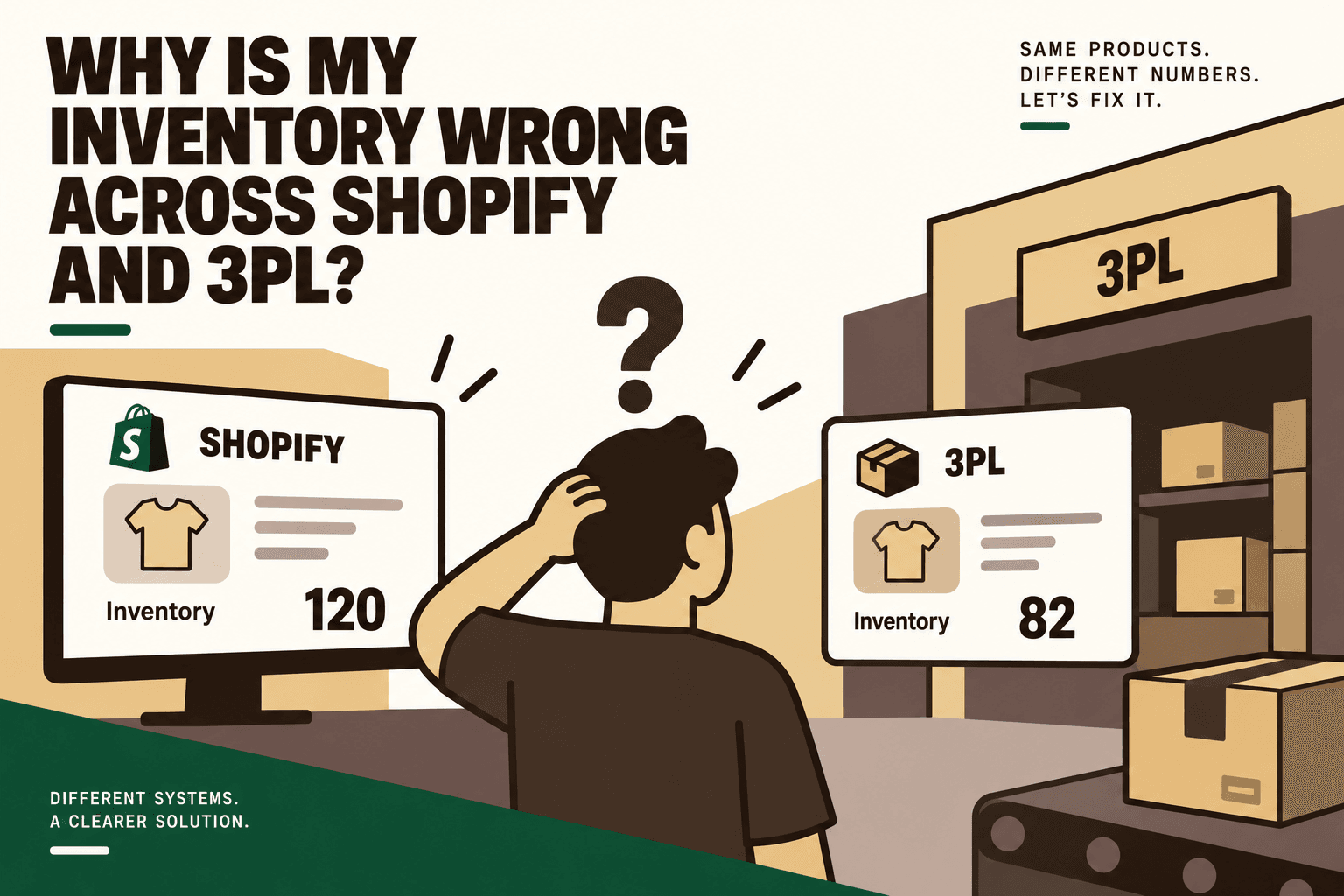
If Shopify says you have 100 units and your 3PL says you have 82, the instinct is often to blame the inventory sync.
Sometimes that is the problem. But the deeper issue is usually that Shopify and your 3PL are not representing, calculating, or updating inventory in exactly the same way.
A D2C brand can have accurate numbers inside Shopify, accurate numbers inside its 3PL, and still have an inaccurate sellable inventory position across the business.
That happens because inventory moves through multiple states and systems. Orders are placed. Stock is committed. Warehouses receive goods. Items are picked and packed. Returns arrive. Damaged units become unavailable. Transfers happen. Multiple locations may hold stock. Marketplaces consume inventory. Integrations send updates at different times.
Shopify itself distinguishes inventory states such as on hand, available, committed, unavailable and incoming, while inventory is also tracked by location. Shopify Help Center: Understanding inventory states
The result is a simple operational problem with a surprisingly complicated root cause:
Your Shopify inventory is not necessarily the same thing as your 3PL inventory, and neither number is automatically the same as your available-to-sell inventory. :contentReference[oaicite:0]{index=0}
The Short Answer: Why Shopify and 3PL Inventory Drifts Apart
Answer: Inventory discrepancies between Shopify and a 3PL usually come from differences in inventory states, location mapping, SKU or variant mapping, order and fulfillment timing, receiving, returns, manual adjustments, or delayed and failed synchronization.
The most common causes are:
- Shopify and the 3PL count different inventory states.
- The wrong Shopify location is being updated.
- Order, reservation or fulfillment events are not synchronized correctly.
- Returns and damaged inventory are handled differently.
- Receiving discrepancies create an incorrect starting balance.
- SKU or variant mappings are incorrect.
- Inventory synchronization is delayed.
- Manual adjustments are competing with automated updates.
The practical fix is not simply to “sync Shopify with the 3PL again.” You need to establish which system owns which inventory data, how available-to-sell inventory is calculated, and how discrepancies are detected and resolved.
1. Shopify and Your 3PL May Be Counting Different Things
This is one of the most overlooked causes of inventory discrepancies.
Suppose your 3PL reports 100 physical units in its warehouse. Shopify might show a different available quantity because some of those units are committed to existing orders, marked unavailable, held for quality control, or otherwise excluded from the quantity available for sale.
Shopify's inventory model includes multiple states rather than treating every physical unit as immediately sellable. Shopify's inventory state documentation
That means comparing:
3PL physical stock = 100
against:
Shopify available stock = 87
does not automatically mean one system is wrong.
The 13-unit difference may represent committed, unavailable or otherwise non-sellable inventory.
What to check
- On-hand quantity
- Available quantity
- Committed quantity
- Unavailable or damaged quantity
- Incoming inventory
- Reserved inventory
- Inventory held for quality control
- Inventory allocated to other channels or locations
Five Anchor POV: Before fixing a sync, define the inventory number that the storefront is actually supposed to receive. Physical stock is a warehouse fact. Available-to-sell is a business calculation.
2. The Wrong Shopify Location Is Being Updated
Shopify tracks inventory separately by location. That becomes important when a D2C brand has a 3PL, its own warehouse, retail locations, marketplace fulfillment, or multiple fulfillment partners.
If the 3PL integration updates one Shopify location while orders are being routed through another, inventory can appear incorrect even when the integration is technically sending updates.
Shopify provides inventory management for multiple locations and fulfillment apps, with inventory associated with specific locations. Shopify Help Center: Inventory across locations and apps
For example:
| System | Location | Quantity |
|---|---|---|
| 3PL | Delhi warehouse | 80 |
| Shopify | 3PL Location | 80 |
| Shopify | Retail location | 20 |
| Shopify storefront | Fulfillment logic | May use a location-specific quantity |
The numbers may look reasonable individually while the storefront's actual sellable quantity is still wrong because the fulfillment configuration does not match the inventory architecture.
What to check
- List every Shopify location.
- Identify which location represents the 3PL.
- Confirm the 3PL integration writes inventory to that location.
- Confirm the location is enabled for the relevant products and fulfillment flows.
- Check whether other apps or locations are also writing inventory.
- Confirm how Shopify calculates inventory available for sale across those locations.
3. Orders Are Being Deducted at Different Times
An ecommerce order creates a chain of inventory events.
Customer orders → Shopify records order → inventory changes → fulfillment request → 3PL receives order → 3PL reserves stock → warehouse picks stock → shipment is created → fulfillment status returns to Shopify.
If the systems do not process these events at the same point in the workflow, inventory can temporarily or permanently diverge.
For example, Shopify may reduce available inventory when an order is placed while the 3PL does not reserve the corresponding stock until the fulfillment request arrives. If that request fails, is delayed, or is duplicated, the two systems can move further apart.
Shopify's documentation describes inventory quantities and states that apps can manage through its inventory APIs. Shopify developer documentation: Manage inventory quantities and states
The key diagnostic question
Do not ask only, “What is the quantity?” Ask:
“What inventory event caused this quantity to change, and did the same event reach every system that should know about it?”
That question changes inventory reconciliation from a spreadsheet exercise into an event-tracing exercise.
4. Returns Can Create Inventory That Exists Physically but Is Not Sellable
Returns are another common source of inventory drift.
A customer sends a product back. The 3PL receives it. But receiving a return does not necessarily mean that the product should immediately become available for sale.
The item may need inspection. It could be damaged. Packaging may be incomplete. The product may need refurbishment or quality-control approval.
That creates several possible states:
| Return state | Physical reality | Sellable? |
|---|---|---|
| In transit | Customer has shipped item | No |
| Received | 3PL has item | Not necessarily |
| QC pending | Item is being inspected | No |
| Damaged | Item cannot be resold | No |
| Approved | Item passes inspection | Potentially yes |
| Restocked | Item is returned to sellable stock | Yes |
If Shopify receives a restock update too early, the storefront can oversell. If the 3PL approves a return but Shopify never receives the update, sellable stock can remain artificially low.
The fix is to synchronize inventory based on the business state of the item, not merely the physical presence of the item inside the warehouse.
5. Receiving Errors Can Make Every Later Inventory Sync Wrong
Sometimes the inventory sync is working perfectly. The original inventory is simply wrong.
Imagine an inbound purchase order expects 500 units. The warehouse physically receives 490. If the system records 500, that 10-unit difference becomes embedded in the inventory balance.
Every subsequent sync can faithfully transmit the wrong number.
This is why inventory reconciliation must look upstream rather than assuming the latest system showing a different number is responsible for the discrepancy.
Shopify's inventory guidance identifies receiving and inventory-recording errors among the operational causes that can contribute to discrepancies. Shopify: Costly Inventory Errors and How to Prevent Them
Receiving controls worth implementing
- Match purchase orders against actual receipts.
- Record shortages and overages explicitly.
- Validate SKU and variant identifiers during receiving.
- Separate damaged or rejected units from sellable inventory.
- Record inventory adjustments with an audit trail.
- Do not treat expected inbound stock as available stock before the defined receiving event.
6. Your SKU or Variant Mapping May Be Wrong
A sync can be technically successful while updating the wrong product.
Consider a D2C catalog with:
- Black T-shirt, Small
- Black T-shirt, Medium
- Black T-shirt, Large
If Shopify's variant identifiers and the 3PL's product identifiers are mapped incorrectly, inventory movements can land against the wrong variant.
This is especially dangerous because the resulting numbers can look plausible. A quantity of 24 appearing against a product is not obviously wrong unless someone compares the underlying identifiers.
Shopify's fulfillment documentation also emphasizes the importance of correct product and SKU configuration when working with fulfillment systems. Shopify Help Center: Managing products with fulfillment networks
SKU reconciliation checklist
- Export Shopify SKU and variant identifiers.
- Export the corresponding 3PL SKU identifiers.
- Compare the mapping line by line.
- Identify duplicate SKUs.
- Identify missing SKUs.
- Check bundles and kits separately.
- Check whether product variants were renamed or recreated.
- Validate new SKUs before they enter live fulfillment.
Important: SKU mapping should be treated as infrastructure, not spreadsheet housekeeping.
7. Your Inventory Sync May Simply Be Too Slow
Even if every mapping and rule is correct, a delayed inventory feed creates a window in which Shopify is displaying an old inventory position.
Illustrative scenario: A 3PL has 100 units available. Twenty orders arrive, reducing the true available quantity to 80. Shopify receives the update immediately. The 3PL integration then experiences a delay before sending the next inventory event. During that window, additional orders arrive. Shopify and the warehouse can temporarily operate on different inventory positions.
Shopify identifies inventory synchronization and overselling as related operational concerns. Shopify: Overselling and inventory management
The important question is therefore not simply whether the integration is “real-time.” Ask:
- What triggers an inventory update?
- How quickly is the event delivered?
- How frequently are full inventory snapshots sent?
- What happens when an API call fails?
- Are failed events retried?
- Can events arrive out of order?
- Is there a reconciliation process after downtime?
8. Manual Inventory Adjustments May Be Fighting the Integration
This happens more often than teams expect.
An operations employee notices that Shopify shows 74 units but believes the correct number is 100. They manually change Shopify to 100.
Later, the 3PL integration sends its inventory snapshot of 74.
Shopify goes back to 74.
Now the team believes the sync “changed the inventory back,” while the integration believes it correctly published the latest 3PL quantity.
Shopify maintains inventory adjustment functionality and an audit trail for quantity changes. Shopify Help Center: Adjusting inventory quantities
The real problem is governance.
If two systems are allowed to write inventory without defined ownership rules, the business has created competing sources of truth.
The Bigger Problem: You Need an Inventory Source of Truth
Many D2C brands start with a simple architecture:
Shopify ↔ 3PL
That can work when the operation is simple.
As the business grows, the architecture often becomes:
Shopify + marketplaces + ERP + 3PL + WMS + returns + customer support + finance
At that point, direct point-to-point synchronization becomes increasingly difficult to reason about.
A more controlled architecture can introduce an inventory orchestration or middleware layer:
3PL/WMS → inventory data → inventory orchestration → available-to-sell calculation → Shopify and other sales channels
The important part is not whether you buy a particular middleware product. The important part is defining the inventory model.
Physical Inventory vs Available-to-Sell Inventory
A useful conceptual model is:
Available to Sell = On Hand − Committed − Unavailable − Safety Stock
This is a practical operating model, not a universal Shopify formula. The exact calculation should reflect the systems, fulfillment rules and inventory policies of the business.
For example, a brand might have:
| Inventory component | Quantity | Sellable? |
|---|---|---|
| Physical on hand | 120 | Not necessarily |
| Committed orders | 15 | No |
| QC or damaged | 5 | No |
| Safety stock | 10 | No |
| Illustrative available-to-sell quantity | 90 | Yes |
The point is not that every D2C brand should reserve exactly 10 units or use exactly this calculation. The point is that your systems need a shared definition of what “available” means.
How to Reconcile Shopify and 3PL Inventory Properly
Do not start by changing quantities manually. Start by identifying the source of the discrepancy.
Step 1: Choose a SKU
Pick one SKU that is known to be wrong. Do not begin with the entire catalog.
Step 2: Compare the Identifiers
Confirm that Shopify and the 3PL are referring to the exact same product variant.
Step 3: Compare Locations
Confirm that the Shopify inventory location corresponds to the 3PL warehouse or inventory node you are investigating.
Step 4: Compare Inventory States
Record on-hand, committed, unavailable, reserved, incoming and available quantities where those states exist.
Step 5: Trace Recent Events
Look at recent orders, cancellations, fulfillment events, returns, adjustments, receipts and transfers.
Step 6: Check the Last Successful Sync
Find the most recent successful inventory update and determine whether later events failed, were delayed or arrived out of sequence.
Step 7: Check for Manual Adjustments
Review inventory adjustment history and identify whether someone changed the quantity outside the automated workflow.
Step 8: Reconcile the Variance
Once the cause is known, make the correction at the appropriate source rather than simply overwriting Shopify.
Step 9: Prevent Recurrence
Add automated monitoring so that the same variance is detected before it becomes a customer-facing inventory problem.
The Inventory Reconciliation Table Every D2C Operator Should Have
A useful reconciliation process compares more than two numbers.
| Data point | Shopify | 3PL | What to investigate |
|---|---|---|---|
| SKU | ABC-123 | ABC-123 | Mapping mismatch |
| Location | 3PL Warehouse | Warehouse A | Location mapping |
| On hand | 120 | 118 | Physical variance |
| Committed | 15 | 15 | Order synchronization |
| Unavailable | 5 | 5 | QC or damage handling |
| Available | 100 | 98 | Sellable inventory calculation |
| Last update | 10:42 | 10:41 | Sync latency |
This creates an important operational shift: instead of asking “Why doesn't Shopify match the 3PL?”, ask “Which inventory state or event caused the variance?”
What Should Be Automated?
Once the reconciliation logic is understood, much of the monitoring can be automated.
A practical automation workflow can:
- Pull inventory data from Shopify and the 3PL.
- Normalize SKU and location identifiers.
- Compare inventory at the SKU and location level.
- Calculate the expected available-to-sell quantity.
- Identify discrepancies above a defined threshold.
- Check recent inventory events.
- Classify the likely cause.
- Automatically resolve low-risk discrepancies where the correction rule is deterministic.
- Escalate ambiguous or high-value discrepancies to an operator.
- Record the resolution for audit purposes.
This is where automation becomes more valuable than a recurring spreadsheet exercise. The system is not merely reporting that two numbers differ. It is investigating why they differ.
Where AI Fits and Where It Does Not
AI is not required for every part of inventory reconciliation.
Some decisions are deterministic:
- Does SKU A exist in both systems?
- Does Shopify location X map to 3PL warehouse Y?
- Is the inventory variance above the threshold?
- Did the latest webhook fail?
- Was a manual adjustment recorded?
These are usually better handled by rules.
AI can become useful when the system needs to interpret less structured information or correlate several signals:
- Classifying the probable reason for an unexplained variance
- Summarizing inventory events for an operator
- Identifying patterns across recurring discrepancies
- Prioritizing which SKU exceptions deserve human attention
- Interpreting warehouse notes or operational messages
Five Anchor POV: The useful role for AI is not replacing the inventory system. It is adding an intelligence layer around the system so that operators spend less time finding discrepancies and more time resolving the exceptions that actually require judgment.
What Not to Automate Blindly
Automatic correction sounds attractive, but a system should not blindly overwrite inventory whenever two numbers disagree.
A variance can be legitimate.
For example, if the 3PL has 100 physical units and Shopify shows 90 available because 10 units are intentionally protected as safety stock, forcing Shopify to 100 would create a new inventory problem.
Human approval is especially useful for:
- High-value SKU discrepancies
- Large unexplained inventory variances
- Conflicting warehouse counts
- Returns awaiting quality control
- Inventory adjustments with financial implications
- Unknown SKU mappings
- Multiple systems reporting different quantities
Technical Architecture: Shopify, 3PL, ERP and Inventory Middleware
A scalable inventory architecture should define ownership at the data-object level.
| Data | Potential system of record | Downstream use |
|---|---|---|
| Physical warehouse stock | 3PL/WMS | Inventory reconciliation |
| Commerce orders | Shopify or commerce platform | Commitment and fulfillment |
| Product master | ERP or commerce system | SKU mapping |
| Available-to-sell quantity | Inventory orchestration layer | Sales channels |
| Returns status | Returns/WMS workflow | Restocking decisions |
| Financial inventory value | ERP/finance system | Financial reporting |
The exact ownership model will vary by business. What matters is that every system has a defined responsibility.
Shopify provides APIs for managing inventory quantities and inventory levels by location, which allows connected applications to build synchronization workflows around defined inventory states. Shopify developer documentation
How to Build a Reliable Shopify-3PL Inventory Sync
A robust implementation should follow a deliberate sequence.
1. Map the Workflow
Document every trigger, input, system, decision, action, exception, human handoff and output from receiving through sale, fulfillment, return and restocking.
2. Establish the Baseline
Measure the current inventory variance, number of affected SKUs, manual reconciliation hours, frequency of sync failures, time to detect discrepancies and time to resolve them.
3. Identify the Bottleneck
Determine whether the largest problem is SKU mapping, location configuration, event synchronization, inventory-state interpretation, returns, receiving or manual adjustments.
4. Classify the Decisions
Separate deterministic rules from AI-assisted analysis and human-only decisions.
5. Connect the Systems
Use APIs, webhooks and orchestration to connect Shopify, the 3PL/WMS, ERP and other relevant systems.
6. Add Guardrails
Define validation, permissions, correction thresholds, retry behavior, fallbacks, logging, monitoring and human escalation.
7. Pilot One Workflow
Start with one high-volume, low-risk SKU or inventory workflow rather than changing the entire inventory architecture at once.
8. Measure the Result
Track inventory variance, reconciliation time, manual effort, sync failures, overselling incidents and operational cost.
9. Scale
Expand only after the workflow is reliable across normal transactions and known edge cases.
This implementation sequence follows the broader D2C automation playbook of mapping, baselining, prioritizing, classifying, connecting, adding guardrails, piloting, measuring and scaling. :contentReference[oaicite:1]{index=1}
How Five Anchor Can Approach the Problem
Inventory synchronization sits directly within Five Anchor's Commerce Infrastructure and E-Commerce Intelligence capabilities, which include inventory synchronization, ERP integrations, warehouse and shipping integrations, inventory intelligence and operational dashboards. :contentReference[oaicite:2]{index=2}
The useful starting point is not simply building another connector. It is mapping how Shopify, the 3PL, ERP and other systems currently exchange inventory information, then defining the source of truth and the available-to-sell logic.
A Five Anchor implementation could therefore involve:
- Mapping Shopify and 3PL inventory workflows
- Auditing SKU and location mappings
- Connecting Shopify, ERP and 3PL/WMS systems
- Building inventory synchronization and reconciliation workflows
- Creating discrepancy alerts and exception queues
- Adding AI-assisted variance classification where useful
- Adding approval thresholds for inventory corrections
- Creating inventory intelligence dashboards
- Monitoring the workflow after deployment
The objective is to give the operations team a system that can answer not only “What is our inventory?” but also “Why does this number differ, which system changed it, and what should happen next?”
How to Measure Whether the Fix Is Working
Inventory accuracy should be measured as an operational process, not as a one-time cleanup.
| Metric | What to measure |
|---|---|
| Inventory variance | Difference between expected and observed inventory |
| SKU variance rate | Percentage of SKUs with unresolved discrepancies |
| Sync failure rate | Inventory updates that fail or require retry |
| Reconciliation time | Time required to identify and resolve a discrepancy |
| Manual adjustment volume | Number of inventory changes made manually |
| Overselling incidents | Orders affected by inaccurate sellable inventory |
| Return restock accuracy | Returned items correctly reflected in sellable inventory |
| Receiving variance | Difference between expected and physically received stock |
The most important improvement is often not making every number identical at every moment. It is making discrepancies explainable, detectable and recoverable.
A Simple Diagnostic Checklist
If your Shopify inventory and 3PL inventory do not match, work through this list before manually changing anything.
- SKU: Are both systems referring to the exact same variant?
- Location: Is the correct Shopify location connected to the correct 3PL warehouse?
- Inventory state: Are you comparing physical stock with available stock?
- Orders: Are commitments and fulfillment events synchronized?
- Returns: Are returned, damaged and QC inventory treated consistently?
- Receiving: Did the original inventory receipt match physical stock?
- Timing: When was the last successful inventory update?
- Manual changes: Did someone override the automated quantity?
- Ownership: Which system is allowed to write the inventory quantity?
- Reconciliation: What happens automatically when the numbers diverge?
Final Takeaway
If Shopify and your 3PL show different inventory, the problem is usually not one incorrect number. It is a mismatch in how inventory is defined, located, mapped, updated or reconciled.
The most common causes are different inventory states, incorrect locations, unsynchronized order events, returns, receiving discrepancies, SKU mapping errors, delayed synchronization and competing manual adjustments.
The durable solution is to establish a clear inventory source of truth and define exactly how available-to-sell inventory is calculated. From there, Shopify, the 3PL, ERP and other systems should exchange inventory events through a controlled integration layer.
Use deterministic rules for predictable reconciliation, AI where interpretation or prioritization genuinely adds value, and human approval for high-impact exceptions.
Most importantly, stop treating inventory reconciliation as a spreadsheet exercise. Build a workflow that continuously detects variance, identifies the likely cause and routes the right action to the right system or person.
Key Takeaways
- •Shopify available inventory is not necessarily the same as the 3PL's physical on-hand inventory.
- •Location mapping and SKU or variant mapping are foundational to reliable Shopify-3PL inventory synchronization.
- •Returns, QC, damaged stock and receiving discrepancies can create inventory drift even when the integration itself is functioning.
- •Delayed or failed inventory events can temporarily create different inventory positions across Shopify and the 3PL.
- •Manual inventory adjustments should not compete with an automated inventory feed without explicit ownership rules.
- •A reliable inventory architecture needs a defined source of truth and an agreed available-to-sell calculation.
- •Rules are appropriate for predictable reconciliation, while AI can assist with exception classification, investigation and prioritization.
- •
Common Shopify-3PL Inventory Problems
| Problem | What Happens | Primary Fix |
|---|---|---|
| Inventory Sync Frequency | 15–30 min batch polling (high oversell risk) | Sub-second atomic locking (<450ms) |
| Concurrent Drop Resilience | Fails under concurrency; causes negative stock balance | Redis atomic reservation queue guarantees exact counts |
| Error Handling & Retries | Silent failure; manual CSV audit needed | Dead-letter queues with automated exponential retry |
| Fulfillment Routing Speed | 2–4 hours delayed batch export to 3PL warehouse | Instantaneous automated webhook dispatch (<90 sec) |