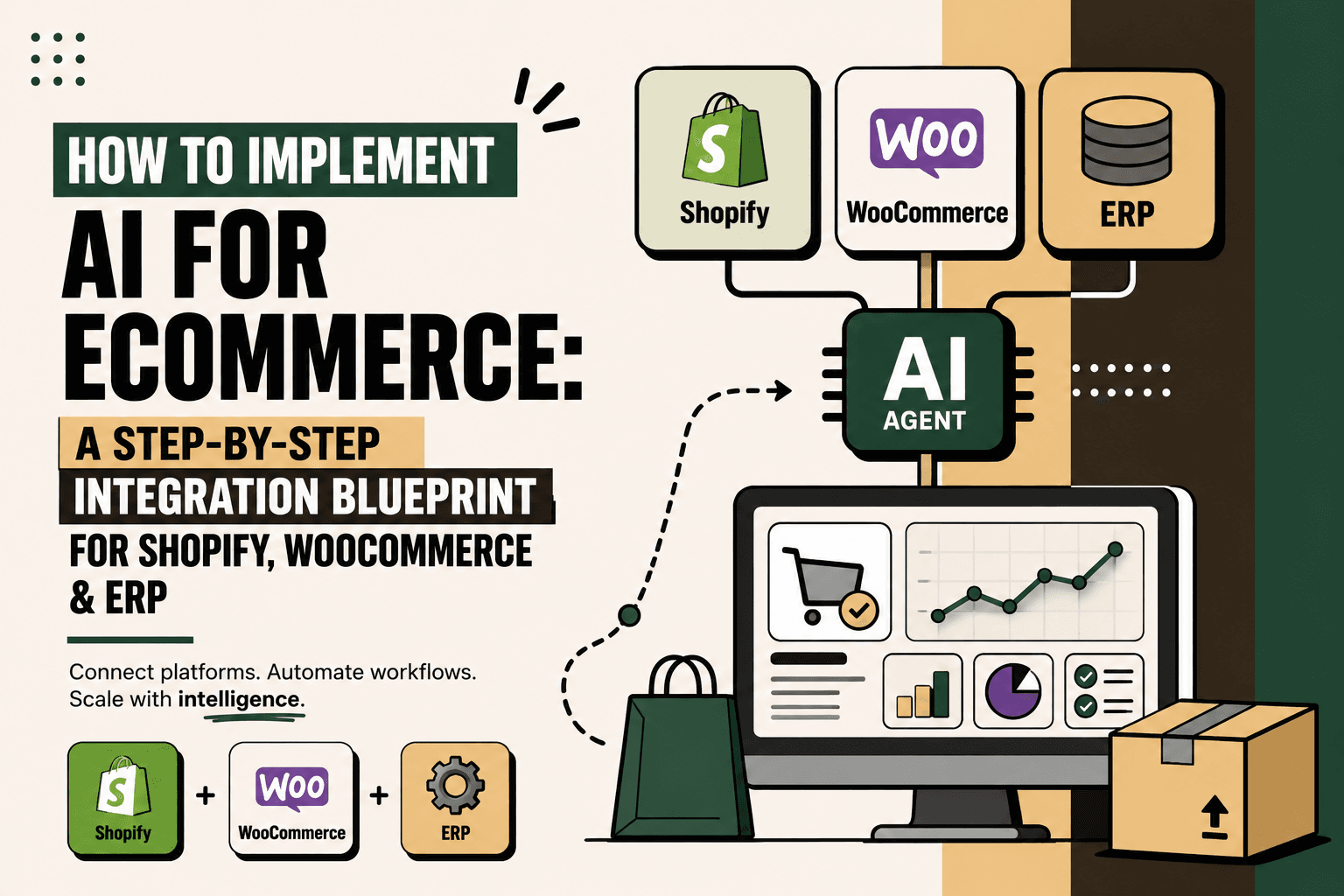
AI implementation in ecommerce rarely fails because a business cannot find an AI model.
It fails because the AI cannot reliably access the systems that run the business.
Your storefront knows about orders. Your ERP may know about inventory, purchasing and finance. Your warehouse knows fulfillment. Your shipping system knows delivery events. Your support platform knows customer conversations.
If those systems remain disconnected, an AI assistant can answer questions but struggles to operate the business.
The more useful architecture is therefore:
Shopify or WooCommerce → Integration Layer → ERP / OMS / CRM → AI Layer → Controlled Actions → Human Escalation
This is an implementation problem before it is an AI-model problem.
This guide explains how to build that architecture step by step, what should be deterministic versus AI-driven, how Shopify and WooCommerce fit into the integration layer, how to connect ERP systems, and how to deploy an AI workflow without giving an AI model uncontrolled access to operational systems.
What Does AI Implementation for Ecommerce Actually Mean?
Answer: Implementing AI for ecommerce means connecting AI to the business data, rules and systems required to understand a workflow and perform approved actions.
A chatbot that answers FAQs from a knowledge base is one form of AI implementation. A support agent that retrieves an order from Shopify, checks fulfillment status, interprets a delivery exception, creates a support case and escalates when required is a much deeper implementation.
The difference is system access and workflow execution.
Example: A customer asks, “Can I cancel my order?” A basic chatbot can explain the cancellation policy. An integrated AI workflow can retrieve the order, check whether fulfillment has started, evaluate the policy, determine whether cancellation is permitted and then either execute the approved action or route the request to a human.
Implication: The AI model is only one layer of the system. APIs, webhooks, data models, business rules, permissions, orchestration, monitoring and human approval determine whether the implementation is actually useful.
Action: Start by mapping the business workflow you want AI to improve, not by selecting an LLM.
The Ecommerce AI Architecture
A practical architecture separates the systems that own business data from the AI layer that interprets that data and coordinates approved actions.
| Layer | Primary responsibility | Examples |
|---|---|---|
| Commerce | Orders, products, customers, checkout | Shopify, WooCommerce |
| Operations | Inventory, fulfillment, purchasing, finance | ERP, OMS, WMS |
| Integration | Move and synchronize data | APIs, webhooks, queues, ETL |
| Knowledge | Policies and business documentation | SOPs, FAQs, return policies |
| AI | Interpretation, reasoning and orchestration | LLMs, agents, retrieval |
| Action | Execute approved business operations | Returns, updates, tickets, notifications |
| Control | Permissions, approvals and monitoring | Rules, logs, alerts, human review |
The architecture matters because AI should not become the source of truth for transactional data. Shopify, WooCommerce, the ERP, warehouse system or other operational systems should remain authoritative for the data they own.
Step 1: Start With the Business Problem, Not the AI Model
The first implementation decision is not which model to use. It is which workflow is worth changing.
Use the practical prioritization model:
volume × frequency × manual effort × error cost × revenue impact ÷ implementation complexity
This is a practical prioritization framework, not an industry-standard formula.
Use it to compare workflows such as:
- Order-status support
- Returns and exchanges
- Order processing
- Inventory alerts
- Replenishment workflows
- Delivery exception handling
- Invoice and order reconciliation
- Product recommendations
- Customer segmentation
- Natural-language operational reporting
The best first workflow is usually high-volume, repetitive, measurable and relatively low-risk.
Five Anchor POV: Do not begin with “Where can we add AI?” Begin with “Which operational decision currently requires too much repetitive human work, and what data would be required to make that decision reliably?”
Step 2: Map the Existing Ecommerce Stack
Before writing integration code, document how information currently moves through the business.
A typical D2C workflow may look like:
Customer → Shopify / WooCommerce → Order Management → ERP → Warehouse / 3PL → Shipping → Customer Support
Then map the data moving between each system.
- Order ID
- Customer ID
- SKU
- Quantity
- Price
- Payment status
- Inventory availability
- Fulfillment status
- Tracking information
- Return status
- Refund status
- Customer communication history
Also document the decisions.
- Who decides whether an order can be cancelled?
- Which system determines available inventory?
- When does an order move to fulfillment?
- Which system owns the return status?
- Who approves refunds above a threshold?
- What happens when two systems disagree?
These questions expose the actual integration requirements.
Step 3: Establish a Baseline Before Automating
AI automation needs a measurable starting point.
For the selected workflow, measure:
- Volume
- Frequency
- Manual handling time
- Error rate
- Response time
- Processing time
- Support ticket volume
- Revenue leakage where relevant
- Customer satisfaction
- Operational cost
Illustrative scenario: If a workflow processes 600 cases per day and each case requires four minutes of manual handling, the workflow represents 40 hours of human handling per day. That does not mean AI will eliminate all 40 hours; the actual opportunity depends on exception rates, approval requirements, implementation cost and the accuracy of the automation.
The baseline lets you measure whether the workflow improved rather than simply whether an AI feature was deployed.
Step 4: Choose the Integration Pattern
Most ecommerce AI implementations need more than a direct connection between the storefront and the AI model.
There are three common patterns.
Direct API Integration
The AI orchestration layer calls a commerce or ERP API when information is needed.
This works well for actions such as retrieving an order, checking inventory or creating a support ticket.
Event-Driven Integration
A business event triggers a workflow.
Example: Order created → event received → inventory check → routing decision → notification.
This is useful when the business needs near-real-time responses to operational events.
Batch or Scheduled Integration
Data is synchronized on a schedule.
This can be appropriate for reporting, reconciliation and workflows where real-time updates are not required.
Do not force every process into real-time architecture. Real-time integration adds complexity and should be used where the business decision actually depends on fresh data.
Step 5: Connect Shopify Correctly
Shopify provides APIs that expose commerce data for applications and integrations. Its GraphQL Admin API includes resources for orders, customers, products, inventory and fulfillment. Shopify's current documentation also describes order data as useful for order management, fulfillment, reporting, shipping and inventory workflows. Shopify Admin GraphQL API documentation
Shopify also provides event-driven mechanisms for integrations. Fulfillment services can use related objects and webhooks to exchange fulfillment information and respond to fulfillment events. Shopify fulfillment and webhook documentation
For simpler store automation, Shopify Flow uses triggers, conditions and actions to create workflows inside Shopify and across connected apps. Shopify Flow documentation
The implementation principle is to use the appropriate Shopify mechanism for the job:
| Requirement | Potential mechanism | Purpose |
|---|---|---|
| Retrieve order information | Admin API | Read transactional data |
| React to order changes | Webhooks | Event-driven processing |
| Simple store workflow | Shopify Flow | Rules-based automation |
| AI decision workflow | Integration layer plus controlled tools | Combine data, reasoning and actions |
The AI layer should not bypass Shopify's permissions and business rules simply because an action is technically possible.
Step 6: Connect WooCommerce Correctly
WooCommerce provides a REST API that allows ecommerce data to be created, read, updated and deleted through JSON-based requests. WooCommerce REST API documentation
WooCommerce also supports webhooks for event-driven integration. Its documentation describes webhook topics for resources including orders, customers and products, with delivery to an external URL. WooCommerce Webhooks documentation
This means a WooCommerce AI workflow can follow a similar architecture:
WooCommerce event → Integration service → Validate event → Retrieve required data → AI or rules → Approved action → Log result
Webhooks should be treated as events, not automatically as complete business decisions. Validate the event, authenticate the request, retrieve authoritative data where necessary and make the downstream workflow idempotent so repeated events do not accidentally create duplicate actions.
Step 7: Connect the ERP as a Controlled Operational System
The ERP is often where ecommerce AI implementations become more complicated.
ERP data may include:
- Inventory
- Purchase orders
- Suppliers
- Invoices
- Financial transactions
- Warehouse information
- Order status
- Customer accounts
- Pricing
Do not treat the ERP as another database that an AI model can freely query and modify.
Instead, define the specific business capabilities the AI needs.
Example controlled tools:
- get_order
- get_customer
- get_inventory
- get_product
- check_delivery_status
- create_return
- cancel_order
- update_order
- create_support_ticket
Each tool should have defined inputs, permissions, validation and failure behavior.
SAP Commerce, for example, provides an Integration API for sending and receiving data through defined integration objects and supports integration monitoring and security controls. SAP Commerce Integration API documentation
SAP's integration documentation also describes integrations involving customer, product, pricing, order, fulfillment and invoicing data. SAP Commerce integrations documentation
Microsoft Dynamics 365 Commerce similarly provides implementation guidance, architecture resources, API references and integration capabilities across commerce environments. Microsoft Dynamics 365 Commerce documentation
The exact integration pattern depends on the ERP and its existing architecture. The principle remains the same: expose business capabilities, not unrestricted database access.
Step 8: Create a Canonical Ecommerce Data Model
One of the most overlooked integration problems is that different systems may describe the same business object differently.
For example, one system may use fulfilled, another may use shipped, and another may use a numerical status code.
Before adding AI, define a canonical representation for the workflows you want to automate.
Order:
- order_id
- customer_id
- items
- payment_status
- fulfillment_status
- shipping_address
- return_status
- refund_status
Inventory:
- sku
- available_quantity
- reserved_quantity
- warehouse
- reorder_status
Shipment:
- carrier
- tracking_number
- shipment_status
- latest_event
- estimated_delivery
This makes the AI layer less dependent on the internal vocabulary of each individual platform.
Step 9: Separate Rules, AI and Human Decisions
Not every step requires AI.
A useful implementation classifies each decision as deterministic automation, AI-assisted, human approval or human-only.
| Decision | Recommended handling | Reason |
|---|---|---|
| Retrieve order status | Deterministic | Structured data |
| Check return eligibility | Rules first | Policy-driven |
| Interpret customer request | AI-assisted | Natural language |
| Recommend next action | AI plus rules | Context may vary |
| High-value refund | Human approval | Higher financial risk |
| Modify core inventory records | Restricted | High operational impact |
This distinction prevents the common mistake of using AI simply because AI is available.
Step 10: Give AI Controlled Access to Business Actions
The AI agent should reason about business operations through controlled tools.
Example: A customer says, “I ordered the wrong size. Can I change it?”
- Identify the customer and order.
- Retrieve order status.
- Check whether the order is still eligible for modification.
- Check inventory for the requested replacement.
- Evaluate the applicable policy.
- Recommend or execute the approved action.
- Confirm the result to the customer.
- Log the action.
The model should not directly modify an ERP database or invent an inventory quantity. It should request the required information through approved interfaces.
This architecture also makes testing easier because every business action can be logged and evaluated independently of the language model.
Step 11: Add RAG for Business Knowledge
Transactional data is only part of the information an ecommerce AI system needs.
The agent may also need:
- Return policies
- Shipping policies
- Warranty terms
- Product manuals
- FAQs
- Standard operating procedures
- Supplier information
- Internal escalation rules
A retrieval layer can provide relevant documents or knowledge before the AI generates an answer.
The resulting workflow becomes:
Customer request → Intent detection → Retrieve business data → Retrieve relevant knowledge → Apply rules → AI reasoning → Response or action
The key is to keep transactional truth and business knowledge distinct. A return policy may come from a knowledge source, while the customer's actual order status must come from the transactional system.
Step 12: Build Guardrails Before Autonomous Actions
AI should have less freedom as the cost of an incorrect action increases.
Guardrails should cover:
- Authentication
- Authorization
- Input validation
- Allowed actions
- Approval thresholds
- Data freshness
- Fallback behavior
- Retry behavior
- Duplicate-event protection
- Audit logging
- Monitoring
- Human escalation
A useful control model is:
| Risk level | Example | Control |
|---|---|---|
| Low | Answer a policy question | Automatic |
| Low | Retrieve order status | Automatic |
| Medium | Create support ticket | Automatic with logging |
| Medium | Initiate eligible return | Policy validation |
| High | Large refund | Human approval |
| High | Material inventory adjustment | Restricted or human-only |
Do not use a single confidence score as the only safety mechanism. The business impact of the action should also determine the required control.
Step 13: Design Human-in-the-Loop Escalation
A production AI workflow needs a defined failure path.
Escalation should occur when:
- Required data is missing
- Systems disagree
- The customer request falls outside policy
- The action has a high financial impact
- The AI cannot confidently classify the request
- A transaction fails
- A customer disputes a previous automated decision
The human should receive context rather than a blank ticket.
A useful escalation payload includes:
- Customer identity
- Order ID
- Conversation summary
- Relevant system states
- Actions already attempted
- Policy applied
- Reason for escalation
This is where the workflow can create operational leverage even when AI does not complete the final action.
Step 14: Start With One Small Workflow
Do not attempt to connect Shopify, WooCommerce, ERP, inventory, shipping, finance, support and every AI use case simultaneously.
Choose one workflow.
Good starting candidates include:
- Order-status support
- Delivery ETA questions
- Return eligibility
- Basic order modifications
- Inventory alerts
- Failed-payment follow-up
- Invoice reconciliation
A strong pilot has a clear trigger, defined inputs, a limited set of actions, measurable outcomes and manageable risk.
Five Anchor POV: The smallest viable AI workflow is usually more valuable than a broad “AI transformation” project because it creates a controlled environment for testing integrations, policies, exceptions and measurement before the architecture expands.
Step 15: Measure the Workflow, Not Just the AI
AI quality is only one component of operational performance.
Measure:
- Automation rate
- Ticket deflection
- Processing time
- Response time
- Error rate
- Human escalation rate
- Exception rate
- Customer satisfaction
- Revenue leakage
- Operational cost
Also measure the quality of the integration itself.
- API failure rate
- Webhook failure rate
- Data freshness
- Duplicate events
- Failed actions
- Retry volume
- Permission failures
A workflow that produces excellent AI responses but frequently receives stale inventory data is not production-ready.
Step 16: Monitor and Maintain the System
AI ecommerce infrastructure is not a one-time deployment.
Systems change. APIs change. Policies change. Products change. Inventory rules change. Shipping providers change. Customer behavior changes.
Monitor:
- Model responses
- Tool calls
- Failed integrations
- Business-rule violations
- Escalation patterns
- Data quality
- Customer feedback
- Unexpected action attempts
Review the workflow periodically and update the rules, tools and knowledge sources as the business changes.
Shopify vs WooCommerce: Does the AI Architecture Change?
The underlying architecture is similar even though the integration mechanisms differ.
| Area | Shopify | WooCommerce |
|---|---|---|
| Commerce API | Admin GraphQL API | WordPress REST API integration |
| Event-driven integration | Webhooks and platform mechanisms | Webhooks |
| Native workflow automation | Shopify Flow | Plugin and workflow ecosystem |
| AI integration principle | Controlled API and event access | Controlled API and webhook access |
| ERP connection | Integration layer | Integration layer |
Shopify's documentation describes its Admin GraphQL API and commerce objects, while WooCommerce documents its REST API and webhook architecture. Shopify Admin API and WooCommerce REST API
The important decision is therefore not “Which platform works with AI?” Both can participate in AI-enabled architectures. The more important question is whether the required data and business actions can be exposed securely and reliably.
Common Ecommerce AI Implementation Mistakes
Building the Chatbot First
A chatbot may be useful, but it can become a disconnected interface if it has no access to operational systems.
Better approach: Define the workflow and required data first.
Giving the AI Too Much Access
Direct database access creates unnecessary operational and security risk.
Better approach: Expose narrowly defined tools with validation and permissions.
Ignoring Data Quality
AI cannot compensate for inconsistent SKU identifiers, stale inventory or contradictory order states.
Better approach: Establish data ownership and canonical models before automating decisions.
Automating Exceptions Too Early
Exceptions often contain the highest business risk.
Better approach: Automate predictable cases first and route ambiguous cases to humans.
Skipping Baseline Measurement
Without a baseline, teams can confuse deployment activity with business improvement.
Better approach: Measure the current workflow before implementation.
Trying to Automate Everything
More automation can create more maintenance, more integration dependencies and more failure modes.
Better approach: Expand only after the first workflow is reliable.
Security and Data Governance Considerations
Ecommerce AI systems can process customer, order, payment, inventory and operational information. Security therefore needs to be designed into the architecture rather than added after deployment.
At minimum, define:
- Which systems the AI can access
- Which data each tool can retrieve
- Which actions each tool can execute
- Which actions require approval
- How credentials are stored
- How customer identity is verified
- How actions are logged
- How sensitive data is handled
- How integrations are monitored
- How access is revoked
The principle is simple: least privilege should apply to AI agents just as it applies to other software systems.
What Five Anchor Could Implement
Problem: D2C businesses often have commerce, ERP, inventory, warehouse, shipping and customer-support systems that each contain part of the operational picture.
Architecture: Five Anchor's commerce infrastructure approach can connect Shopify, marketplaces, ERP systems, inventory, warehouse and shipping workflows through APIs, webhooks and orchestration. Its AI-powered customer operations capability can then sit on top of that infrastructure for customer self-service, AI chat operations, returns, ticket automation and automated communication.
Implementation: A practical engagement can follow a sequence of workflow mapping, baseline measurement, automation prioritization, system integration, AI-agent implementation, guardrails, human escalation, deployment and KPI measurement.
Business outcome: The objective is not to put AI in front of every ecommerce process. It is to create reliable workflows where AI can interpret information and execute approved actions while deterministic systems remain responsible for transactional truth.
Five Anchor POV: The highest-value AI infrastructure is often invisible to the customer. When commerce, ERP, inventory and support systems are connected correctly, the AI interface becomes the final layer of a much larger operational system.
The Practical Ecommerce AI Implementation Blueprint
For a D2C business starting from scratch, the sequence can be reduced to this:
- Map: Document triggers, inputs, systems, decisions, actions, exceptions and human handoffs.
- Baseline: Measure volume, frequency, manual effort, errors, response time and business impact.
- Prioritize: Select one high-value workflow with manageable complexity.
- Classify: Separate deterministic automation, AI decisions, human approval and human-only work.
- Connect: Integrate Shopify or WooCommerce with the required ERP, warehouse, shipping and support systems.
- Normalize: Create consistent business objects and data definitions.
- Retrieve: Give AI access to approved transactional data and relevant business knowledge.
- Act: Expose controlled tools rather than unrestricted system access.
- Guardrail: Add validation, permissions, approvals, fallbacks, logging and monitoring.
- Pilot: Deploy one low-risk, high-volume workflow.
- Measure: Track operational and customer outcomes alongside AI quality.
- Scale: Add additional workflows only after the initial system is reliable.
The Real Goal of Ecommerce AI Integration
The goal is not to make every ecommerce process conversational.
It is to make the right operational decisions faster, with better access to the information required to make them.
A mature ecommerce AI architecture therefore looks less like a chatbot sitting on a storefront and more like an operational layer connecting systems:
Commerce data → Operational data → Business knowledge → AI reasoning → Controlled action → Human oversight → Measurement
Shopify and WooCommerce provide the commerce layer. ERP and operational systems provide business context. APIs and webhooks connect events and data. Retrieval provides business knowledge. AI interprets requests and coordinates approved decisions. Guardrails determine what can happen automatically.
That is the practical path from “we added AI to our ecommerce site” to AI-enabled ecommerce operations.
Key Takeaways
- •Ecommerce AI implementation is primarily an integration and workflow problem, not an AI-model selection problem.
- •Shopify and WooCommerce can provide commerce data and event triggers that feed an AI orchestration layer.
- •ERP systems should remain authoritative for the operational data they own.
- •AI should access controlled business tools rather than receive unrestricted database access.
- •Deterministic rules should handle predictable decisions, while AI is most useful for interpretation, classification and contextual reasoning.
- •A canonical data model reduces the complexity created by different systems using different business definitions.
- •Human approval should remain for high-risk financial, inventory and exception decisions.
- •The safest implementation path is one measurable, low-risk pilot followed by controlled expansion.
Shopify vs WooCommerce for AI Integration
| Integration Area | Shopify | WooCommerce |
|---|---|---|
| Inventory Sync Frequency | 15–30 min batch polling (high oversell risk) | Sub-second atomic locking (<450ms) |
| Concurrent Drop Resilience | Fails under concurrency; causes negative stock balance | Redis atomic reservation queue guarantees exact counts |
| Error Handling & Retries | Silent failure; manual CSV audit needed | Dead-letter queues with automated exponential retry |
| Fulfillment Routing Speed | 2–4 hours delayed batch export to 3PL warehouse | Instantaneous automated webhook dispatch (<90 sec) |