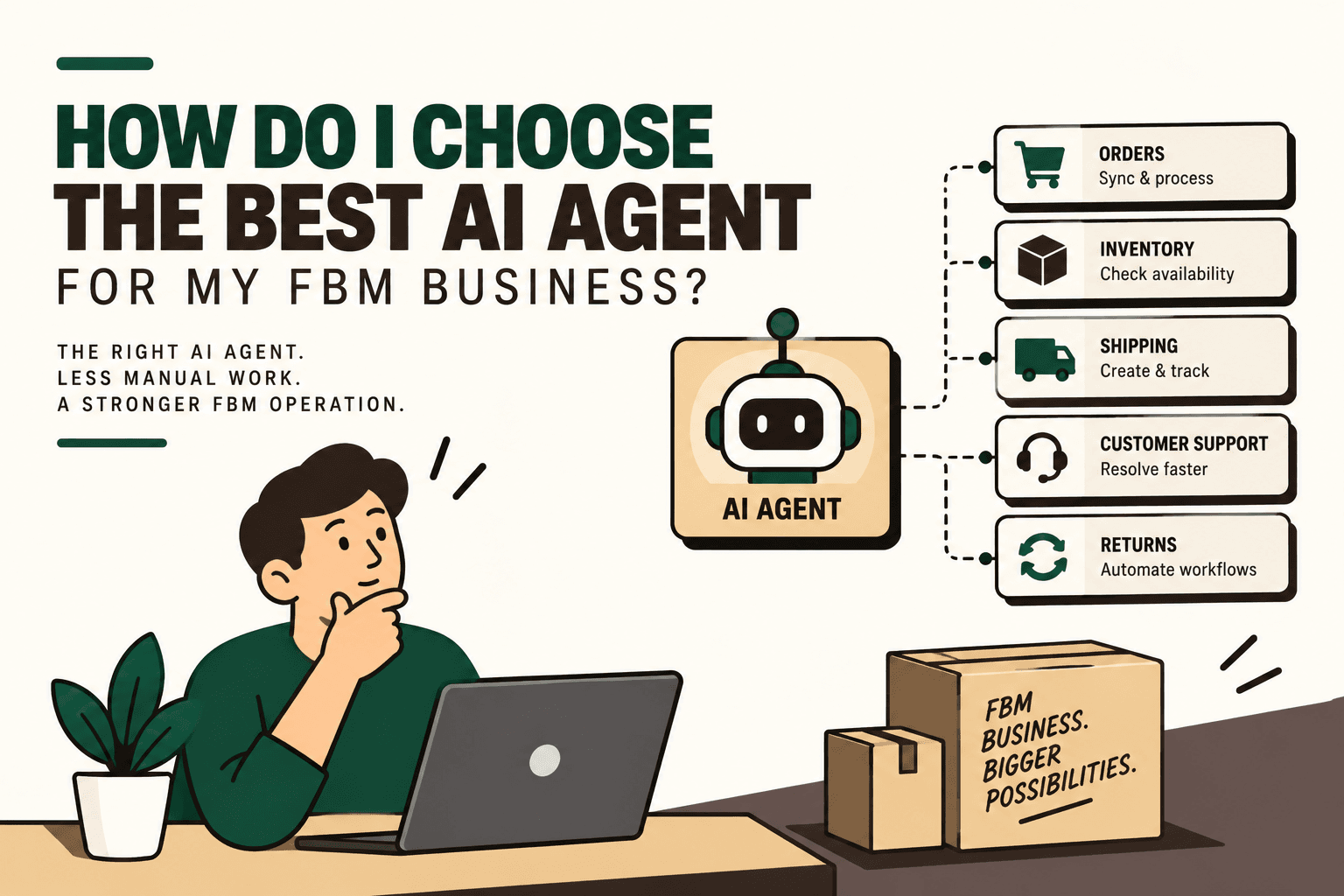
Choosing an AI agent for a Fulfilled by Merchant (FBM) business is not primarily a question of which system sounds the smartest. The more useful question is: which agent can safely execute the largest useful portion of your actual fulfillment workflow?
For an FBM operation, that workflow can span order intake, inventory checks, fulfillment decisions, warehouse coordination, shipping, tracking, delivery exceptions, returns and customer communication. Shopify's fulfillment architecture, for example, supports apps across inventory management, order management, order routing, fulfillment and returns. Shopify's orders and fulfillment documentation Amazon likewise describes FBM as a model in which merchants fulfill customer orders themselves. Amazon's Fulfilled by Merchant documentation
The implication is important: a conversational AI tool may answer questions well and still be a poor operational agent. An FBM agent needs access to the right systems, permission to perform appropriate actions, clear rules for exceptions and a reliable path to human approval when the stakes are high.
Quick answer: what should you look for in an FBM AI agent?
Answer: Evaluate an AI agent on workflow execution, integration depth, exception handling, human approval, auditability and measurable operational impact before evaluating conversational quality.
Explanation: The useful operating model is detect → decide → act → verify → escalate. The agent should identify an operational event, determine the appropriate next step using approved rules and context, execute the action through connected systems, verify the result and escalate when it cannot safely continue.
Example: A new order arrives. Instead of merely summarizing the order, the agent can check inventory, identify the appropriate fulfillment location, initiate the approved fulfillment workflow, update the relevant commerce system and escalate an inventory conflict or failed shipment action.
Implication: The best-fit agent is determined by the workflow you need to automate, not by a generic AI feature list.
Action: Map one complete FBM workflow before comparing vendors.
1. Start with the FBM workflow, not the AI product
Before evaluating an agent, document how an order actually moves through your business.
- Order received
- Order validated
- Inventory checked
- Fulfillment location selected
- Pick and pack initiated
- Shipping method selected
- Shipment created
- Tracking information updated
- Delivery monitored
- Exceptions handled
- Returns or refunds processed
- Customer communication completed
Then identify where people spend the most time and where errors are expensive.
Shopify's documentation illustrates why this mapping matters: order-management apps can query orders and inventory, create fulfillment requests and support workflows such as buying shipping labels, reassigning inventory based on availability and rescheduling shipments. Shopify order management documentation
Match the bottleneck to the agent role
| FBM bottleneck | Potential agent role | Primary outcome |
|---|---|---|
| Orders from multiple channels | Order management agent | Fewer manual order actions |
| Inventory conflicts | Inventory agent | Better inventory decisions |
| Courier and shipment decisions | Shipping agent | Faster fulfillment execution |
| Tracking and delivery questions | Post-purchase agent | Lower manual support workload |
| Returns and refund requests | Returns agent | Faster exception processing |
| Manual reconciliation | Reconciliation agent | Less repetitive checking |
| Disconnected systems | Commerce operations agent | Cross-system orchestration |
2. Separate AI reasoning from deterministic automation
Not every FBM task needs AI.
Some actions are predictable and should remain rule-driven. Examples include validating a required field, retrying a failed request according to a predefined policy or updating a tracking number after a confirmed carrier response.
AI becomes more useful when the workflow requires interpretation, classification or context. Examples include determining why an order cannot be fulfilled, classifying a delivery exception, interpreting a customer request or deciding which approved workflow should handle an unusual situation.
| Workflow characteristic | Typical approach | Why |
|---|---|---|
| Predictable and low risk | Deterministic automation | Simple, testable and consistent |
| Requires contextual interpretation | AI-assisted decision | Can interpret varied inputs |
| Financial or operationally sensitive | AI plus approval | Preserves human control |
| High-impact or ambiguous | Human decision | Reduces uncontrolled actions |
This distinction is one of the most important parts of choosing an AI agent. Adding AI to a workflow that could be handled more reliably by a rule does not automatically improve the workflow.
3. Check integration depth before judging the AI
An AI agent is only as operationally useful as its connection to the systems where work actually happens.
For an FBM business, that may include:
- Shopify or another ecommerce platform
- Amazon or other marketplaces
- ERP
- Warehouse management system
- Shipping and courier platforms
- CRM or helpdesk
- WhatsApp, email or voice systems
- Analytics and reporting systems
The key question is not simply “Does the agent integrate with Shopify?” Ask instead: “What can the agent actually do through that integration?”
There is a meaningful difference between read-only access and the ability to perform approved actions. Shopify documents fulfillment workflows in which apps can query inventory, create fulfillment requests and interact with fulfillment services. Shopify order management documentation
Ask these integration questions
- Can the agent read order data?
- Can it read inventory by location?
- Can it create or update fulfillment requests?
- Can it update tracking information?
- Can it interact with your ERP or WMS?
- Can it receive events through APIs or webhooks?
- Can it trigger downstream workflows?
- Can permissions be restricted by action?
- Can every action be logged?
If a vendor demonstrates a chatbot but cannot demonstrate the actual API actions required by your operation, you have not yet evaluated the operational system.
4. Test the agent with real FBM exceptions
Happy-path demos are easy. Exceptions reveal whether the agent is genuinely useful.
Scenario: inventory mismatch
Illustrative scenario: Your ecommerce platform shows 12 units available, the ERP shows 7 and the warehouse system reports 4.
Do not evaluate the agent by whether it produces a confident answer. Evaluate whether it follows a defined conflict-resolution policy.
A controlled workflow might be:
- Detect the discrepancy.
- Identify which system is authoritative for the specific inventory decision.
- Check whether the discrepancy exceeds an approved tolerance.
- Place the order on the appropriate hold or exception path.
- Notify the responsible operator.
- Record the reason and action.
The exact rules will depend on your architecture. The important capability is controlled exception handling rather than blind automation.
Scenario: shipment creation fails
Ask the vendor to demonstrate what happens when the shipment or label request fails.
- Does the agent retry?
- Does it respect retry limits?
- Can it identify whether the failure is temporary or permanent?
- Can it route the exception to another approved workflow?
- Does it prevent duplicate shipment creation?
- Does it notify the correct human?
- Does it preserve an audit trail?
Scenario: delivery exception
Ask what happens when a shipment cannot be delivered.
A mature workflow could detect the exception, classify it, retrieve relevant order information, contact the customer through an approved channel, capture the required response and update the operational system. The exact actions should remain bounded by your business rules and carrier capabilities.
5. Evaluate the agent with six operational criteria
| Criterion | What to evaluate | Evidence to request |
|---|---|---|
| Integration depth | Systems and actions supported | Live workflow demonstration |
| Execution capability | Actions the agent can perform | API and permission details |
| Exception handling | Failure and ambiguity management | Exception-based demo |
| Human escalation | Approval and takeover controls | Approval workflow |
| Auditability | Visibility into decisions and actions | Logs and action history |
| Business impact | Measurable operational improvement | Baseline and pilot metrics |
Conversational quality still matters when the agent interacts with customers or employees. It simply should not be the only criterion.
6. Design human-in-the-loop controls
An FBM agent should not automatically receive unlimited authority.
A practical control model is:
- Low-risk action: agent executes automatically.
- Medium-risk action: agent executes within predefined rules and logs the action.
- High-risk action: agent prepares the action and requests human approval.
- Ambiguous action: agent escalates instead of guessing.
| Action | Potential control | Reason |
|---|---|---|
| Update tracking | Automatic | Usually structured and reversible through system workflows |
| Retry a failed API request | Automatic within limits | Can follow predefined retry rules |
| Generate a shipping label | Automatic when criteria are met | Can follow known fulfillment rules |
| Assign a fulfillment location | Rule or AI plus validation | May depend on inventory and routing context |
| Large refund | Human approval | Higher financial impact |
| Large inventory adjustment | Human approval | Potential operational and financial impact |
| Ambiguous post-dispatch address change | Human approval | Potential delivery and fraud implications |
This approach also gives you a better pilot strategy. You can begin with low-risk actions, measure reliability and gradually expand the agent's permissions.
7. Don't assume one giant AI agent is the right architecture
A complex FBM operation may be easier to manage as an agentic operations layer composed of specialized workflows.
A conceptual architecture could look like:
- Order agent
- Inventory agent
- Shipping agent
- Exception agent
- Customer operations agent
- Human approval layer
These workflows can operate across the underlying commerce platform, ERP, WMS and logistics systems.
Shopify supports multiple fulfillment locations and configurable order-routing rules. Its documentation explains that order routing can automatically assign orders to fulfillment locations according to configured rules. Shopify order routing documentation
The architectural principle is simple: let each workflow own a clear responsibility, while an orchestration layer manages dependencies, permissions, exceptions and escalation.
8. Calculate the business case before buying
Do not start with the question, “How impressive is the AI?” Start with “How much operational work can this workflow safely remove or reduce?”
Measure:
- Order volume
- Frequency of the task
- Manual minutes per transaction
- Error frequency
- Cost of errors
- Customer response time
- Revenue leakage
- Operational capacity
- Implementation cost
- Ongoing maintenance cost
Illustrative scenario: Suppose an FBM operation processes 10,000 orders per day and spends three minutes of human handling per order on a particular workflow. That represents 30,000 minutes, or 500 hours, of daily handling for that workflow. If automation reduced the human handling requirement to 45 seconds per order, the remaining workload would be 125 hours per day.
The difference is an estimate of workload capacity, not automatically a payroll saving. The business may use that capacity to absorb more orders, reduce overtime, improve service levels or avoid additional operational hiring.
A practical prioritization model from the implementation framework is:
volume × frequency × manual effort × error cost × revenue impact ÷ implementation complexity
This is a practical prioritization framework, not an industry-standard formula. Its purpose is to compare candidate workflows consistently before committing engineering and operational resources.
9. Run a pilot instead of buying the entire vision
The safest way to evaluate an AI agent is to test it on one high-volume, relatively low-risk workflow.
- Map: document triggers, inputs, systems, decisions, actions, exceptions and human handoffs.
- Baseline: measure current volume, manual effort, errors, response time and operational cost.
- Prioritize: select a workflow where the potential operational impact justifies implementation complexity.
- Classify: decide which steps should be rules, AI, human approval or human-only.
- Connect: establish the required APIs, webhooks and system permissions.
- Guardrail: add validation, approval thresholds, retry policies, fallbacks, logging and monitoring.
- Pilot: run the workflow with controlled permissions.
- Measure: compare performance against the original baseline.
- Scale: expand only after reliability is demonstrated.
This implementation sequence prevents a common mistake: trying to automate an entire commerce operation before proving that one workflow works reliably.
10. Ask vendors for a workflow demonstration, not a product tour
When evaluating an AI agent, provide the vendor with an actual FBM workflow and ask them to demonstrate it from beginning to end.
For example:
A new order arrives → inventory differs across systems → fulfillment location must be selected → shipment creation is attempted → carrier response fails → exception is raised → human approval is required → customer receives an update.
Then ask the vendor to show exactly what the agent sees, what it decides, which API calls it makes, what permissions it uses, how it verifies success, what happens after failure and where the human takes control.
This exposes limitations much faster than a polished product demonstration.
11. Watch for hidden implementation complexity
An AI agent does not eliminate the underlying complexity of your commerce infrastructure.
If your order, inventory, warehouse and shipping systems disagree, the agent needs explicit rules for resolving those conflicts. If your APIs are unreliable, the architecture needs retries, timeouts and fallbacks. If customer data is sensitive, permissions and access controls need to be designed before the agent receives production access.
Other costs can include:
- API and integration development
- Data normalization
- Workflow testing
- Monitoring
- Maintenance
- Model and prompt management
- Exception queues
- Human review
- Operational change management
The right question is therefore not whether an agent can perform a task in isolation. It is whether the complete workflow can operate reliably in your existing technology environment.
12. Where Five Anchor fits
For an FBM business, the infrastructure problem often sits between systems rather than inside one application. Marketplace orders, ecommerce data, ERP records, warehouse availability, shipping events and customer conversations may all exist in separate operational environments.
Five Anchor's positioning as AI Infrastructure for D2C & E-Commerce maps directly to this problem. Its commerce infrastructure work covers marketplace integrations, ERP integrations, order processing automation, inventory synchronization, warehouse and shipping integrations and custom AI workflows.
The implementation can be approached as problem → architecture → implementation → outcome: first map the workflow, then connect the required systems, add AI only where contextual reasoning is useful, apply guardrails and human escalation, deploy a controlled pilot and measure the result.
Five Anchor can also connect the operational layer to customer operations through returns and exchange automation, customer self-service, automated communications and ticket workflows when the FBM use case extends beyond fulfillment.
13. The seven questions to ask before choosing an AI agent
- What percentage of my target workflow can the agent actually execute?
- Which systems can it write to, rather than simply read from?
- How does it handle conflicting data?
- What happens when an API or downstream system fails?
- Which actions require human approval?
- Can I audit every important action and decision?
- Which baseline metrics will prove whether the pilot worked?
If a vendor cannot demonstrate these capabilities using a realistic FBM workflow, the evaluation is incomplete.
What the right AI agent should ultimately do
The objective is not to create an operation where AI makes every decision. The objective is to create a controlled operational system in which predictable work is automated, contextual work is assisted by AI, high-impact decisions remain governed and exceptions reach the right human quickly.
For an FBM business, that can mean moving from disconnected tasks to a coordinated flow across marketplace → order management → inventory → warehouse → shipping → post-purchase → customer operations.
The strongest evaluation criterion is therefore simple: choose the agent based on the portion of your real FBM workflow it can safely execute, verify and escalate—not on how impressive the demo conversation sounds.
Key Takeaways
- •Choose an AI agent around a specific FBM workflow rather than generic AI capability.
- •Evaluate what the agent can actually execute through APIs and integrations, not just what it can read or discuss.
- •Test inventory conflicts, shipment failures, delivery exceptions and other real operational edge cases.
- •Use deterministic automation for predictable tasks and AI where contextual interpretation is genuinely useful.
- •Keep high-impact financial and operational decisions behind human approval.
- •Measure manual effort, errors, response time, operational capacity and implementation cost before and after a pilot.
- •For complex FBM operations, an agentic operations layer can coordinate specialized order, inventory, shipping and customer workflows.
AI Agent Evaluation Framework for FBM
| Evaluation Area | What to Check | Why It Matters |
|---|---|---|
| Inventory Sync Frequency | 15–30 min batch polling (high oversell risk) | Sub-second atomic locking (<450ms) |
| Concurrent Drop Resilience | Fails under concurrency; causes negative stock balance | Redis atomic reservation queue guarantees exact counts |
| Error Handling & Retries | Silent failure; manual CSV audit needed | Dead-letter queues with automated exponential retry |
| Fulfillment Routing Speed | 2–4 hours delayed batch export to 3PL warehouse | Instantaneous automated webhook dispatch (<90 sec) |