What Is Automated Ticket Resolution?
Automated ticket resolution uses AI agents, knowledge retrieval, business rules, system integrations, and workflow automation to resolve eligible customer support tickets without requiring a human agent to complete every step.
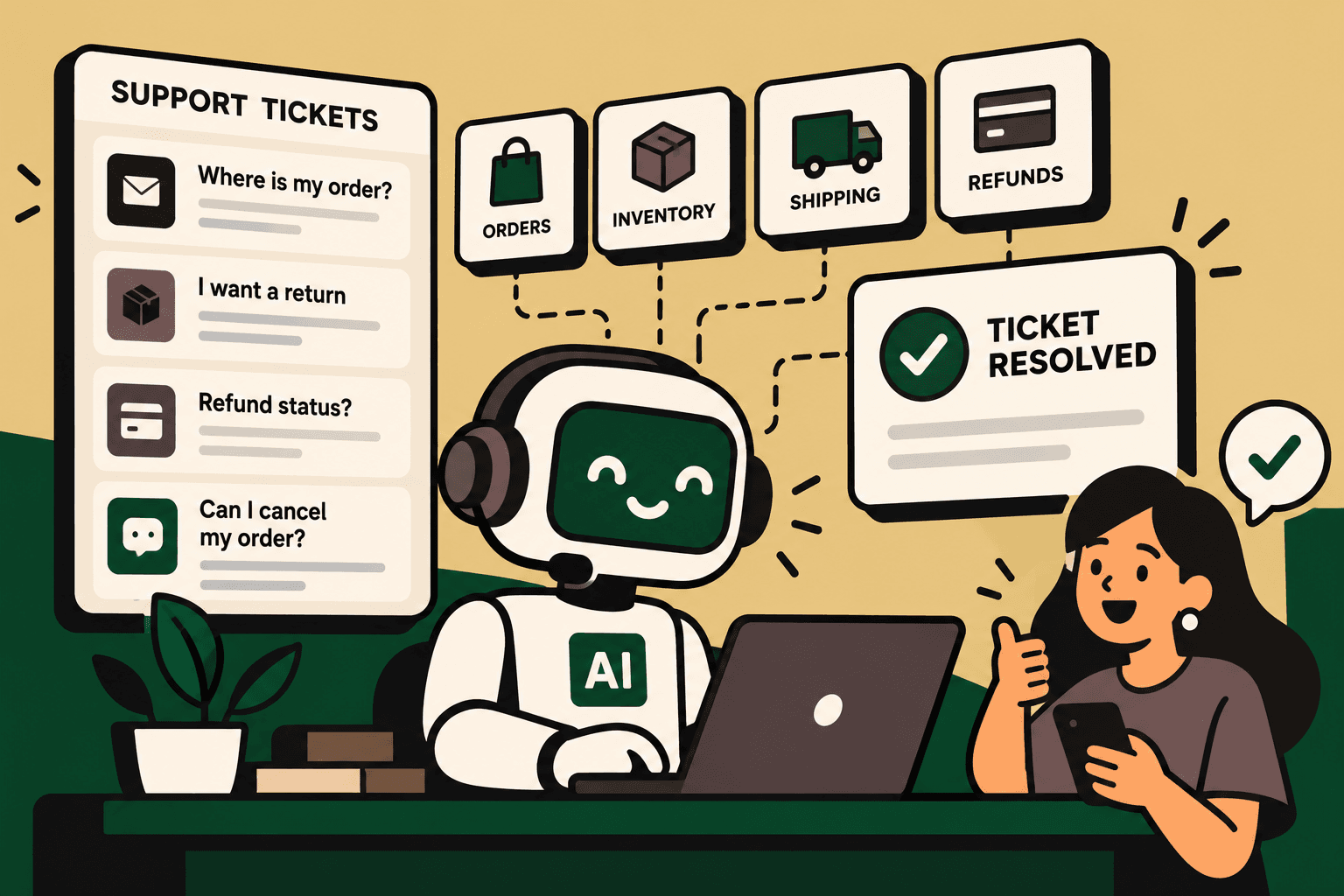
The important distinction is between answering a ticket and resolving a ticket. An AI system that drafts a reply saying a refund is being processed is assisting an agent. An AI agent that checks the order, verifies refund eligibility, triggers an approved refund workflow, confirms the result, communicates it to the customer, and closes the ticket is performing automated resolution.
AI ticket resolution is increasingly positioned around understanding a request, retrieving context, taking approved actions, and escalating cases that require human judgment. Zendesk's guide to AI ticket resolution describes this broader workflow rather than treating AI as only a response-generation layer.
The practical architecture is:
Ticket → AI understands intent → retrieves context → applies rules → takes approved action → verifies result → responds → closes or escalates
For ecommerce, this distinction matters because many support tickets are operational requests disguised as simple questions. A customer may ask where an order is, but resolving the request can require access to order, fulfillment, warehouse, and carrier systems.
Why Ecommerce Support Tickets Become a Backlog
Support backlogs are often created by repetitive workflows that require agents to move between multiple systems.
A “Where is my order?” request may require an agent to identify the customer, locate the order, inspect fulfillment status, check a carrier portal, interpret the latest shipment event, determine whether there is an exception, write the response, and close the ticket.
A refund request can involve even more steps: retrieve the order, check payment status, inspect return status, validate policy eligibility, determine whether the refund can be issued, trigger the appropriate action, record the result, notify the customer, and update the ticket.
The customer sees one interaction. The business sees a chain of operational decisions.
This is why a standalone FAQ chatbot often has limited value for operational support. It can explain a return policy, but it may not know whether a particular order qualifies or have permission to initiate the return.
Automated Ticket Resolution vs. Ticket Deflection
Answer: Ticket deflection aims to prevent or reduce ticket creation. Automated ticket resolution goes further by completing an eligible support workflow and bringing the customer's issue to a defined outcome.
| Capability | Traditional Support | Automated Ticket Resolution |
|---|---|---|
| Request classification | Manual or rule-based | AI-driven intent and context detection |
| Knowledge retrieval | Agent searches manually | AI retrieves approved information |
| Customer context | Agent switches between systems | Context is retrieved automatically |
| Workflow execution | Manual actions or predefined rules | AI triggers approved workflows |
| Response | Agent-written or templated | AI-generated and context-aware |
| Exception handling | Agent investigates | AI gathers context and escalates |
| Closure | Agent closes after resolution | System can close after verified resolution |
Zendesk's AI ticket resolution guidance also describes the progression from understanding and contextualizing requests to executing actions and escalating complex cases.
How Automated Ticket Resolution Works
1. AI Understands Customer Intent
Answer: The system first determines what the customer is actually trying to accomplish instead of relying only on keywords.
A message such as “I ordered this last week and still haven't received anything” could represent a normal tracking request, a delayed shipment, a lost shipment, a failed delivery attempt, or a cancellation request caused by the delay.
The AI can classify intent, extract relevant information, identify urgency, detect missing details, and ask a clarifying question when required.
Example: “Where is my order?” can be classified as an order-status inquiry, while “The courier says delivered but I don't have it” can be treated as a delivery dispute requiring a different workflow.
Implication: Accurate classification is foundational. If the wrong workflow is selected, downstream automation can execute the wrong process faster.
2. Retrieve Customer and Business Context
The ticket itself rarely contains enough information to resolve an operational issue.
Depending on the workflow, the AI may need access to:
- Customer profile and account data
- Order history
- Payment status
- Product and catalog information
- Inventory availability
- Fulfillment status
- Shipping and carrier data
- Return and refund status
- CRM records
- Previous support conversations
- Approved policies and SOPs
The integration layer is therefore critical. AI needs trusted context to make useful decisions and controlled system access to perform approved actions.
3. Apply Knowledge and Business Rules
Not every decision should be left to an AI model.
A strong ticket-resolution workflow combines AI interpretation with deterministic business rules. Policies such as return windows, refund thresholds, cancellation conditions, authentication requirements, and approval limits should be explicit wherever possible.
AI can interpret the customer's request and identify the relevant process. Rules can determine whether the requested action is permitted.
Example: An AI agent may understand that a customer wants to cancel an order. A deterministic rule can check whether the order has already entered fulfillment. If cancellation is permitted, the workflow continues. If the order has shipped, the system can explain the available alternative or escalate according to policy.
4. Execute the Approved Action
This is where ticket automation becomes ticket resolution.
Instead of stopping with a generated response, the agent can call approved APIs, trigger workflows, update records, create return requests, retrieve invoices, update customer information, or initiate other supported actions.
Common ecommerce workflows include:
- Order tracking and shipment-status lookup
- Return eligibility checks
- Return initiation
- Refund-status checks
- Cancellation requests
- Address changes before fulfillment
- Invoice retrieval
- Product and catalog questions
- Delivery-exception handling
- Replacement requests
Robylon's customer support automation documentation describes AI agents connected to support systems and operational systems so they can perform workflows rather than only generate responses.
5. Verify the Result
An automation should not assume that an action succeeded simply because an API request was sent.
A reliable workflow verifies the resulting state before telling the customer that the issue has been resolved.
Example: If an AI agent initiates a refund, the workflow should verify the refund status before communicating that the refund has been processed. If the action fails, the customer should receive an accurate status or the case should be escalated.
This verification layer is one of the most important controls in autonomous support workflows.
6. Respond and Close the Ticket
Once the action is verified, the AI can generate a concise response based on the actual outcome.
For an order-tracking workflow, this could mean returning the latest shipment status and tracking information. For a completed return request, it could provide the return instructions or reference number.
Closure should therefore be treated as an outcome of the workflow, not simply the final step in a chatbot conversation.
7. Escalate When Human Judgment Is Required
Answer: Effective automated ticket resolution systems have explicit boundaries for what AI can resolve and when a human must take over.
Escalation can be triggered by low confidence, policy exceptions, high-value transactions, fraud indicators, sensitive account changes, unusual fulfillment events, customer disputes, or workflows that require human authorization.
The handoff should include the conversation, customer context, relevant records, actions already attempted, and the reason for escalation. The human agent should not have to reconstruct the case from scratch.
Robylon's support automation material describes human escalation with relevant conversation and customer context passed into the human workflow.
What Ecommerce Tickets Should You Automate First?
The best candidates are not simply the tickets with the highest volume. They are workflows where the resolution path is frequent, structured, measurable, low-risk, and supported by reliable data.
| Ticket Type | Automation Opportunity | Human Approval |
|---|---|---|
| Order tracking | Retrieve live shipment status and communicate it | Usually unnecessary unless abnormal |
| Refund status | Check payment or refund state and explain status | Useful for exceptions or disputes |
| Return request | Check eligibility and initiate approved return flow | Useful for policy exceptions |
| Invoice request | Retrieve and send the correct invoice | Usually unnecessary |
| Product question | Answer from approved catalog and product data | Useful when information is uncertain |
| Cancellation | Check fulfillment state and cancel when permitted | Useful when policy or order state is ambiguous |
| Delivery exception | Retrieve carrier information and initiate defined next action | Often needed for disputed or lost shipments |
| Complex complaint | Summarize, classify, and route with context | Yes |
The Ecommerce Architecture Behind Automated Ticket Resolution
A useful architecture is:
Customer → Helpdesk → AI Agent → Commerce Infrastructure → Action → Verification → Customer
Consider a “Where is my order?” ticket.
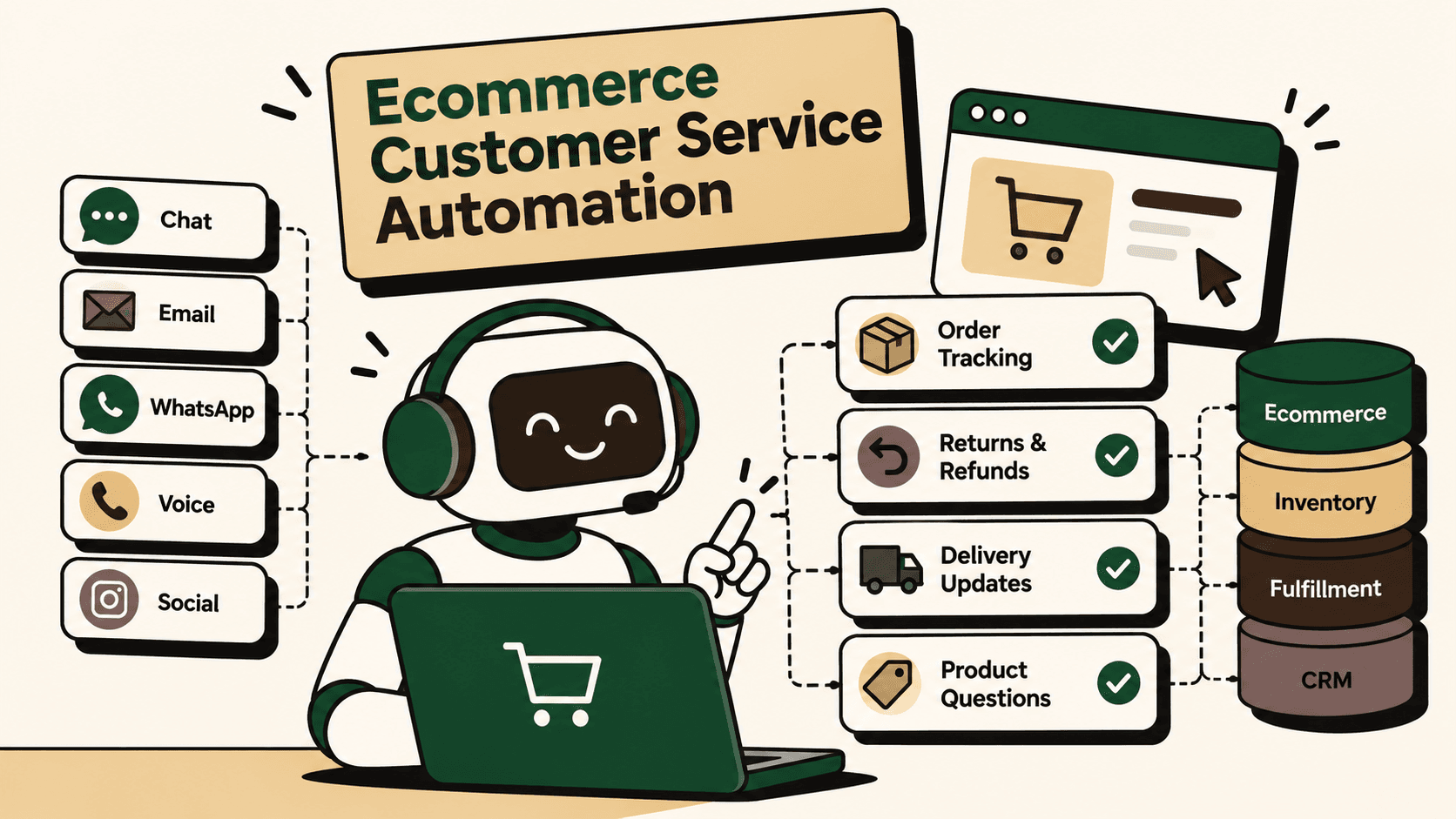
- The customer submits a ticket through email, chat, WhatsApp, or another support channel.
- The AI identifies the customer and order.
- The agent retrieves the order from the ecommerce platform or order-management system.
- The workflow checks fulfillment and warehouse status.
- The shipping integration returns the latest shipment event.
- The AI determines whether the shipment is progressing normally or requires exception handling.
- The customer receives the relevant status and tracking information.
- The system closes the ticket if the request is fully resolved or escalates it if an abnormal condition exists.
This is why commerce infrastructure matters. AI cannot reliably resolve operational tickets when the information required for resolution is trapped in disconnected systems or inaccessible to the workflow.
AI vs. Rules vs. Human Decisions
One of the most important implementation decisions is deciding which parts of a workflow should be handled by AI and which should remain deterministic or human-controlled.
| Decision Type | Best Fit | Reason |
|---|---|---|
| Intent interpretation | AI | Customer language varies significantly |
| Policy lookup | AI plus approved knowledge | AI can identify the relevant policy |
| Eligibility calculation | Rules | Business conditions should be deterministic |
| API execution | Rules plus permissions | Actions require controlled access |
| High-value refund exception | Human approval | Financial and operational risk may be material |
| Complex complaint | Human | Requires judgment and context |
| Routine response | AI | High volume and low complexity |
The objective is not maximum autonomy. It is the right level of autonomy for each decision.
How to Prioritize Automated Ticket Resolution Workflows
Before building an AI agent, rank candidate workflows by business value and implementation effort.
A practical prioritization model is:
volume × frequency × manual effort × error cost × revenue impact ÷ implementation complexity
This is a practical framework, not an industry-standard formula. It is intended to force a balanced view of operational value and implementation difficulty.
A high-volume order-status workflow with reliable APIs and low financial risk is usually a stronger first project than a low-volume workflow involving complex disputes and subjective judgment.
A 9-Step Implementation Framework
1. Map the Existing Workflow
Document triggers, inputs, systems, decisions, actions, exceptions, human handoffs, and outputs.
Do not start by choosing an AI tool. Start by documenting how the work happens today.
2. Establish the Baseline
Measure ticket volume, frequency, average handling time, response time, resolution time, error rate, escalation rate, support cost, and customer satisfaction where available.
3. Identify the Bottleneck
Determine whether the real constraint is classification, knowledge retrieval, system switching, manual data entry, approval, API access, or human judgment.
Automating the wrong bottleneck can reduce visible work without improving the actual customer outcome.
4. Classify Each Step
For every step, decide whether it should be deterministic automation, AI, human approval, or human-only.
5. Connect the Required Systems
Depending on the workflow, an ecommerce implementation may connect the helpdesk with Shopify or another storefront, ERP, OMS, WMS, shipping providers, CRM, payment systems, returns platforms, WhatsApp, email, and analytics.
APIs and webhooks should be used where appropriate so the AI works from current operational state rather than stale copied data.
6. Define Guardrails
Set permissions, validation rules, approval thresholds, fallback behavior, retry behavior, audit logging, monitoring, and escalation conditions before allowing the agent to perform consequential actions.
7. Pilot One Workflow
Start with one high-volume, low-risk workflow. Order tracking is a common candidate because the desired outcome is clear and the data is usually structured.
8. Measure the Outcome
Track resolution time, first-response time, automated resolution rate, human escalation rate, error rate, hours saved, customer satisfaction, and operational cost.
Do not judge the project only by how many replies the AI generated. A stronger measure is how many customer issues were actually resolved correctly.
9. Scale Only After Reliability Is Proven
Once the first workflow is stable, expand into adjacent workflows such as returns, refunds, cancellations, delivery exceptions, and product assistance.
This staged approach makes it easier to identify knowledge gaps, integration failures, unexpected edge cases, and maintenance requirements before automation reaches higher-risk processes.
Case Study: An AI Agent Implementation for an Online Trading Platform
Case study: Robylon published a customer story about an Indian online trading platform that was handling more than 300,000 support tickets annually across more than 600 query types.
Context: According to Robylon's published case study, the support operation faced first-response times of three to four hours, inconsistent answers, quality-control requirements, and increasing training demands.
Intervention: Robylon reports that more than 500,000 historical tickets were analyzed to create structured SOPs. The documented implementation consolidated more than 600 use cases into 15 major issue types and deployed more than 15 AI agents.
Workflow change: During an initial monitoring period covering more than 3,000 tickets, the company reports that the AI agents reached 83% automated resolution with 93% accuracy, followed by human review for low-confidence cases.
Reported result: Robylon reports that more than 80% of tickets were ultimately resolved automatically and that support costs fell by approximately 25% over six months. The company also reports that human-in-the-loop review improved response accuracy from 93% to almost 100%.
Robylon's published customer case study
Lesson: The documented implementation was not simply a chatbot deployment. It involved historical-ticket analysis, SOP development, multiple specialized agents, monitoring, iteration, and human review for lower-confidence cases. The results above are company-reported results, not independent verification.
What Usually Goes Wrong
1. Automating Before Mapping the Workflow
If nobody can explain the existing process, the AI agent can inherit hidden inconsistencies and undocumented exceptions.
Better approach: map the workflow first, including steps that happen outside the helpdesk.
2. Giving AI Incomplete Knowledge
An AI agent cannot reliably resolve a policy question when the underlying policy is outdated, contradictory, or missing.
Better approach: create an approved knowledge layer and establish ownership for keeping it current.
3. Treating Integrations as an Afterthought
If the AI cannot access order, customer, payment, inventory, or fulfillment data, it will be limited to informational responses.
Better approach: identify systems of record and required API actions during workflow design.
4. Giving the Agent Too Much Permission
Autonomy without boundaries creates unnecessary operational and financial risk.
Better approach: define action-level permissions, approval thresholds, validation, logging, and rollback or escalation paths.
5. Measuring Deflection Instead of Resolution
A ticket that disappears from the queue is not necessarily a resolved customer problem.
Better approach: distinguish between deflection, first response, successful action, verified resolution, reopening, and human escalation.
6. Removing Humans Too Early
Some cases are inherently ambiguous or high-risk. Attempting to automate them simply because AI can produce a response can reduce service quality.
Better approach: keep humans responsible for defined exception classes and give them complete context when escalation occurs.
Security, Privacy, and Governance
Automated ticket resolution can access sensitive customer and operational information, so governance should be designed alongside the workflow.
- Use role-based permissions.
- Limit AI access to the data required for each workflow.
- Separate read permissions from write permissions where practical.
- Require approval for high-impact actions.
- Log important AI decisions and system actions.
- Monitor failure and escalation patterns.
- Define fallback behavior when systems are unavailable.
- Review customer-facing responses for policy and brand requirements.
- Establish a process for updating knowledge and business rules.
Zendesk's AI ticket resolution guidance highlights connected systems, knowledge, governance, access controls, approval workflows, auditability, human escalation, and quality monitoring as important components of AI ticket resolution.
Where Five Anchor Fits
For ecommerce businesses, automated ticket resolution becomes more useful when the AI agent sits on top of the operational systems that run the customer journey.
Five Anchor positions this as AI infrastructure for D2C and ecommerce: connecting helpdesks and customer channels to ecommerce platforms, ERP, inventory, fulfillment, shipping, CRM, returns, and other operational systems so AI can move from generating replies to completing approved workflows.
The implementation can include workflow mapping, system integration, AI agents, API orchestration, guardrails, human escalation, deployment, and measurement. The most relevant Five Anchor service is AI-Powered Customer Operations, particularly ticket automation and customer self-service, supported by Commerce Infrastructure when order and fulfillment systems must be connected.
The objective is not maximum autonomy. It is to remove repetitive operational work while preserving human control over exceptions and decisions that require judgment.
How to Measure the Business Outcome
Establish a baseline before deployment and compare the same measures after the automated workflow is live.
| KPI | What It Measures | Why It Matters |
|---|---|---|
| Automated resolution rate | Share of eligible tickets resolved without human completion | Measures actual automation |
| Resolution time | Time from ticket creation to successful resolution | Measures customer and operational speed |
| First-response time | Time until the customer receives the first response | Measures responsiveness |
| Escalation rate | Share transferred to humans | Shows where automation boundaries sit |
| Reopen rate | Share of supposedly resolved tickets that return | Tests resolution quality |
| Error rate | Incorrect responses or actions | Measures operational risk |
| Hours saved | Manual handling removed | Measures productivity impact |
| Support cost | Cost required to process support volume | Measures financial impact |
| Customer satisfaction | Customer perception of the support experience | Ensures efficiency does not undermine CX |
Illustrative scenario: If a support team handles 10,000 tickets per month and 40% are suitable for a workflow that can be resolved automatically, that represents 4,000 potentially automatable tickets per month. If average manual handling time is eight minutes, those tickets represent approximately 533 hours of theoretical manual handling per month. Actual savings would depend on automation accuracy, escalation rates, integration effort, monitoring, and the amount of human review retained.
Frequently Asked Questions About Automated Ticket Resolution
Can AI fully resolve customer support tickets?
AI can fully resolve selected support tickets when the request has a defined outcome, the required information is available, the AI has permission to perform the necessary actions, and appropriate guardrails are in place. Complex, high-risk, ambiguous, or exceptional cases should have a human escalation path.
What is the difference between AI ticket automation and automated ticket resolution?
Ticket automation can include classification, routing, response drafting, and other assistive tasks. Automated ticket resolution focuses on completing the underlying customer issue, including approved system actions and verified closure.
What ecommerce tickets are easiest to automate?
Common candidates include order tracking, invoice requests, refund-status questions, routine return eligibility, product information, delivery updates, and other structured workflows with predictable outcomes.
Does automated ticket resolution require an AI agent?
Not every support workflow needs AI. Deterministic automation is often better for simple, fixed processes. AI becomes useful when the system must interpret natural-language requests, retrieve context, select among workflows, or handle variation in how customers describe the same problem.
What systems should an ecommerce AI support agent connect to?
Depending on the workflow, the agent may need access to the ecommerce platform, ERP, OMS, WMS, shipping systems, CRM, helpdesk, payment systems, returns platform, product catalog, and approved knowledge base.
How should businesses start automating support tickets?
Start by mapping the current workflow, measuring its baseline, selecting a high-volume low-risk use case, connecting the required systems, defining guardrails, piloting the workflow, measuring verified resolution, and expanding only after reliability is demonstrated.
Final Takeaway
Automated ticket resolution is not primarily about generating faster replies. It is about connecting customer conversations to the systems, rules, actions, and human decisions required to resolve the underlying problem.
The strongest implementations follow a consistent pattern: understand the request, retrieve trusted context, apply business rules, execute approved actions, verify the result, communicate clearly, and escalate exceptions with complete context.
For ecommerce teams, the highest-value opportunity is often not another standalone chatbot. It is an integrated support workflow that can see the order, understand the policy, perform the permitted action, and know when to involve a human.
That is the operational foundation required to turn AI-powered customer service from an answer-generation tool into a genuine ticket resolution system.
Key Takeaways
- •Automated ticket resolution is different from ticket deflection because the goal is to complete the underlying customer issue, not merely reduce ticket volume.
- •AI is most useful for interpreting customer intent, retrieving context, selecting workflows, and handling natural-language variation.
- •Deterministic rules should control important eligibility, permission, financial, and policy decisions wherever practical.
- •Ecommerce support automation becomes more useful when AI is connected to order, fulfillment, shipping, returns, CRM, and helpdesk systems.
- •Human escalation should remain part of the architecture for low-confidence, high-risk, unusual, or judgment-heavy cases.
- •The strongest implementation path is workflow mapping, baseline measurement, prioritization, AI/rules/human classification, system integration, guardrails, pilot, KPI measurement, and controlled scaling.
- •Business impact should be measured through resolution time, automated resolution rate, escalation rate, reopen rate, error rate, hours saved, support cost, and customer satisfaction.
Traditional Ticket Management vs. Automated Ticket Resolution
| Feature | Traditional Ticket Management | Automated Ticket Resolution |
|---|---|---|
| Inventory Sync Frequency | 15–30 min batch polling (high oversell risk) | Sub-second atomic locking (<450ms) |
| Concurrent Drop Resilience | Fails under concurrency; causes negative stock balance | Redis atomic reservation queue guarantees exact counts |
| Error Handling & Retries | Silent failure; manual CSV audit needed | Dead-letter queues with automated exponential retry |
| Fulfillment Routing Speed | 2–4 hours delayed batch export to 3PL warehouse |