Amazon Seller Central and Epicor Integration: What You Actually Need to Connect
For a business selling on Amazon while running Epicor as its ERP, the difficult part is rarely getting two systems to exchange data. The difficult part is deciding which system owns each piece of information, when it should move, and what should happen when the data does not match.
Amazon Seller Central manages the marketplace side of the operation: listings, orders, seller activity and marketplace workflows. Epicor manages core business operations such as inventory, sales orders, purchasing, fulfillment and financial processes, depending on the Epicor product and modules in use.
Amazon provides the Amazon Selling Partner API (SP-API) for programmatic access to seller data and business processes. Epicor also provides integration capabilities, including EDI and API-based options depending on the product and architecture. Amazon Selling Partner API Epicor EDI Integrations
A well-designed Amazon Seller Central and Epicor integration therefore becomes an operational layer between marketplace activity and the ERP rather than a simple data connector.
Quick Answer
Amazon Seller Central can be integrated with Epicor ERP using Amazon SP-API, Epicor integration capabilities, custom APIs, EDI where applicable, or third-party middleware. The most important workflows usually involve Amazon orders flowing into Epicor, inventory availability flowing from the operational inventory system toward Amazon, and shipment and tracking information flowing back to Amazon.
The exact implementation depends on which Epicor product you use, such as Epicor Kinetic, Prophet 21 or another Epicor environment, your fulfillment model, the Amazon marketplace, and whether you need one-way or two-way synchronization.
What Does Amazon Seller Central and Epicor Integration Mean?
At a basic level, integration means creating a controlled exchange of information between Amazon Seller Central and Epicor so that teams do not have to repeatedly copy marketplace data into the ERP or manually update Amazon with operational data.
A typical flow looks like this:
| Workflow | Typical direction | Business purpose |
|---|---|---|
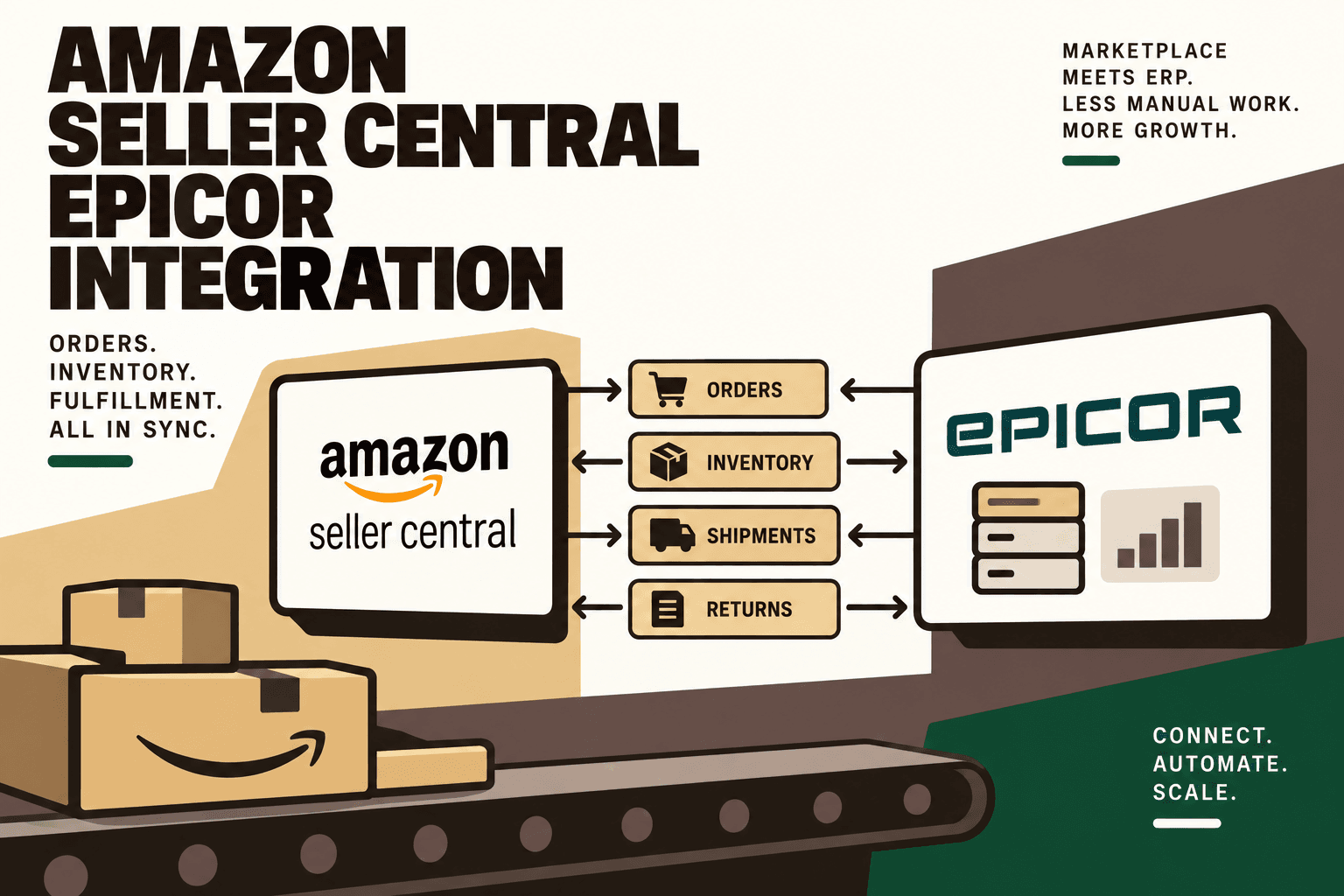
| Amazon orders | Amazon → Epicor | Create or update ERP sales orders |
| Inventory availability | Epicor → Amazon | Keep marketplace availability aligned |
| Product and listing data | Epicor → Amazon | Maintain marketplace catalog information where appropriate |
| Shipment confirmation | Epicor/Warehouse → Amazon | Update order fulfillment status |
| Tracking information | Warehouse/ERP → Amazon | Provide shipment tracking data |
| Returns and refunds | Amazon → Epicor | Support downstream operational and financial workflows |
| Reports and marketplace data | Amazon → ERP or analytics | Reconciliation and reporting |
Not every business needs every workflow. The integration should be designed around the processes that actually create manual work, inventory risk, fulfillment delays or reconciliation problems.
The Core Architecture
A simple point-to-point connection can work for a relatively small operation. But once Amazon is only one of several commerce channels, a centralized integration layer becomes easier to manage.
A practical architecture is:
Amazon Seller Central → Amazon SP-API → Integration Layer → Epicor ERP → Warehouse or 3PL
And for inventory:
Epicor/WMS inventory → Available-to-Sell logic → Integration Layer → Amazon SP-API → Amazon Seller Central
Amazon's SP-API provides programmatic access to seller operations and data, while Epicor offers integration technologies and APIs for connecting ERP data and functionality to external systems. Amazon SP-API Getting Started Epicor Kinetic Open REST API
Why use an integration layer?
The integration layer gives the business somewhere to implement mapping, validation, transformation, retry logic, logging and exception handling.
Without that layer, teams can end up with multiple direct connections:
- Amazon → Epicor
- Amazon → Shopify
- Shopify → Epicor
- Amazon → 3PL
- Epicor → 3PL
- Amazon → reporting
As the number of systems increases, troubleshooting becomes harder because there is no single place to understand what happened to an order or inventory event.
Five Anchor POV: For a D2C or omnichannel business, the integration layer should be treated as infrastructure. Its job is not simply to move records. It should establish how commerce events become operational actions across Amazon, Epicor, warehouses, 3PLs and other sales channels.
What Data Should Move Between Amazon and Epicor?
1. Orders
Amazon orders are one of the strongest candidates for automation.
The workflow can be structured as:
Amazon order → SP-API → integration layer → validation and mapping → Epicor sales order → warehouse/3PL fulfillment.
Amazon's SP-API supports access to order information and related seller workflows. Amazon Selling Partner API documentation
The integration should validate important fields before creating an Epicor order. Depending on the operating model, those fields can include SKU, quantity, shipping information, marketplace, order identifier, payment-related information and fulfillment method.
The important design principle is idempotency: receiving the same Amazon event twice should not accidentally create two ERP orders.
2. Inventory
Inventory synchronization is often the most commercially sensitive part of the integration.
A common model is:
Epicor or warehouse inventory → available-to-sell calculation → Amazon inventory update.
However, the ERP's physical or on-hand quantity should not automatically be treated as the quantity that Amazon can sell.
A business may need to account for committed orders, warehouse processing, safety stock, inventory held for quality control, damaged inventory or stock allocated to another channel.
Illustrative scenario: A warehouse has 1,000 physical units, but 100 are committed to existing orders and 50 are intentionally held as safety stock. If the marketplace receives all 1,000 units as available inventory, the integration has created a commercial risk even though the physical inventory figure is correct.
The exact available-to-sell calculation should therefore be defined as part of the integration design rather than assumed.
3. Product and Listing Data
Product information may also need to move between systems. The exact ownership model depends on whether Epicor, Amazon, a product information system or another platform is the authoritative source for each attribute.
Amazon provides SP-API capabilities for listing management and related marketplace workflows. Amazon SP-API Listing Management
Do not automatically synchronize every product field in both directions. Bidirectional writes can create conflicts when two systems believe they own the same attribute.
4. Shipment Confirmation and Tracking
Once an order has been fulfilled, the operational system can pass shipment information back through the integration so Amazon receives the appropriate fulfillment update.
The workflow can look like:
Epicor/warehouse → shipment event → integration layer → Amazon → order status and tracking.
This removes a repetitive handoff in which an employee has to retrieve tracking information from a warehouse or shipping system and manually update the marketplace.
5. Returns, Refunds and Reconciliation Data
Returns are more complicated than orders because the marketplace event and the physical inventory event may happen at different times.
An Amazon return can require separate handling for:
- Return authorization or status
- Physical receipt
- Inspection
- Restocking
- Refund status
- Inventory adjustment
- Financial reconciliation
The integration should therefore avoid treating a return notification as equivalent to a sellable inventory restock.
Amazon Seller Central vs Amazon Vendor Central
One important architectural distinction is whether the business is operating as an Amazon seller or vendor.
Seller Central: the business sells through Amazon's seller marketplace environment and typically uses Seller Central and SP-API for programmatic seller workflows.
Vendor Central: the business operates under a different Amazon relationship and can involve vendor-specific processes and EDI alongside SP-API capabilities.
Amazon provides separate guidance for vendors using SP-API. Amazon SP-API for Vendors
This article focuses on Amazon Seller Central and Epicor integration. A vendor integration should be scoped separately because the transaction model and required data flows can differ.
Three Ways to Integrate Amazon Seller Central With Epicor
Option 1: Epicor Integration and EDI Capabilities
Epicor provides integration and EDI capabilities designed to connect ERP environments with external trading and commerce systems. Epicor's published integration material includes marketplace and ecommerce connectivity. Epicor EDI and Integrations
This approach can be appropriate when the required Amazon workflows fit the available Epicor integration architecture and the business wants to keep more of the integration within its ERP ecosystem.
Option 2: Custom SP-API Integration
A custom integration uses Amazon SP-API on one side and Epicor's available APIs or integration interfaces on the other.
Amazon documents private developer options for sellers building applications for their own business. Amazon: Getting Started for Private Developers
Custom development gives the business greater control over mapping and workflow logic, but it also creates responsibility for authentication, API changes, monitoring, error handling, maintenance and operational support.
Option 3: Third-Party Middleware
Integration middleware can provide prebuilt or configurable connections between Amazon Seller Central and Epicor. For example, Stacksync currently advertises an Amazon Seller Central and Epicor ERP integration with synchronization and object mapping capabilities. Stacksync Amazon Seller Central and Epicor integration
Third-party middleware can reduce custom development, but the business still needs to validate data ownership, supported Epicor objects, Amazon marketplace coverage, error handling and the exact workflows included.
How to Choose the Integration Approach
| Consideration | What to evaluate | Why it matters |
|---|---|---|
| Epicor product | Kinetic, Prophet 21, Eclipse or other environment | Available APIs, modules and integration patterns differ |
| Amazon model | Seller Central or Vendor Central | Transaction and API requirements differ |
| Order volume | Current and expected transaction volume | Influences architecture and monitoring requirements |
| Channels | Amazon only or Amazon plus Shopify and marketplaces | Multiple channels increase orchestration needs |
| Fulfillment | Internal warehouse, 3PL or FBA | Determines where fulfillment and inventory events originate |
| Customization | Standard mapping versus business-specific rules | Determines middleware versus custom development needs |
| Support model | Internal technical team versus managed integration | Determines who maintains the workflow |
The Most Important Design Decision: Who Owns the Data?
A reliable integration starts by assigning ownership.
| Data object | Potential system of record | Downstream systems |
|---|---|---|
| Product master | Epicor or designated product system | Amazon and other channels |
| Operational inventory | Epicor/WMS | Amazon, Shopify and marketplaces |
| Amazon order | Amazon initially | Epicor and fulfillment systems |
| Sales order | Epicor | Warehouse and finance |
| Shipment | Warehouse/3PL | Epicor and Amazon |
| Marketplace listing | Defined marketplace/catalog owner | Amazon |
| Financial reconciliation | Epicor/finance | Reporting and accounting workflows |
The exact ownership model varies by business. The critical point is that every important data object needs one clearly defined owner.
If both Amazon and Epicor are allowed to overwrite the same inventory field without rules, the integration can create an endless loop of corrections.
Build the Integration Around Events, Not Just Records
One of the most useful architectural improvements is to think in terms of business events.
Instead of asking only, “How do we sync Amazon orders to Epicor?” ask:
- What event means an Amazon order has been created?
- What event means an order has been accepted by Epicor?
- What event reserves inventory?
- What event means an order has shipped?
- What event means tracking is available?
- What event changes sellable inventory?
- What event indicates a return is received?
- What event makes a returned item sellable again?
This model makes it easier to identify missing events, duplicate messages and failed handoffs.
What Can Go Wrong With Amazon-Epicor Integration?
SKU Mapping Errors
If Amazon uses one identifier and Epicor uses another, the integration needs a controlled mapping layer. A mapping mistake can create an incorrect order line, inventory update or product association.
Duplicate Orders
If an API response is retried without idempotency controls, the same Amazon order could potentially be processed more than once. Every order workflow should have a reliable external identifier and duplicate detection.
Inventory Drift
Inventory can diverge when Amazon receives stale availability, when Epicor inventory is not the same as sellable inventory, or when another sales channel changes stock without reaching the central inventory workflow.
Failed API Calls
Network errors, authentication problems, throttling, invalid data or service interruptions can prevent an event from reaching the next system. A production integration therefore needs retries and an exception queue rather than silently dropping failures.
Out-of-Order Events
Events can arrive at different times. A shipment update arriving before the corresponding order is fully processed should not break the workflow. The integration needs state validation and controlled retry behavior.
Manual Overrides
Manual changes can be necessary, but uncontrolled edits create ambiguity. Every manual correction should have a reason, owner and audit trail where the systems support it.
How to Integrate Amazon Seller Central and Epicor Step by Step
Step 1: Map the Current Workflow
Document how an Amazon order currently moves from Seller Central through Epicor and into fulfillment. Include triggers, data fields, systems, decisions, exceptions, manual handoffs and outputs.
Step 2: Identify the Epicor Environment
Confirm the exact Epicor product, version, modules, deployment model and available integration interfaces. An integration plan should not assume that every Epicor environment exposes the same objects or workflows.
Step 3: Define the Amazon Scope
Identify marketplaces, seller accounts, order types, fulfillment methods, listings and reports that need to participate in the integration.
Step 4: Establish System Ownership
Define the source of truth for products, inventory, orders, shipment status, pricing and financial reconciliation.
Step 5: Define the Data Contract
For every workflow, specify required fields, identifiers, transformations, validation rules and destination fields.
Step 6: Choose the Integration Pattern
Evaluate Epicor's integration capabilities, custom SP-API development and third-party middleware against the required workflows.
Step 7: Build the Highest-Value Workflow First
For many marketplace businesses, that means starting with Amazon orders → Epicor → fulfillment or Epicor inventory → Amazon.
Step 8: Add Guardrails
Implement authentication controls, field validation, duplicate detection, retry behavior, logging, permissions, exception queues and human approval for high-impact corrections.
Step 9: Test Edge Cases
Do not test only a successful order. Test cancellations, partial fulfillment, duplicate events, unavailable SKUs, inventory shortages, returns, refunds, invalid addresses, failed API requests and delayed responses.
Step 10: Pilot Before Scaling
Start with a controlled subset of products or workflows. Confirm that the integration performs correctly before expanding across the full catalog and additional marketplaces.
Step 11: Monitor the Workflow
Track successful events, failed events, processing time, inventory discrepancies, duplicate records, exception volume and reconciliation status.
Where AI Fits Into an Amazon-Epicor Integration
Not every part of an ERP integration needs AI.
Deterministic rules are usually the right choice for tasks such as:
- Checking whether an Amazon order already exists in Epicor
- Mapping a known Amazon SKU to an Epicor part number
- Validating required fields
- Calculating a defined inventory threshold
- Retrying a failed API request
- Routing a known exception type
AI can be useful around the edges of the workflow where interpretation and prioritization are valuable.
Examples include:
- Classifying unexplained integration exceptions
- Summarizing why an order failed to enter Epicor
- Identifying recurring inventory discrepancies
- Prioritizing high-value operational exceptions
- Summarizing marketplace performance across orders and inventory data
- Helping operators investigate multi-system reconciliation issues
Five Anchor POV: The practical role of AI is to make the integration more intelligent, not to replace the transaction system. Amazon and Epicor should remain authoritative operational systems where appropriate; AI can sit around the workflow to interpret exceptions, surface patterns and reduce investigation time.
Amazon + Epicor + Shopify + 3PL: The More Realistic D2C Architecture
Many D2C businesses do not operate Amazon and Epicor in isolation. They also have Shopify, a 3PL, shipping systems, customer support and financial reporting.
In that environment, a better architecture is often:
Amazon
Shopify
Other marketplaces
↓
Commerce and integration layer
↓
Epicor ERP
↓
WMS / 3PL / warehouse / shipping
↓
Reconciliation and intelligence
The exact topology depends on which system should own inventory and orders. The principle is to avoid creating a separate piece of business logic for every pair of systems.
For example, if Amazon and Shopify both consume inventory from a central available-to-sell layer, the business has one place to define safety stock and inventory allocation rules instead of maintaining separate calculations for each channel.
How to Prioritize Integration Work
Not every workflow deserves the same engineering effort.
A practical prioritization model is:
Priority = volume × frequency × manual effort × error cost × revenue impact ÷ implementation complexity.
This is a practical framework, not an industry-standard formula.
Use it to compare workflows such as:
| Workflow | Questions to ask | Potential priority signal |
|---|---|---|
| Amazon order entry | How many orders require manual entry? | High volume and repetitive work |
| Inventory updates | How often does stock change? | High revenue and overselling impact |
| Shipment confirmation | How many shipments require manual updates? | High frequency and repetitive work |
| Returns | How much manual investigation is required? | Moderate volume but higher exception complexity |
| Marketplace reconciliation | How often do Amazon and ERP numbers need comparison? | Potentially high financial impact |
Security, Reliability and Maintenance
An integration touching marketplace orders, customer information, inventory and ERP records should be treated as production infrastructure.
Important controls include:
- Authentication: protect API credentials and access tokens.
- Least privilege: provide only the permissions required for each workflow.
- Validation: reject malformed or incomplete data before it reaches the ERP.
- Idempotency: prevent duplicate order or transaction creation.
- Retry logic: retry recoverable failures without creating duplicates.
- Logging: retain enough information to trace an event across systems.
- Monitoring: alert when synchronization fails or falls behind.
- Exception handling: send ambiguous cases to an operator rather than silently changing data.
- Change management: review API, ERP and business-process changes before they reach production.
Amazon maintains current SP-API documentation and developer resources for its API ecosystem. Amazon SP-API Resource Hub
How to Measure the Integration
An integration should be measured by operational outcomes, not simply by whether the APIs return successful responses.
| Metric | What it tells you |
|---|---|
| Order automation rate | How much Amazon order processing happens without manual entry |
| Integration failure rate | How often events fail or require intervention |
| Order processing time | How quickly Amazon orders become operational ERP orders |
| Inventory variance | How closely marketplace availability aligns with the defined inventory source |
| Manual exception volume | How many transactions still require human intervention |
| Duplicate transaction rate | Whether retry and idempotency controls are working |
| Shipment update latency | How quickly fulfillment information reaches Amazon |
| Reconciliation time | How long teams spend investigating marketplace and ERP differences |
The objective is not necessarily zero human involvement. The objective is to move human effort toward exceptions and judgment rather than repetitive data movement.
How Five Anchor Approaches Amazon-Epicor Integration
Amazon Seller Central and Epicor sit directly within the type of commerce infrastructure problem that requires more than a basic connector. Five Anchor's Commerce Infrastructure offering includes marketplace integrations, ERP integrations, order processing automation, inventory synchronization, warehouse and shipping integrations and custom AI workflows.
The implementation starts with the operational problem rather than a particular technology:
- Map Amazon, Epicor and warehouse workflows.
- Identify manual handoffs and failure points.
- Define system ownership and data contracts.
- Design the integration architecture.
- Connect Amazon SP-API with the relevant Epicor interfaces.
- Implement order, inventory and fulfillment workflows.
- Add validation, retries, logging and exception handling.
- Introduce AI selectively for exception analysis and operational intelligence.
- Deploy a controlled pilot.
- Measure and improve the workflow over time.
For businesses also operating Shopify or other marketplaces, the same infrastructure can be extended into a broader omnichannel inventory and order architecture rather than creating isolated integrations for each channel.
Common Amazon-Epicor Integration Mistakes
- Starting with the connector instead of the workflow. A connector can move data without solving the underlying process problem.
- Assuming on-hand inventory equals sellable inventory. Available-to-sell rules need to be explicitly defined.
- Ignoring SKU mapping. Correct identifiers are foundational to every downstream workflow.
- Creating uncontrolled bidirectional synchronization. Every data object needs a clear owner.
- Skipping exception handling. Production integrations will encounter invalid records, API failures and unexpected business states.
- Testing only successful orders. Cancellations, returns, partial shipments and duplicate events need explicit testing.
- Adding AI where rules are sufficient. Predictable transactions should usually remain deterministic.
- Failing to monitor the integration. A workflow that breaks silently can create operational and revenue problems before anyone notices.
Final Takeaway
Amazon Seller Central and Epicor integration is fundamentally an order, inventory and fulfillment orchestration problem.
Amazon provides SP-API for programmatic access to seller workflows, while Epicor provides integration technologies and APIs that can connect ERP processes to external systems. The exact implementation depends on the Epicor product, Amazon operating model, fulfillment architecture and required data flows.
The most useful starting point is to define three things: what each system owns, which events need to move between systems, and how exceptions will be handled.
For many businesses, the first workflows to automate are Amazon order ingestion, inventory availability, shipment confirmation and marketplace reconciliation. Once those are reliable, the architecture can expand to Shopify, additional marketplaces, 3PLs, warehouse systems and operational intelligence.
The result should not be a black-box synchronization process. It should be an integration architecture where operators can trace an order, understand an inventory change, identify a failed event and know which system is responsible for the next action.
Key Takeaways
- •Amazon Seller Central and Epicor can be connected using SP-API, Epicor integration capabilities, custom development or third-party middleware.
- •The three core workflows are usually Amazon order ingestion, inventory synchronization and shipment or tracking updates.
- •Inventory synchronization should use defined available-to-sell logic rather than blindly publishing physical on-hand inventory.
- •SKU mapping, idempotency, validation, retries and exception handling are foundational integration controls.
- •The exact architecture depends on the Epicor product, Amazon operating model, fulfillment setup and number of sales channels.
- •A centralized integration layer can simplify an architecture that includes Amazon, Shopify, Epicor, 3PL and other marketplaces.
- •Deterministic rules should handle predictable transaction logic, while AI can assist with complex exceptions, investigation and operational intelligence.
Amazon Seller Central and Epicor Integration Options
| Factor | Integration Approach | What to Consider |
|---|---|---|
| Inventory Sync Frequency | 15–30 min batch polling (high oversell risk) | Sub-second atomic locking (<450ms) |
| Concurrent Drop Resilience | Fails under concurrency; causes negative stock balance | Redis atomic reservation queue guarantees exact counts |
| Error Handling & Retries | Silent failure; manual CSV audit needed | Dead-letter queues with automated exponential retry |
| Fulfillment Routing Speed | 2–4 hours delayed batch export to 3PL warehouse | Instantaneous automated webhook dispatch (<90 sec) |