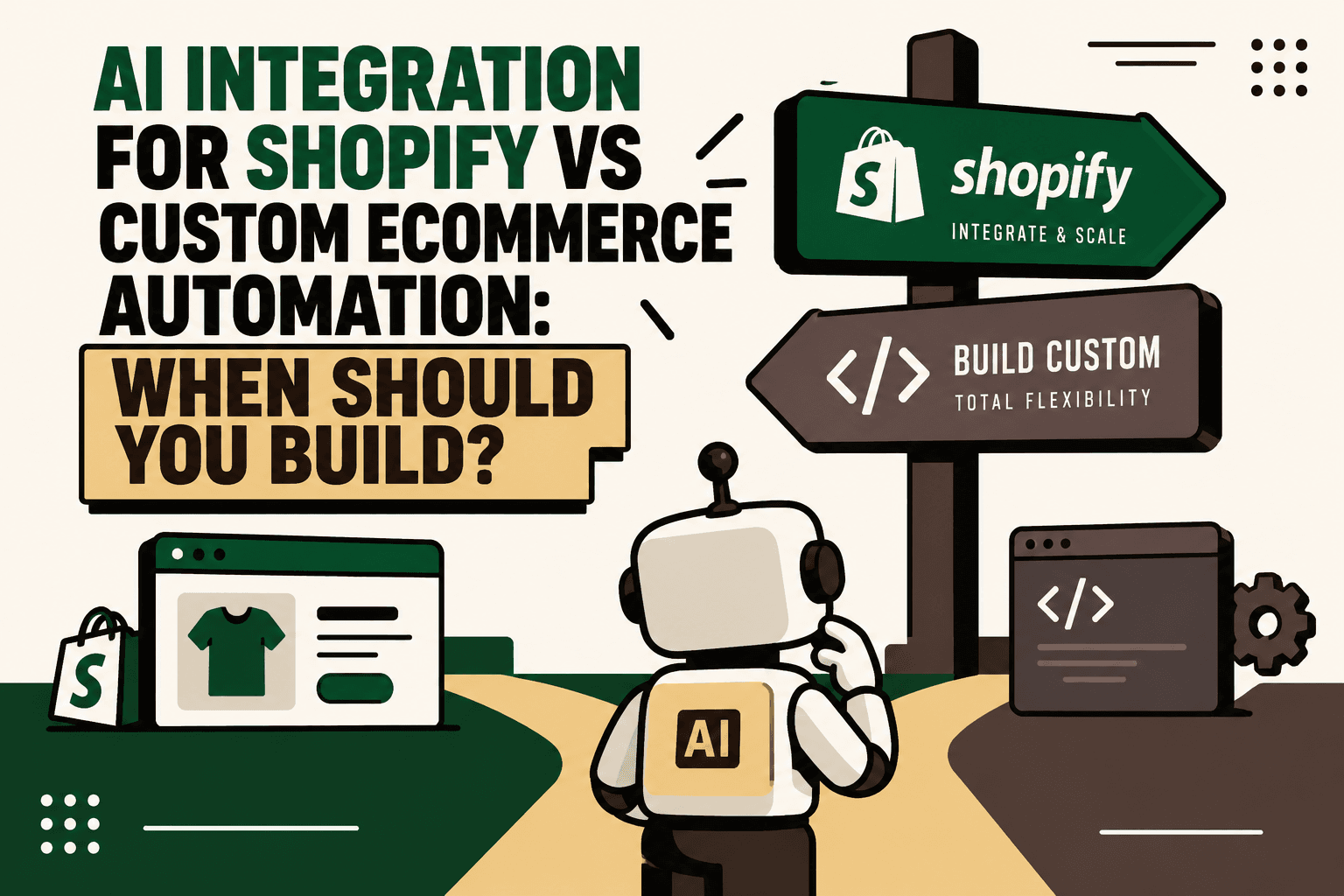
For most growing D2C brands, the choice is not really Shopify or custom ecommerce automation. A better approach is usually Shopify first, then custom automation where Shopify stops being enough.
Shopify already provides substantial infrastructure through Flow, Functions, APIs, app extensions and AI-powered tools. The real question is therefore not whether Shopify can be extended, but which parts of your operation deserve custom infrastructure.
If a workflow is simple, rule-based and already supported by Shopify or an existing integration, building a custom system can create unnecessary cost and maintenance. If the workflow requires intelligence across Shopify, ERP, WMS, CRM, logistics or support systems, a custom orchestration layer may become justified.
AI Integration for Shopify vs Custom Ecommerce Automation
Answer: Start with Shopify-native automation when the workflow is straightforward. Add AI when the problem requires interpretation or natural-language interaction. Build custom automation when the workflow crosses multiple systems, contains complex business logic or becomes strategically important to the business.
| Factor | Shopify AI Integration | Custom Ecommerce Automation |
|---|---|---|
| Best fit | Existing Shopify operations | Complex or differentiated operations |
| Implementation | Usually faster | Usually longer |
| Upfront complexity | Lower | Higher |
| Customization | High within platform boundaries | Very high |
| Maintenance | Lower | Higher |
| Multi-system orchestration | Possible through APIs and integrations | Strong fit |
| Business-specific logic | Good for defined workflows | Best for complex logic |
| Recommended starting point | Yes | Only when justified |
Why Shopify Should Usually Be the Starting Point
If your storefront, checkout, catalog, payments and order management already work well on Shopify, rebuilding the commerce foundation rarely solves the actual automation problem.
Shopify Flow supports trigger-condition-action workflows across Shopify and connected applications. That makes it suitable for operational tasks such as inventory alerts, order tagging, fulfillment holds, customer segmentation, notifications and external-app workflows.
For example:
Order placed → Order value exceeds threshold → Identify VIP customer → Update CRM → Notify support
There is little reason to create an independent automation platform for a workflow this predictable.
The first implementation question should therefore be:
Can Shopify, an existing app or a simple integration already solve this workflow reliably?
If the answer is yes, use it.
When Shopify Automation Is Enough
Rule-Based Workflows
Rule-based processes are the easiest place to stay within Shopify.
Examples include:
- Inventory falls below a threshold.
- An order exceeds a defined value.
- A customer receives a specific tag.
- An order requires a fulfillment hold.
- A specific event should trigger a notification.
These workflows have predictable inputs and predictable outputs. Introducing AI does not automatically make them better.
Existing Integrations Already Solve the Problem
If your ERP, CRM, WMS, shipping provider or support platform already has a reliable Shopify integration, adding custom middleware may create another system to maintain without solving a meaningful business problem.
The goal is not to maximize the number of systems in the architecture. It is to reduce operational friction.
The Workflow Is Not Differentiated
If another D2C brand could implement the same workflow with Shopify Flow and standard applications, it may not deserve custom infrastructure.
Custom development becomes more compelling when the workflow reflects something distinctive about how the business operates.
Add AI When the Problem Is Intelligence
Traditional automation follows predefined rules.
AI becomes useful when the system needs to interpret information, understand intent, reason across approved data or communicate naturally.
Traditional Automation
Order delayed → Send predefined notification.
AI-Powered Automation
Order delayed → Determine the reason → Retrieve customer context → Select the appropriate response → Explain the situation → Escalate if necessary.
The difference is important. The first workflow is deterministic. The second requires interpretation.
AI should therefore be added because the workflow contains an intelligence problem, not simply because AI is available.
Shopify + AI Is Often the Best Middle Ground
For many D2C brands, the most practical architecture is not a replacement for Shopify. It is an AI automation layer around Shopify.
A simplified architecture looks like:
Customer channels → AI layer → automation engine → Shopify + ERP + CRM + WMS + logistics + support
Shopify can continue handling the commerce foundation while another layer manages intelligence, orchestration and cross-system workflows.
This can support use cases such as:
- AI customer support.
- Order-status agents.
- Returns automation.
- Product recommendation workflows.
- Inventory intelligence.
- Lead qualification.
- CRM synchronization.
- Shipping exception handling.
- Automated customer communication.
- Internal AI copilots.
This approach avoids the unnecessary cost of rebuilding the entire commerce stack simply because the operation needs more intelligence.
When You Should Build Custom Ecommerce Automation
Answer: Custom automation becomes justified when the workflow is no longer just a Shopify task. The strongest signals are cross-system dependencies, complex decision logic, high operational impact and a need for behavior that standard tools cannot reliably provide.
1. The Workflow Depends on Multiple Systems
Consider a fulfillment decision that depends on:
- Customer type.
- Purchase history.
- Inventory availability.
- Warehouse location.
- Product margin.
- Shipping SLA.
- Customer lifetime value.
This is no longer a simple Shopify trigger.
The system needs to gather information from several sources, apply business logic and return a decision.
That is an orchestration problem.
2. AI Needs Context From Several Systems
Imagine a customer asks:
“Where is my order and why hasn't it shipped?”
A useful answer may require:
- Shopify for order information.
- WMS for picking or packing status.
- 3PL data for shipment status.
- CRM information for customer context.
- Support history for previous complaints.
- An AI layer to interpret the information and formulate the response.
At this point, the challenge is not simply connecting AI to Shopify. The challenge is coordinating several systems around a single customer request.
3. Your Business Logic Is Becoming a Competitive Advantage
Custom infrastructure makes more sense when the way you operate is itself strategically important.
For example, a brand may have a proprietary approach to:
- Inventory allocation.
- Customer prioritization.
- Returns decisions.
- Discount eligibility.
- Fulfillment routing.
- Marketplace allocation.
- Customer recovery.
If that logic directly affects margin, service levels or customer experience, encoding it into a reusable automation layer can become strategically valuable.
4. Standard Workflows Are Becoming Difficult to Maintain
Custom development should not be the first response to complexity. But when a workflow contains dozens of branches, multiple systems and frequent exceptions, a collection of disconnected no-code automations can become difficult to understand and monitor.
At that point, a dedicated orchestration layer may make the operation easier to control.
Shopify Functions: Custom Logic Without Leaving Shopify
There is an important middle option between native Shopify configuration and a completely separate ecommerce platform.
Shopify Functions allow developers to customize backend logic in supported commerce flows. They can be used for specialized behavior such as custom discounts, delivery options and checkout or cart validation.
This means that some custom requirements do not require leaving Shopify's architecture.
For example:
Customer + cart + product combination → Apply custom pricing or validation logic
can potentially be implemented inside Shopify's extensibility model rather than through a separate commerce engine.
The decision should therefore be more nuanced than “native versus custom.” Sometimes the right answer is custom logic inside Shopify.
When APIs and Middleware Become Necessary
Shopify's Admin API provides a foundation for apps and integrations that extend Shopify. That makes APIs useful when the workflow needs to move data between Shopify and other operational systems.
Middleware becomes particularly useful when you need to:
- Normalize data between systems.
- Coordinate several APIs.
- Apply business rules outside a single platform.
- Manage retries and failures.
- Control permissions.
- Maintain audit logs.
- Route events between systems.
- Give AI agents controlled access to operational data.
The key is not to introduce middleware simply because it is technically possible. Introduce it when it reduces complexity at the business level.
Custom Storefront vs Custom Automation
These are different decisions.
You can keep Shopify as the commerce backend while building a custom storefront when the customer experience requires more flexibility than standard themes, apps or sales channels provide.
Shopify's headless architecture supports custom storefronts connected to its commerce backend. This can make sense for unusual customer experiences, existing frontend stacks, complex omnichannel requirements or highly customized digital experiences.
But a custom storefront does not automatically solve operational automation problems.
A brand can have a custom frontend and still need a separate integration layer for ERP, WMS, logistics, customer support and AI.
A Five-Step Decision Framework
Before deciding to build, ask these five questions.
1. Can Shopify Flow or an Existing Integration Solve It?
If yes, start there.
Do not build custom infrastructure merely to recreate functionality that already works.
2. Does the Workflow Require AI Reasoning?
If the workflow needs natural-language interpretation, classification, summarization or contextual decision-making, add an AI layer.
3. Does It Require Data From Multiple Systems?
If yes, consider an integration or orchestration layer rather than forcing every process into Shopify.
4. Does the Logic Need to Execute Inside Shopify's Commerce Flow?
If yes, investigate Shopify Functions or extensions before building a separate system.
5. Is Shopify Preventing the Business Model or Customer Experience?
If Shopify's architecture genuinely prevents the desired experience, a custom storefront or broader custom architecture may be justified.
The Build Decision Should Follow Workflow Complexity
A practical way to think about the progression is:
- Shopify: Use the platform for core commerce.
- Shopify Flow: Automate straightforward operational workflows.
- Native integrations: Connect existing systems where reliable connectors exist.
- AI integration: Add intelligence where interpretation or natural-language interaction is required.
- Custom APIs or middleware: Orchestrate workflows across multiple systems.
- Custom Shopify apps, Functions or extensions: Build specialized functionality that belongs close to Shopify.
- Custom storefront or broader architecture: Use only when the business experience or operating model genuinely requires it.
This progression reduces the risk of overbuilding while still giving the business a path toward more sophisticated automation.
What Not to Build
Knowing what not to build is just as important.
- Do not build a custom order-tagging system when Shopify Flow already handles the workflow.
- Do not build an AI agent for a deterministic notification.
- Do not create middleware simply to connect two systems that already have a reliable connector.
- Do not replace Shopify because one workflow needs custom logic.
- Do not build a custom storefront when the actual problem is operational integration.
- Do not give an AI system unrestricted access to production systems simply because an API exists.
The goal is targeted custom infrastructure, not maximum custom infrastructure.
How to Prioritize What Deserves Custom Automation
A useful internal prioritization model is:
Volume × frequency × manual effort × error cost × revenue impact ÷ implementation complexity
This is a practical decision framework, not an industry-standard formula.
A workflow with high volume, frequent execution, significant manual effort and meaningful business impact may deserve investment. A workflow with low frequency and little operational consequence probably does not.
The model also helps prevent teams from building technically interesting systems that solve commercially insignificant problems.
Implementation: What to Do Before Building
- Map the workflow. Document the trigger, systems involved, decisions, actions, exceptions and human approvals.
- Establish a baseline. Measure current processing time, error rate, support effort, operational cost and business impact.
- Identify the bottleneck. Determine whether the real problem is data, process, decision-making, communication or system integration.
- Separate rules from AI. Use deterministic rules for predictable decisions and AI for interpretation or contextual reasoning.
- Define system ownership. Decide which platform is the source of truth for each data type.
- Define permissions. Decide what the automation can read, recommend, update and execute.
- Design human approval. High-risk financial, customer or operational decisions should have explicit escalation paths.
- Build the smallest viable workflow. Start with one important use case instead of creating a broad automation platform.
- Test edge cases. Include missing data, conflicting data, duplicate events, failed APIs and unusual customer requests.
- Pilot and measure. Compare the automated workflow against the baseline before expanding it.
- Scale deliberately. Add more workflows only after the architecture and monitoring process are stable.
Example: Shopify-First Customer Support Automation
Imagine a D2C brand wants to automate “Where is my order?” requests.
A Shopify-first implementation could use the existing commerce data, shipping integration and customer-support platform.
The workflow might be:
Customer message → Identify order → Retrieve current status → Explain status → Escalate exception
There may be no reason to build a large custom platform.
Now change the requirement:
The customer asks why an order is delayed, and the answer requires Shopify order data, WMS status, 3PL events, customer history, compensation rules and a decision about whether the case should be escalated.
Now the architecture is different:
Customer channel → AI agent → orchestration layer → Shopify + WMS + 3PL + CRM → rules and approvals → response
The second workflow has a stronger case for custom orchestration because the complexity is not inside Shopify alone.
Where Five Anchor Fits
Problem: Growing D2C brands often reach a point where Shopify handles commerce well, but operational workflows span ERP, inventory, logistics, support, marketplaces and customer channels.
Solution: Five Anchor positions itself around AI Infrastructure for D2C & E-Commerce, combining commerce infrastructure, AI-powered customer operations and ecommerce intelligence.
Implementation: For a Shopify brand, this can mean mapping the current workflows, deciding what should remain native, integrating Shopify with ERP, WMS, CRM or logistics systems, adding AI agents where reasoning is useful, and defining guardrails and human escalation.
Business outcome: The objective is not to replace Shopify. It is to extend the commerce stack only where operational complexity creates a genuine need for additional infrastructure.
This is particularly relevant when the brand needs custom order processing, inventory synchronization, marketplace integrations, returns automation, AI customer support or operational dashboards that depend on multiple data sources.
How to Measure Whether the Build Was Worth It
Custom automation should be measured against the problem that justified it.
| Metric | Why measure it | Desired signal |
|---|---|---|
| Manual effort | Shows whether work was actually removed | Lower |
| Processing time | Shows workflow efficiency | Lower |
| Error rate | Shows reliability | Lower |
| Exception rate | Shows how often human intervention is required | Appropriate for risk level |
| Integration failures | Shows operational stability | Lower |
| Resolution time | Shows customer or operational speed | Lower |
| Revenue or margin impact | Connects automation to business value | Improved where applicable |
| Maintenance effort | Shows ongoing complexity | Controlled |
Do not measure success by the number of automations launched. Measure whether the workflow became materially better.
The Architecture Most Growing D2C Brands Should Consider
For many brands, the strongest long-term architecture is layered rather than all-or-nothing.
Shopify remains the commerce foundation.
Native automation handles straightforward workflows.
AI handles interpretation, natural-language interaction and contextual assistance.
Integration infrastructure connects Shopify to ERP, WMS, CRM, logistics and other systems.
Human approval controls high-risk decisions.
This creates a system where each layer has a defined responsibility.
The Bottom Line
Do not build custom ecommerce infrastructure simply because you can.
For most D2C brands, the sensible progression is:
Shopify → Flow and native integrations → AI integration → custom APIs or middleware → specialized Shopify extensions → broader custom architecture only when necessary.
The right question is not:
“Should we build custom?”
It is:
“Which part of our commerce operation is becoming complex, differentiated or strategically important enough to justify custom infrastructure?”
If the answer is a simple rule, stay simple.
If the answer is intelligence, add AI.
If the answer is cross-system orchestration, build the integration layer.
If the answer is a genuinely unique customer experience, consider a custom storefront.
That approach gives growing ecommerce brands the flexibility of custom automation without paying the complexity cost of rebuilding everything.
Key Takeaways
- •Shopify should usually remain the commerce foundation when storefront, checkout, catalog and order management already work.
- •Use Shopify Flow and native integrations for straightforward rule-based automation.
- •Add AI when the workflow requires natural-language understanding, interpretation or contextual reasoning.
- •Build custom orchestration when the workflow depends on multiple operational systems or complex business logic.
- •Shopify Functions can handle some specialized backend logic without requiring a completely separate commerce platform.
- •A custom storefront is a separate decision from custom operational automation.
- •Start with workflow mapping, baseline metrics, clear system ownership and the smallest viable automation.
- •Five Anchor can extend Shopify with AI workflows, integrations, customer operations automation and ecommerce intelligence without requiring an unnecessary platform rebuild.
Shopify AI Integration vs Custom Ecommerce Automation
| Factor | Shopify AI Integration | Custom Ecommerce Automation |
|---|---|---|
| Inventory Sync Frequency | 15–30 min batch polling (high oversell risk) | Sub-second atomic locking (<450ms) |
| Concurrent Drop Resilience | Fails under concurrency; causes negative stock balance | Redis atomic reservation queue guarantees exact counts |
| Error Handling & Retries | Silent failure; manual CSV audit needed | Dead-letter queues with automated exponential retry |
| Fulfillment Routing Speed | 2–4 hours delayed batch export to 3PL warehouse |